.gif)
.gif)
.gif)

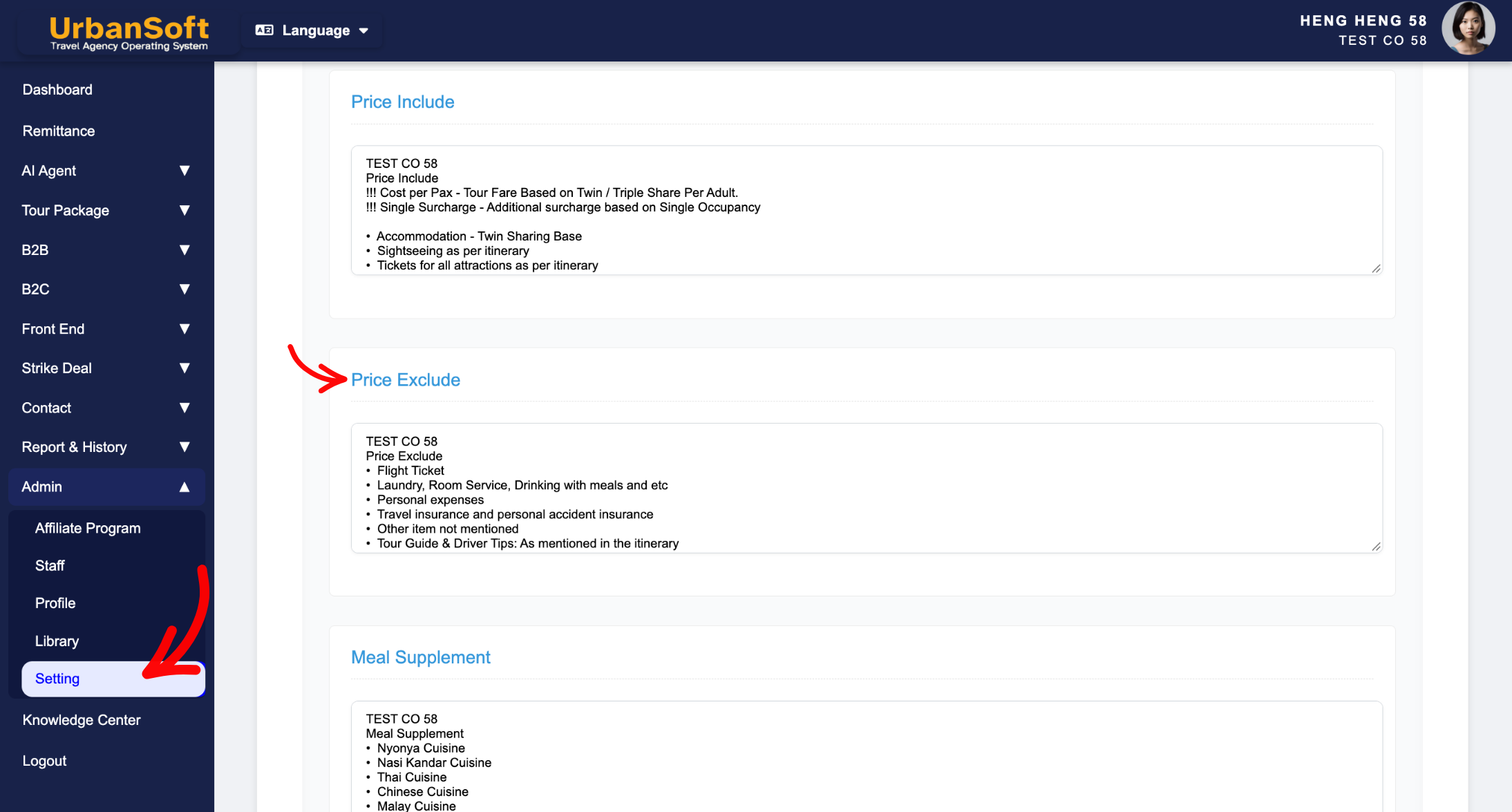
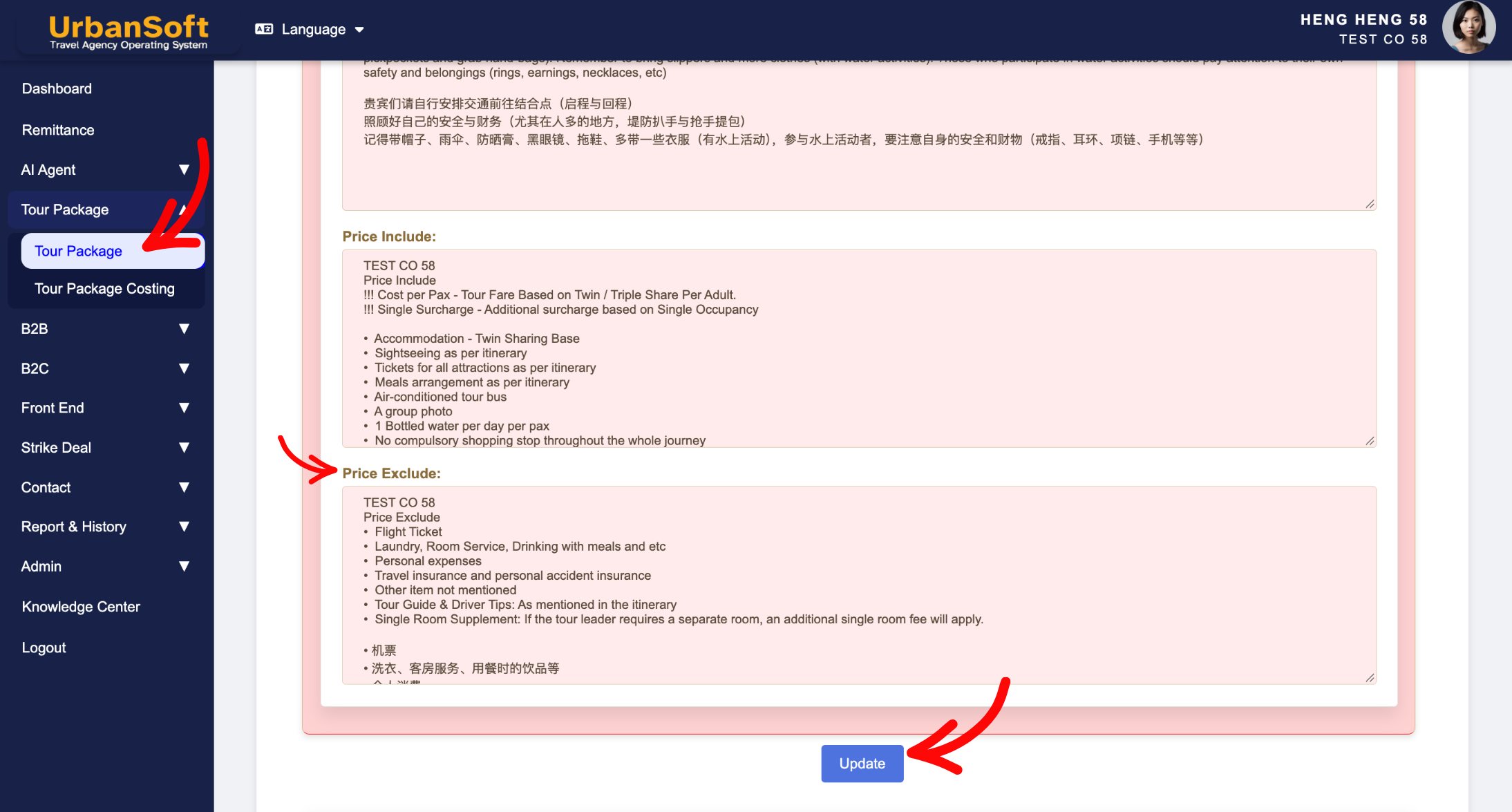
 What should be filled out in the "Price Excluded" field in Setting > Notice and Included & Excluded section?
The Price Excluded field in the Included & Excluded section of an UrbanSoft tour package explicitly lists all fees, services, and personal costs that are not covered by the base tour price. Clearly defining exclusions prevents miscommunication, protects your business legally, and ensures transparency between sales agents and customers. System-wide default exclusion language can be configured under Admin > Setting > Notice and freely modified when creating new tour packages without affecting existing tours in your database.
What Can I Do?
You can establish clear pricing boundaries and manage defaults using the following options:
-
Explicitly Detail Excluded Items: Itemize all out-of-pocket costs, optional add-ons, and non-covered services so customers know exactly what requires separate payment.
-
Configure Global Defaults: Set up standard default exclusion disclaimers in
Admin > Setting > Notice,so every newly created tour package auto-populates with complete protection clauses. -
Tailor per Tour Package: Customize or override default exclusion text on an individual package level to fit specific destinations, airlines, or promotional conditions.
-
Protect Database Integrity: Modify default exclusions on new packages safely, without altering past or active tour packages across your system.
Field Definitions & Ideal Inputs
-
Price Excluded List: Specific itemization of excluded services, such as:
-
Personal expenses (laundry, phone calls, room service, drinks).
-
Travel insurance / medical insurance coverage.
-
International or domestic flight tickets (for ground-only packages).
-
Tour guide and driver tipping/gratuities.
-
Optional sightseeing tours or entry tickets not listed in the main itinerary.
-
Please specify how many meals are not included and must be paid for at own expense.
-
Porterage, baggage handling fees, or hotel incidental charges.
-
-
Default Notice Template (
Admin > Setting > Notice): Global default exclusion terms that automatically load into every new tour package. -
Package-Level Override: Direct editing capability within a specific package that overrides global defaults for that single itinerary.
Example
For a ground-arranged Japan tour package, you can set the global default in Admin > Setting > Notice for general exclusion items. When setting up the specific package, you can edit the Price Excluded section to state: "Excludes: International airfare, personal travel insurance, tipping for guide & driver ($10/day), laundry and personal porterage, and optional Kimono rental experience."
Important Notes
-
Default exclusion text set in
Admin > Setting > Noticeautomatically populates newly added packages, saving time and ensuring standard policy compliance. -
Editing the Price Excluded field inside a new or existing tour package updates that specific record only—it does not alter global admin defaults or affect existing packages in the system.
-
Clearly itemized exclusions flow directly into generated PDF itineraries and customer quotes, helping avoid disputes regarding extra charges.
Different Angles: Same Stories, Same Content, New Perspective
- What specific costs and items should be listed in the Price Excluded field when creating a tour package in UrbanSoft?
-
Where do Price Include and Exclude details display on customer documents?
Same Folder Articles
Related Articles
-
 What information should be include in the "Highlight" tab?
-
What should be filled out in the "Meal Supplement" field in Setting > Notice and Highlight section?
-
What information should be include in the "Admin > Setting > Notice" tab?
-
What should be filled out in the "Surcharges for Public Holiday & Peak Seasons" field in Setting > General and Cost Structure section?
-
Why can't I edit the "Breakfast, Lunch, Lunch & Hotel" details in the Inclusions & Exclusions section?
