.gif)
.gif)
.gif)

 Why is my "Member Code or Reference Code" unique?
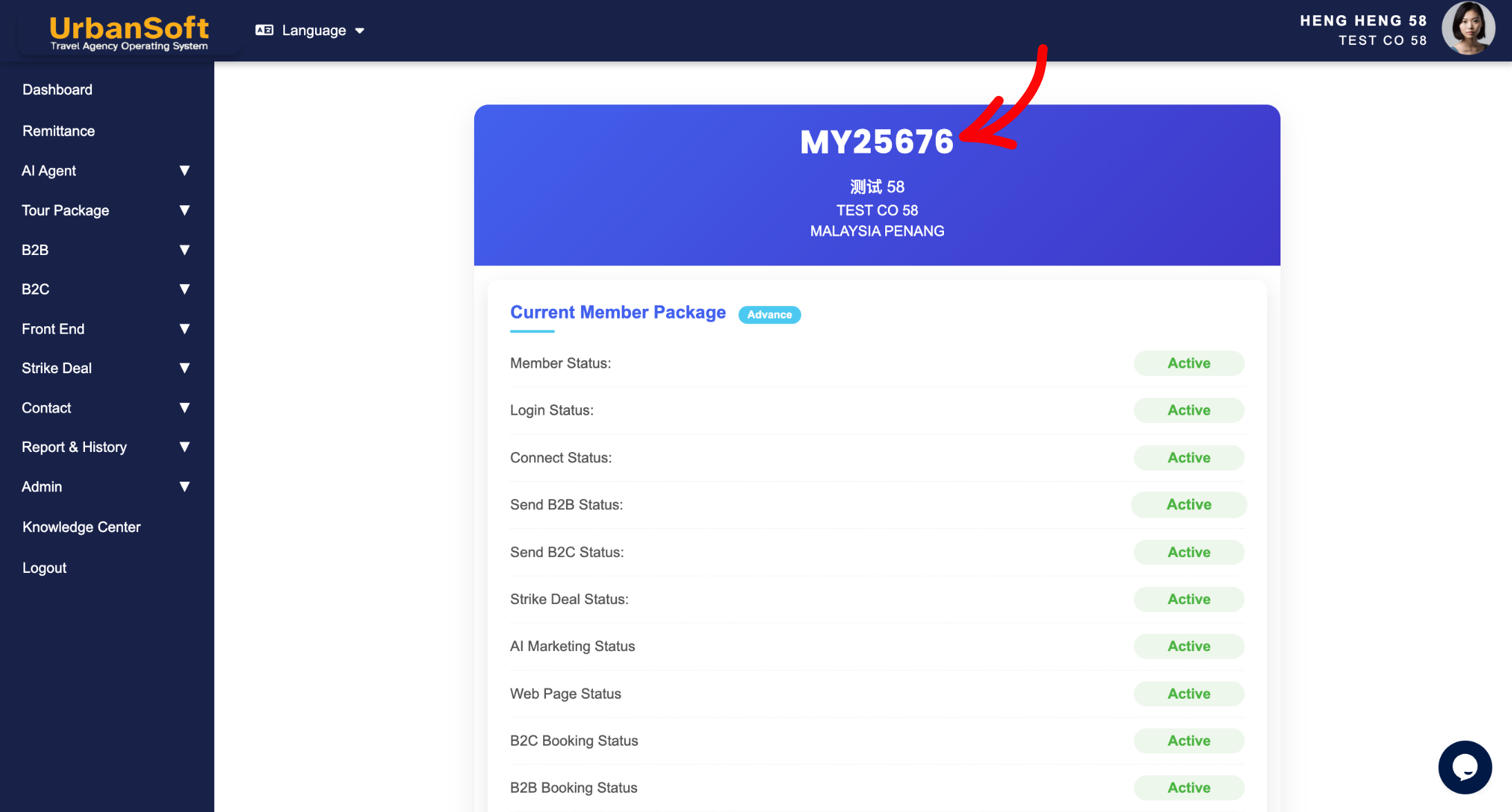
Every member on UrbanSoft is assigned a unique Member Code or Reference Code to serve as your company’s official digital identity within the ecosystem. It ensures accurate system identification so that all your essential transactions—such as topping up credits, upgrading membership plans, purchasing add-ons, and managing connection requests—are processed smoothly and directed to the correct account without error.
What Problem Does It Solve?
It completely eliminates identity duplication and account confusion. Without a unique identifier, multiple companies with similar names could easily be mismatched, leading to misdirected connection requests, billing errors, or incorrect data sharing. The unique Member Code or Reference Code guarantees that your business entity remains distinct and easy to pinpoint.
Benefits
-
Accurate Identification: Allows other UrbanSoft members, suppliers, or clients to identify and connect with your exact company effortlessly.
-
Seamless Transactions: Ensures account management activities like credit top-ups, plan upgrades, and feature add-on purchases apply directly to your account.
-
Enhanced Data Security: Safeguards your company's data integrity by preventing unauthorized duplication or accidental data overlap.
-
Simplified Customer Support: Helps UrbanSoft support quickly verify your account details for faster resolution.
Example
When a new travel supplier or business partner wants to establish a connection with your company on UrbanSoft, you can simply share your unique Member Code. They can search using this exact code to locate and select your company instantly, preventing any mix-up with companies that have similar names.
Important Notes
-
Your Member Code or Reference Code is tied to your overall company membership, not to an individual staff user account.
-
Keep your Member Code or Reference Code readily available whenever you reach out to UrbanSoft support or initiate connections with partners.
-
Double-check the Member Code or Reference Code when sharing or entering it for referral rewards and partner connections to ensure accuracy.
-
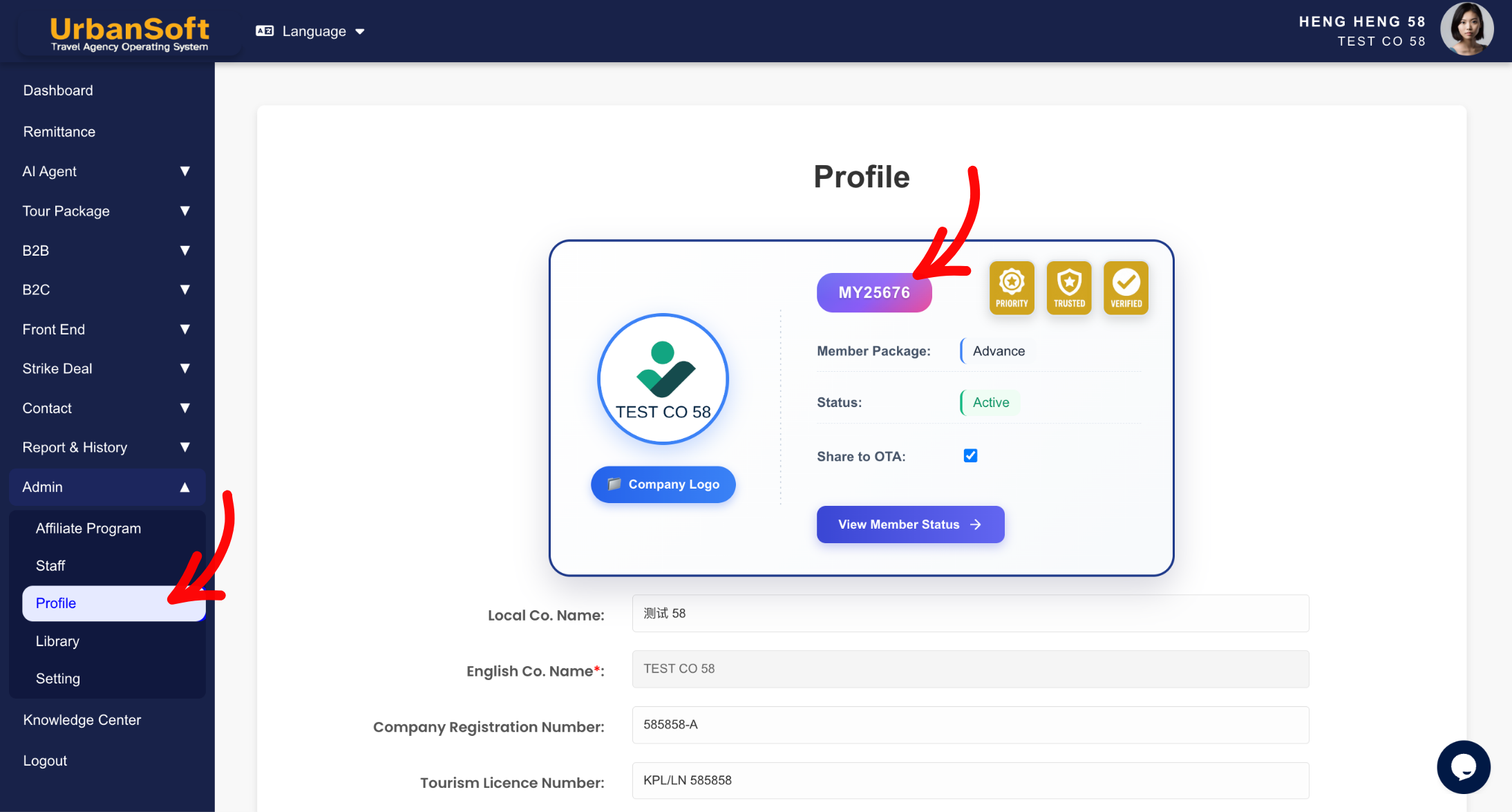
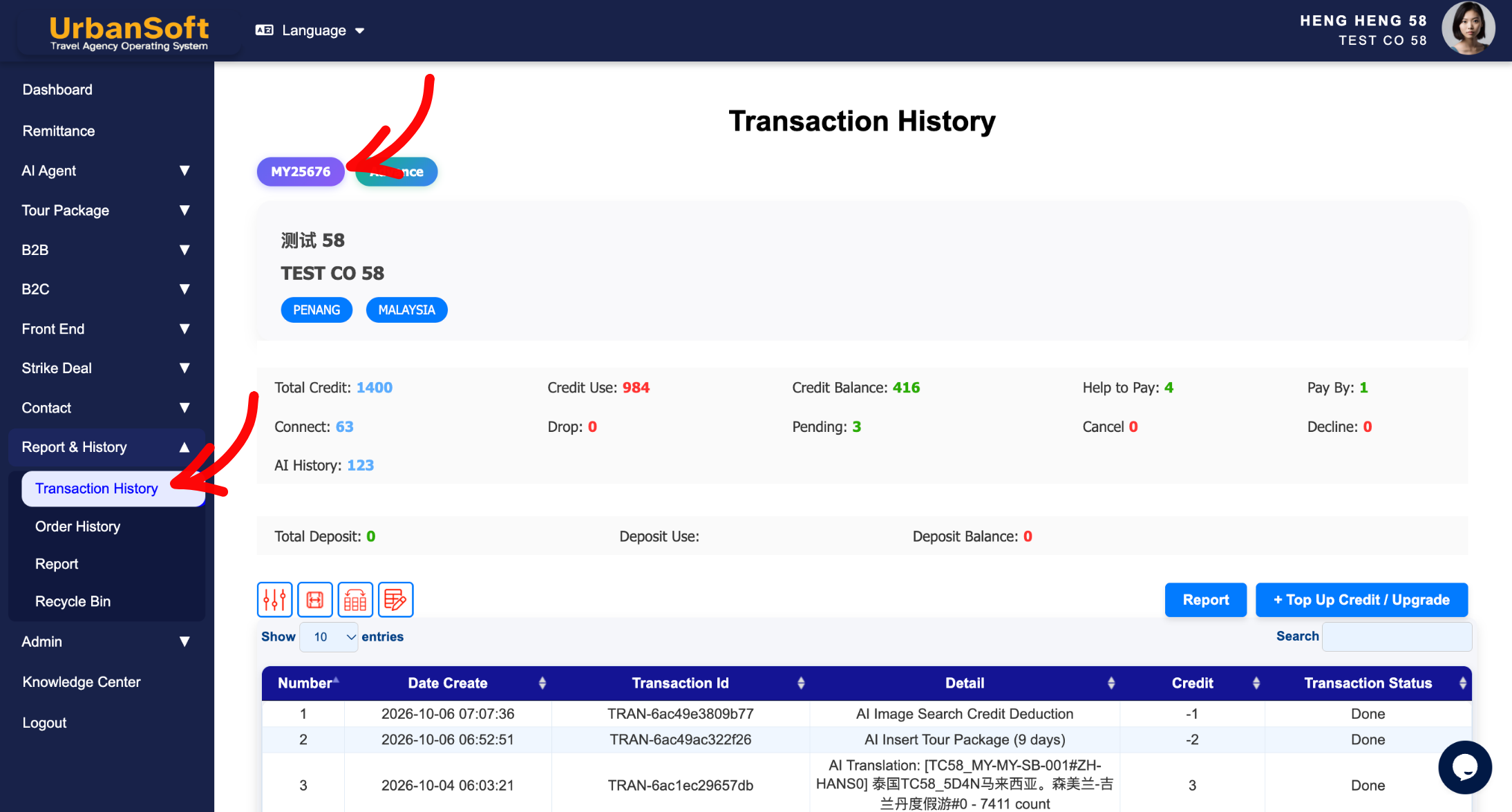
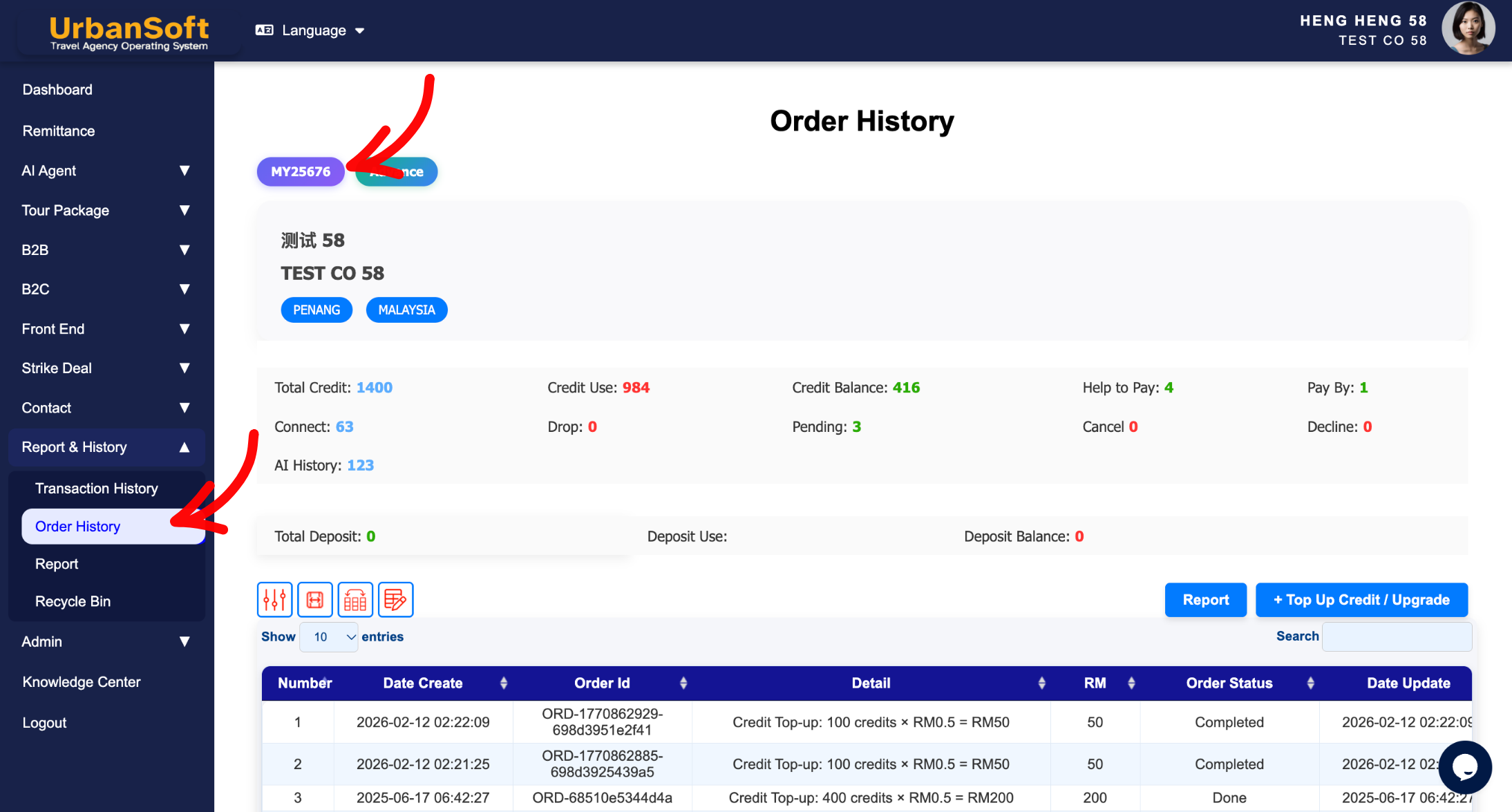
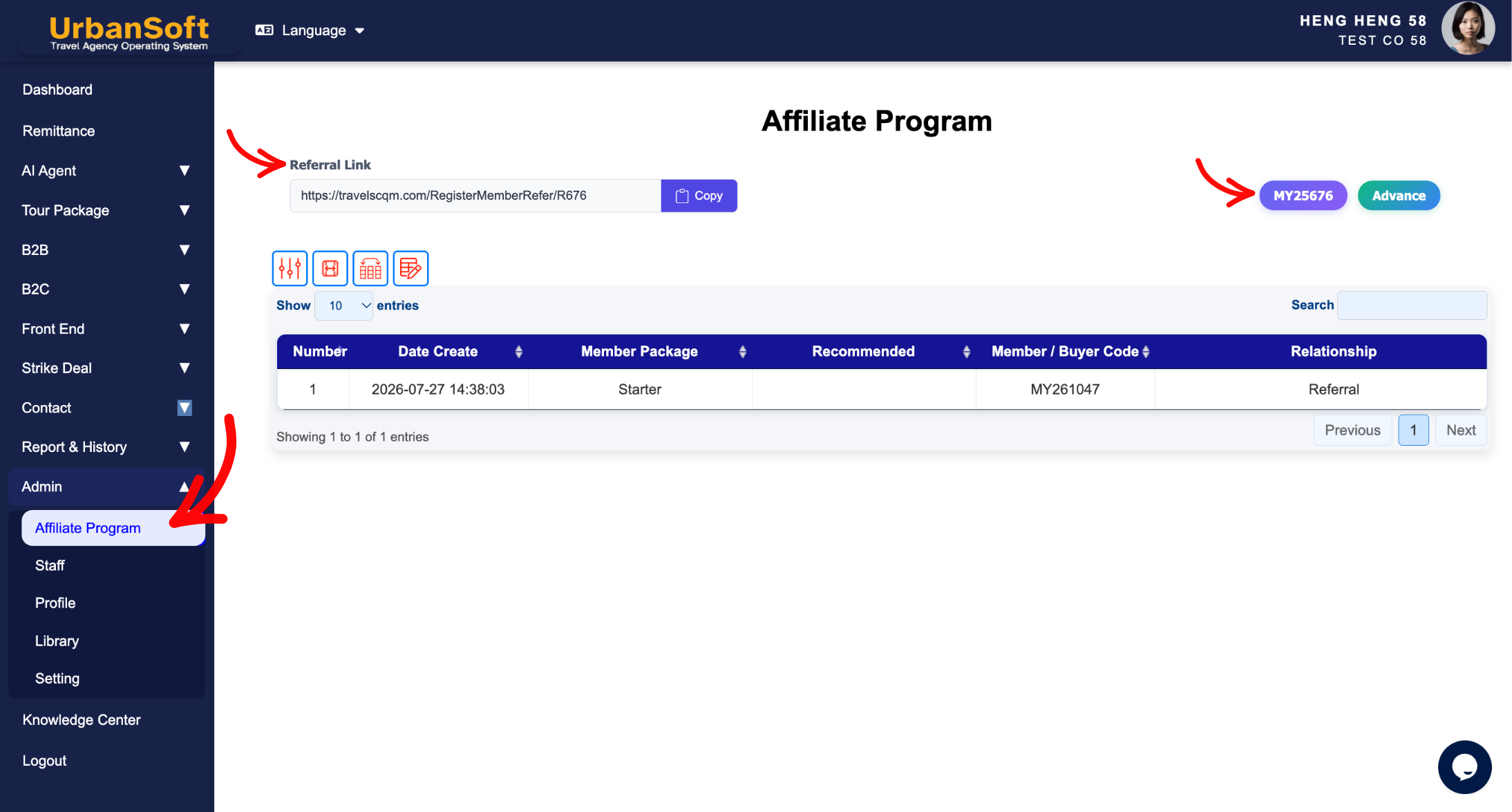
You can find your Member Code or Reference Code in 5 different places.
-
Admin > Profile
-
Report & History > Transaction History
-
Report & History > Order History
-
Admin > Affiliate Program
-
Company Profile
-
Different Angles: Same Stories, Same Content, New Perspective
-
Why does every UrbanSoft company account need a distinct identification code?
-
How does a unique Member Code protect my account data and transactions?
 How to check "My Membership Status"?
