.gif)
.gif)
.gif)

 What should be filled out in the "Meal Supplement" field in Setting > Notice and Highlight section?
The Meal Supplement section within UrbanSoft’s tour packages serves to extend and provide detailed information regarding the dining arrangements included in an itinerary. Beyond standard meal selections (e.g., breakfast, lunch, and dinner), this feature allows you to specify restaurant names, cuisine styles, and signature dishes, as well as outline optional upgrades, associated costs, special dietary requirements, and unique dining experiences. This ensures clients clearly understand these value-added culinary offerings or any price adjustments for holiday meals. It provides transparency regarding the actual quality and value of the dining included in the trip while clearly itemizing costs for optional upgrades or mandatory holiday meal surcharges—facilitating both client understanding and internal pricing operations (e.g., "Lobster & Seafood Upgrade: +USD 25/person," "Halal Meal Surcharge: +USD 10/person/day," or "Mandatory Christmas Eve Gala Dinner Surcharge: +USD 50/person").
What Can I Do?
You can enrich and manage dining arrangements for your tour packages using the following options:
-
Detail Included Meals: Specify exact restaurant names, cuisine styles, or signature local delicacies provided during the trip.
-
Manage Meal Upgrades & Extras: Add options for extra meal upgrades, premium dining add-ons, or special optional banquets.
-
Handle Dietary Requests: Outline special arrangements for dietary requirements (e.g., Vegetarian, Halal, Kosher, Gluten-Free, or Seafood Allergies).
-
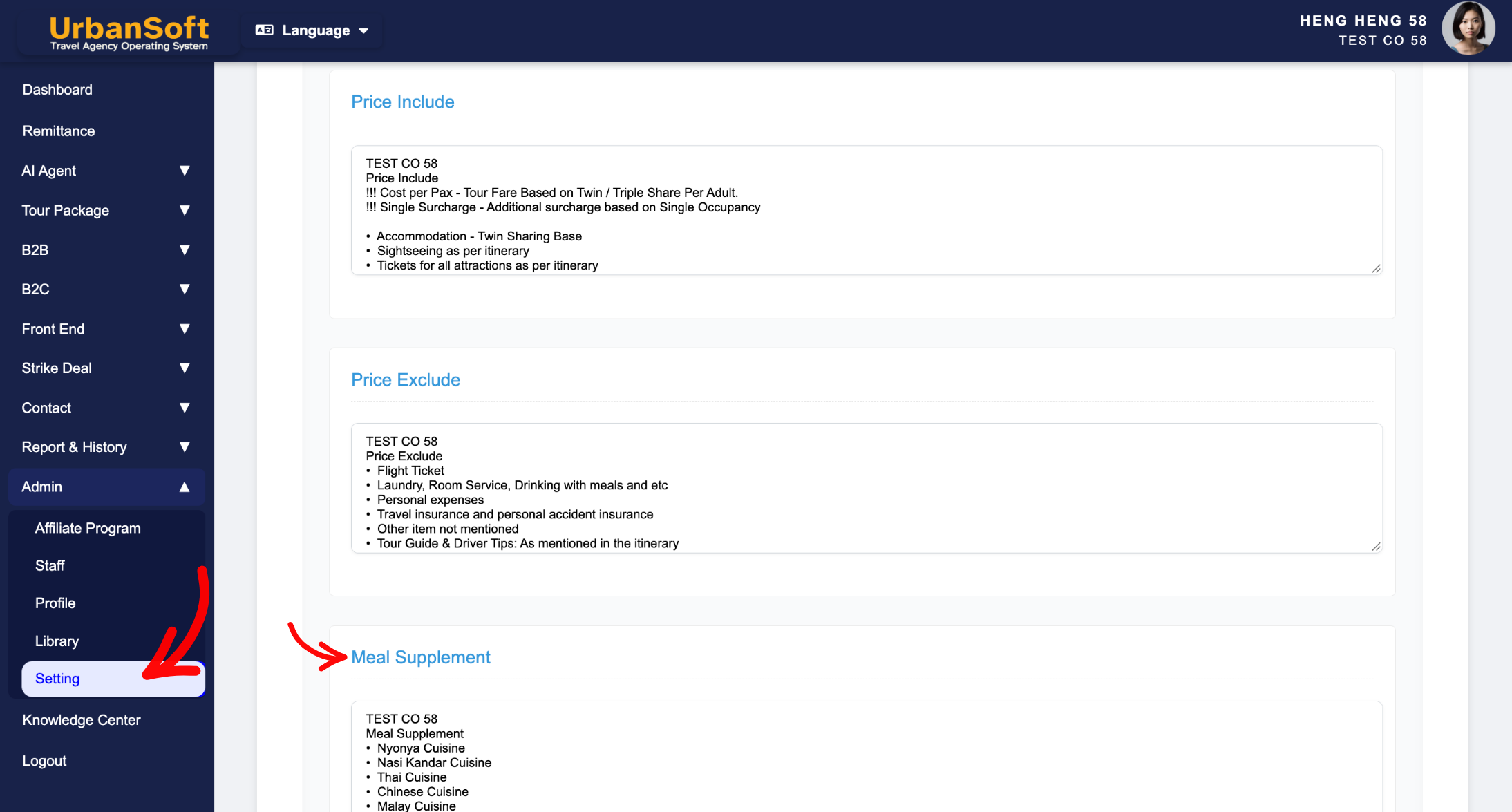
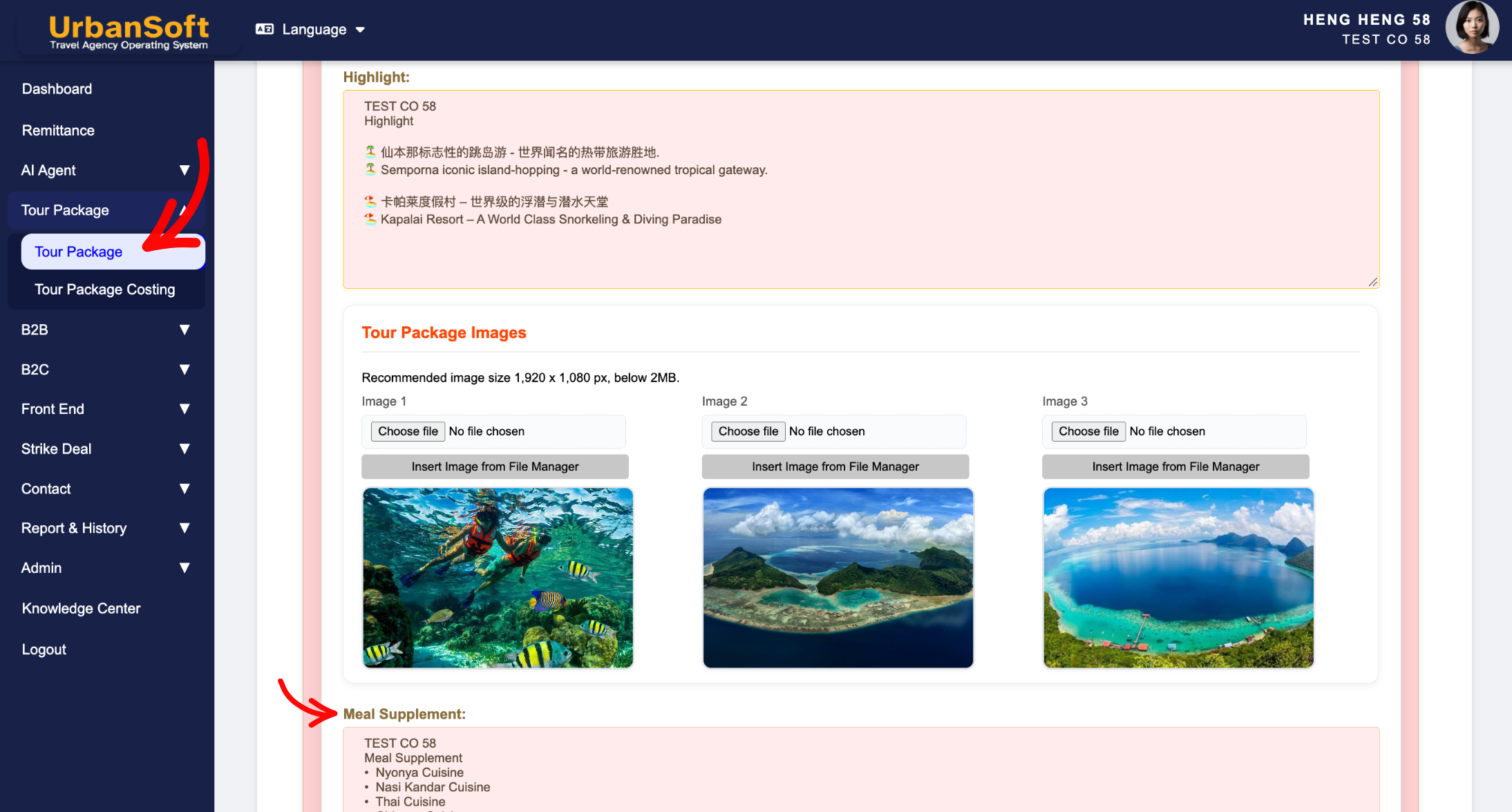
Set & Override Defaults: Configure standard default meal template language at the global level (
Admin > Setting > Notice) and customize or override it directly when creating or editing a specific tour package.
Field Definitions & Ideal Inputs
-
Restaurant / Dining Venue Name: The specific name or category of the restaurant or dining spot arranged for the group.
-
Cuisine Style / Specialties: Descriptions of the meal type, cooking style, or signature local dishes served (e.g., "Authentic Beijing Roast Duck", "Hokkaido Seafood Hotpot").
-
Extra Meal Upgrades / Optional Dining: Additional paid or complimentary dining add-ons, upgrade fees, or optional local dinner arrangements.
-
Special Dietary Arrangements: Notes and policies regarding special dietary needs, food preferences, or custom meal requests.
-
Default Notice Template: System-wide global default text for meal notes (Admin > Setting > Notice), that auto-populates in every new tour package create, which can then be freely modified or tailored for specific packages.
Example
For a specialized Japan tour package, you can set the global default in Admin > Setting > Notice for general meal disclaimers (e.g., "All included meals are pork-free/seafood-focused unless specified"). When creating a specific Kyoto tour package, you can edit the Meal Supplement section to detail Day 3's lunch as "Gion Michelin-rated Kaiseki Cuisine - includes Kyoto Tofu Specialty" and add an optional upgrade line: "Optional Lobster Dinner Upgrade: +$50/pax".
Important Notes
-
Global defaults configured in
Admin > Setting > Noticeautomatically populate new packages, saving time during package creation. -
Any edits made within a specific tour package's Meal Supplement section, override the global default without affecting other existing packages.
-
Detailed meal descriptions enhance exported PDF itineraries, giving customers a clearer picture of value-added culinary inclusions.
Different Angles: Same Stories, Same Content, New Perspective
- What details can I specify in the Meal Supplement section of an UrbanSoft tour package?
-
What information should be include in the "Admin > Setting > Notice" section?
-
How to manage optional add-ons and package upgrades in UrbanSoft?
Same Folder Articles
Related Articles
-
 What should be filled out in the "Costing Table" field in Cost Structure section?
-
What information should be include in the "Itinerary" tab?
-
What should be filled out in the "Notice" field in Setting > Notice and Cost Structure section?
-
What should be filled out in the "Surcharges for Public Holiday & Peak Seasons" field in Setting > General and Cost Structure section?
-
How to edit or update an existing "Tour Package"?
