.gif)
.gif)
.gif)

 Where can I find my "Member Code or Reference Code"?
This page will show you where to locate your UrbanSoft member code or reference code easily within your account portal. You will learn where to view your member code in your account settings and during account upgrade or transaction processes.
When Do You Use This?
Use this function when you need your unique member code for identification, customer support inquiries, plan upgrades, credit top-ups, purchasing add-ons, connect with your partner and referring other company to join Urbansoft.
Before You Start
You need:
-
Access to your UrbanSoft account credentials (email and password).
-
An active UrbanSoft account.
Precautions:
-
Ensure you are logged into the correct account if you manage multiple member accounts.
-
Keep your member code recorded for quicker reference during billing transactions.
Step-by-Step
-
Log in to your UrbanSoft account using your email and password.
-
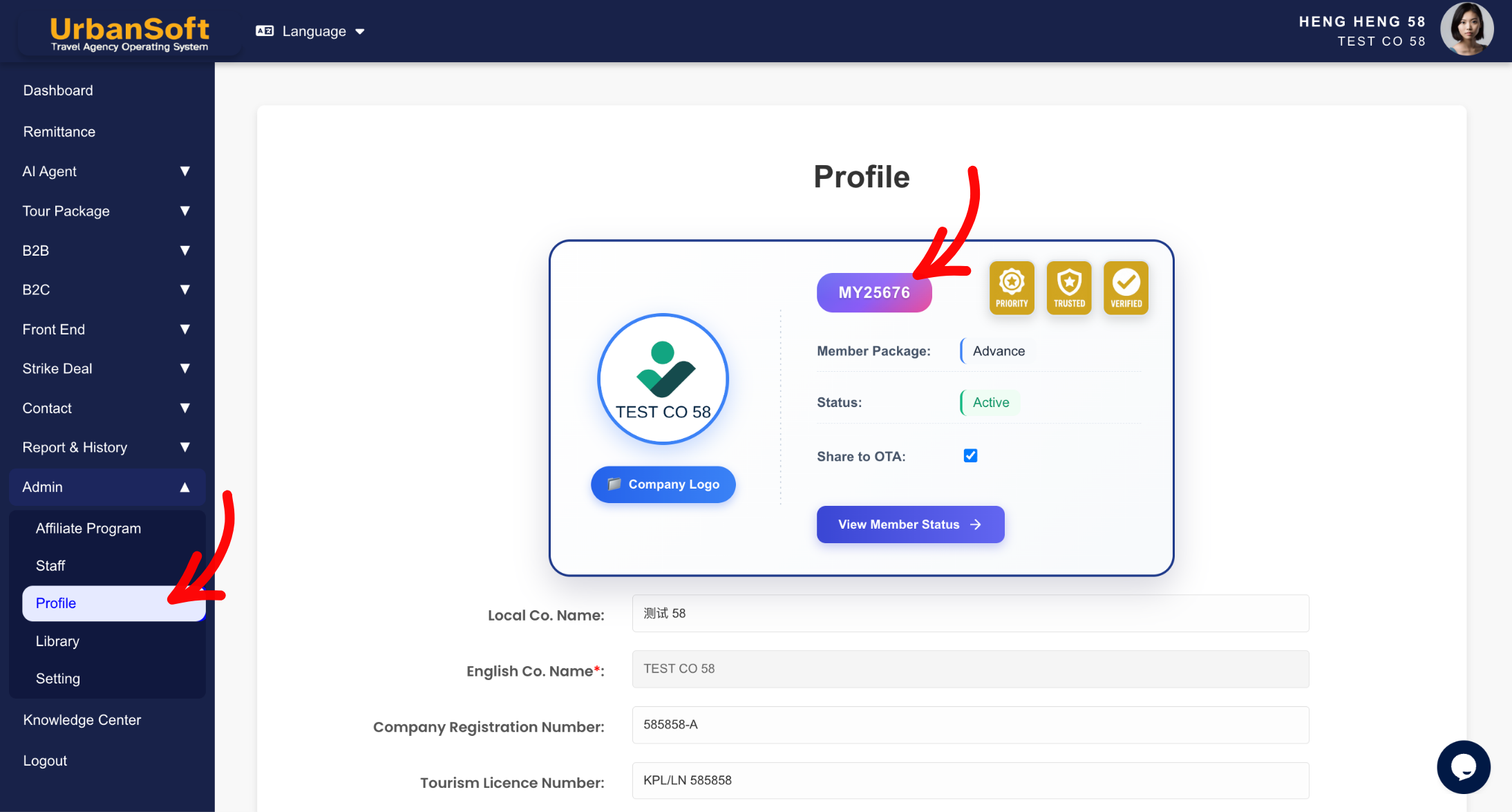
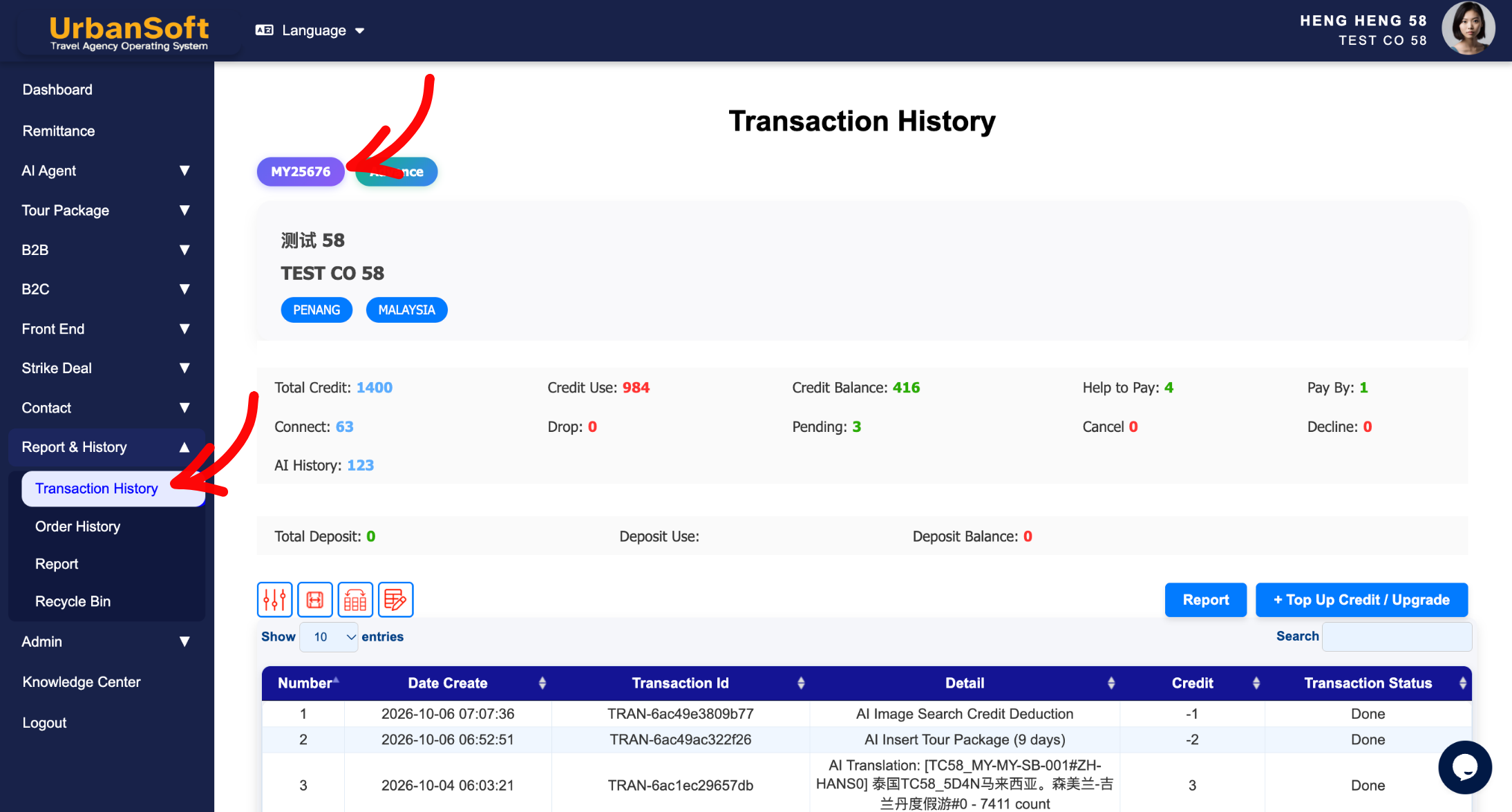
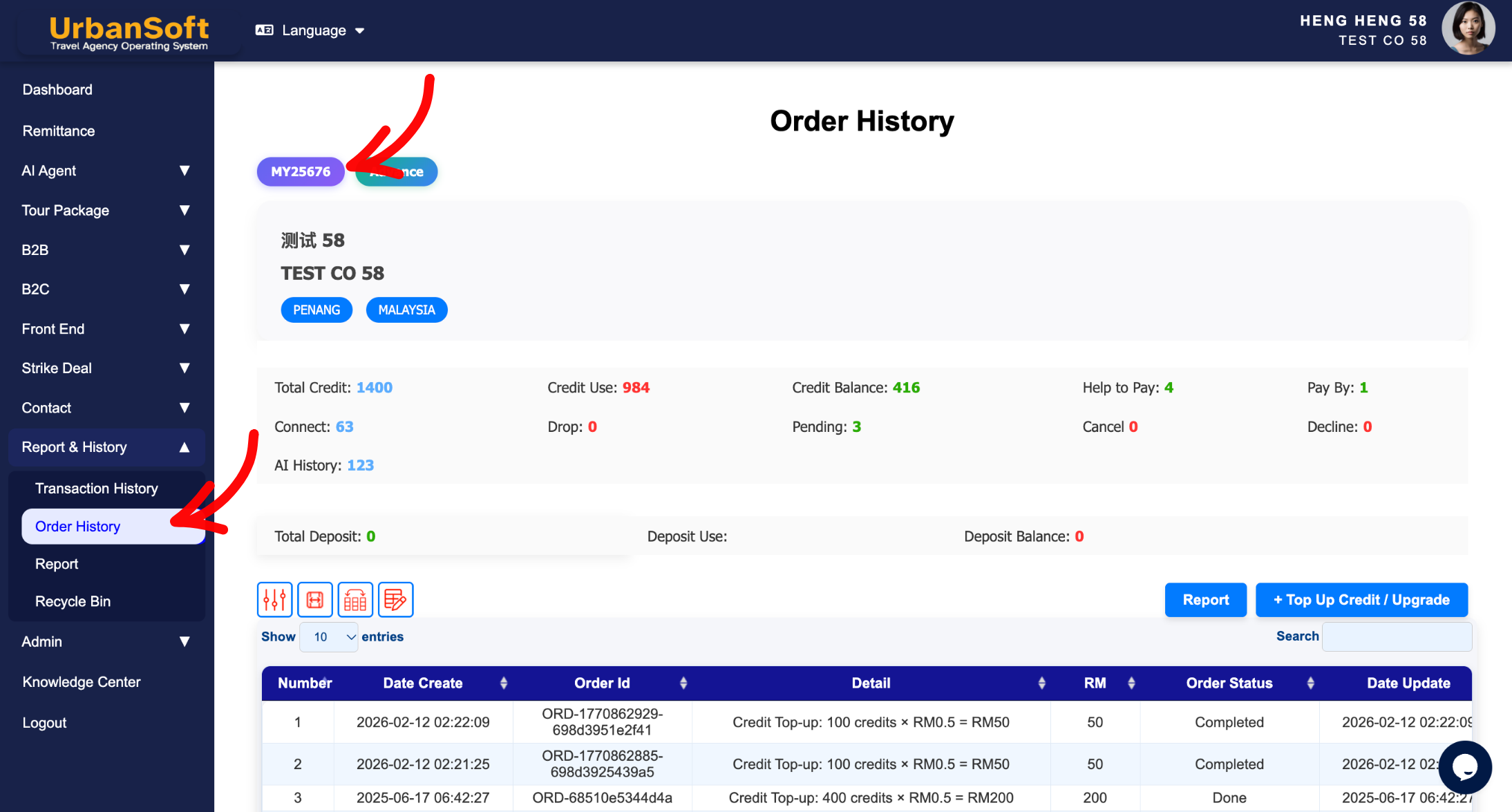
Navigate to your Admin > Profile or Report & History > Transaction History or Report & History > Order History page.
-
Locate your unique Member Code displayed on your profile or transaction records.
-
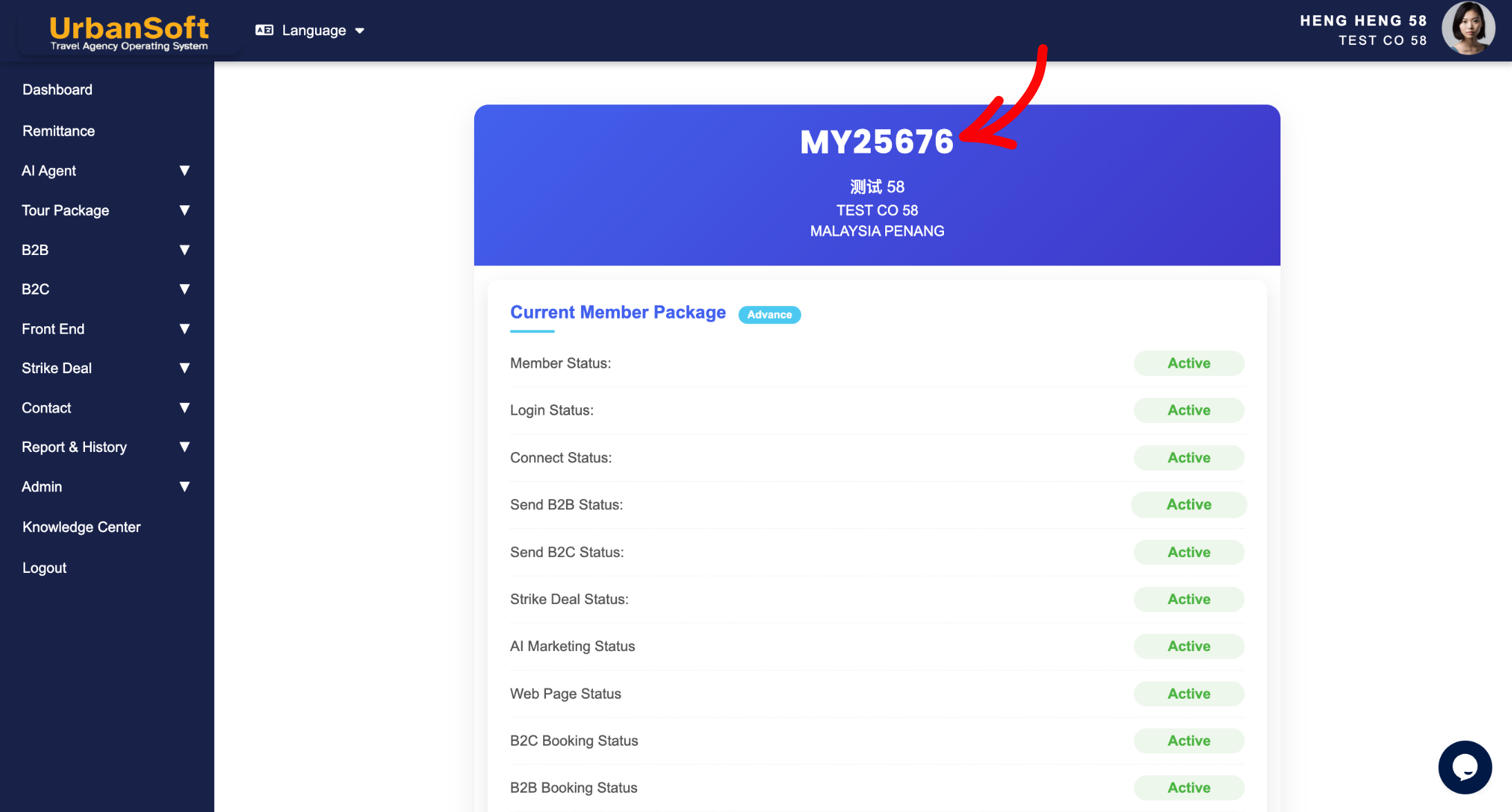
Alternatively, when upgrading your plan, topping up credits, or purchasing add-ons, view the member selection step where your member code will be displayed prior to proceeding.
Expected Result
You will easily locate and retrieve your unique UrbanSoft member code or reference code to complete your required actions or transactions.
Important Notes
-
Your member code is unique to your specific UrbanSoft account.
-
During upgrades, credit top-ups, or add-on purchases, you will be prompted to select your member details, allowing you to review your member code before confirmation.
Common Mistakes
-
Searching for the member code on the main landing page instead of the Profile or Transaction History section.
-
Confusing your member login email address with your unique member code.
Different Angles: Same Stories, Same Content, New Perspective
- Where ?
 How to check "My Membership Status"?
