.gif)
.gif)
.gif)

 Why can't I edit the "Breakfast, Lunch, Lunch & Hotel" details in the Inclusions & Exclusions section?
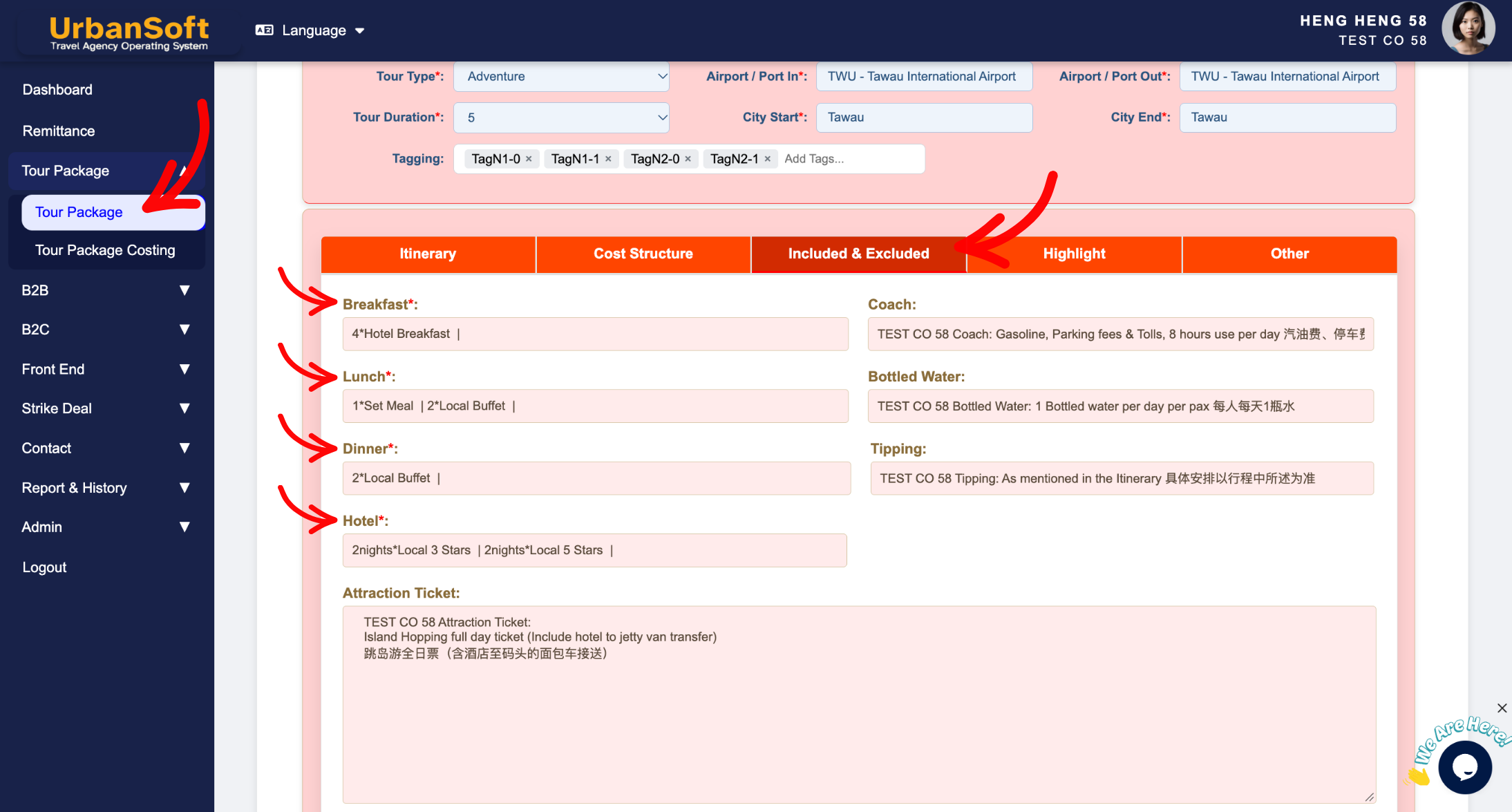
These meal and accommodation summary metrics are automatically calculated directly from your daily itinerary inputs. Keeping these fields system-generated ensures that the summarized package terms always match the exact schedule, avoiding discrepancies between what is promised in the day-by-day plan and what is displayed in the inclusions summary.
What Problem Does It Solve?
It prevents human error, manual calculation oversights, and miscommunication with clients or suppliers. By automating these counts, UrbanSoft guarantees that any changes made to the itinerary schedule are immediately and accurately reflected in the package summary without requiring manual re-entry.
Benefits
-
Accuracy & Consistency: Eliminates calculation errors by syncing summary metrics directly with your daily schedule inputs.
-
Time Efficiency: Saves time by removing the need to manually count and type out total meals or hotel star ratings.
-
Client Trust: Ensures transparent and reliable quotation summaries, reducing dispute risks regarding included services.
How to Update
-
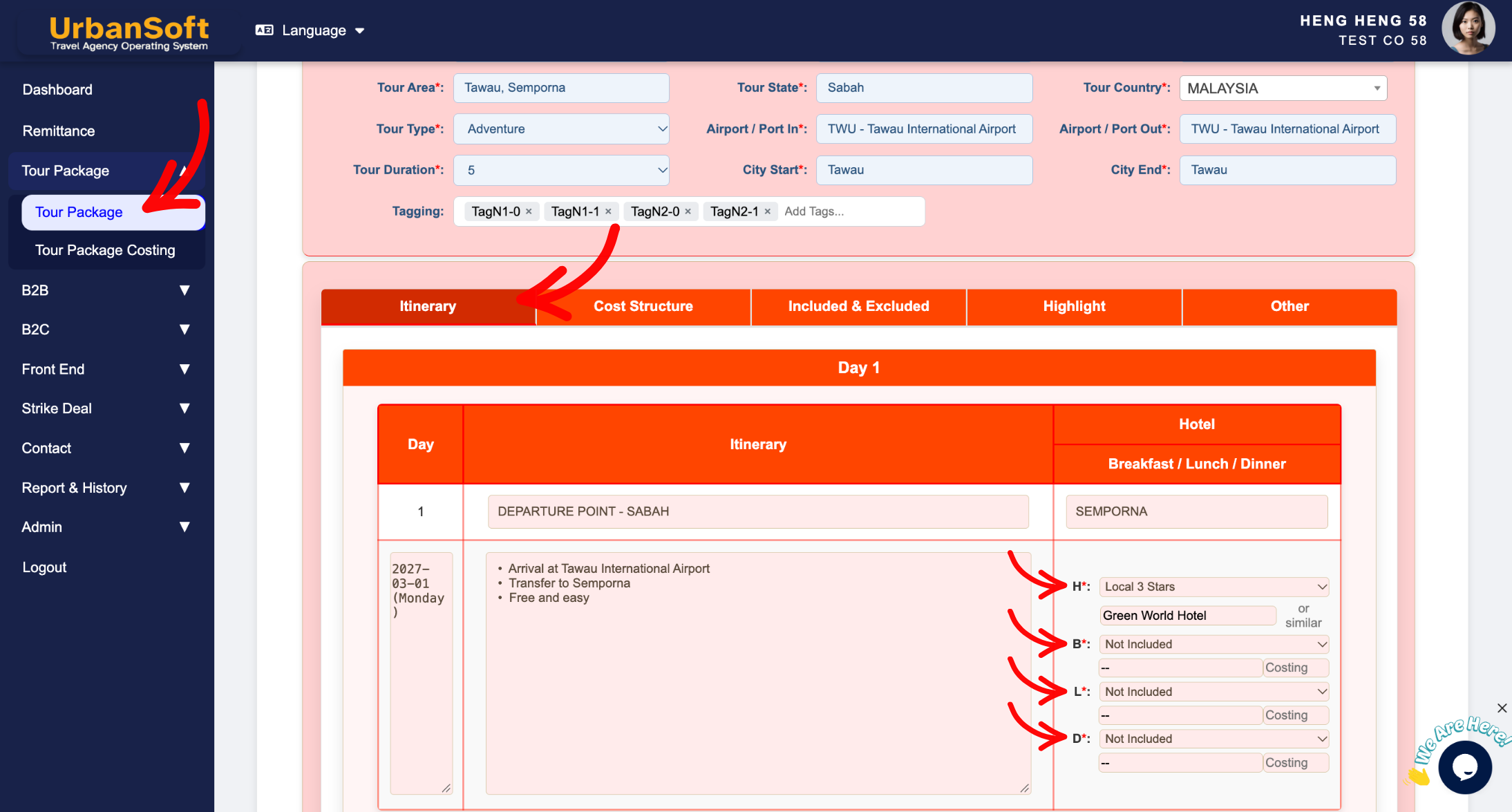
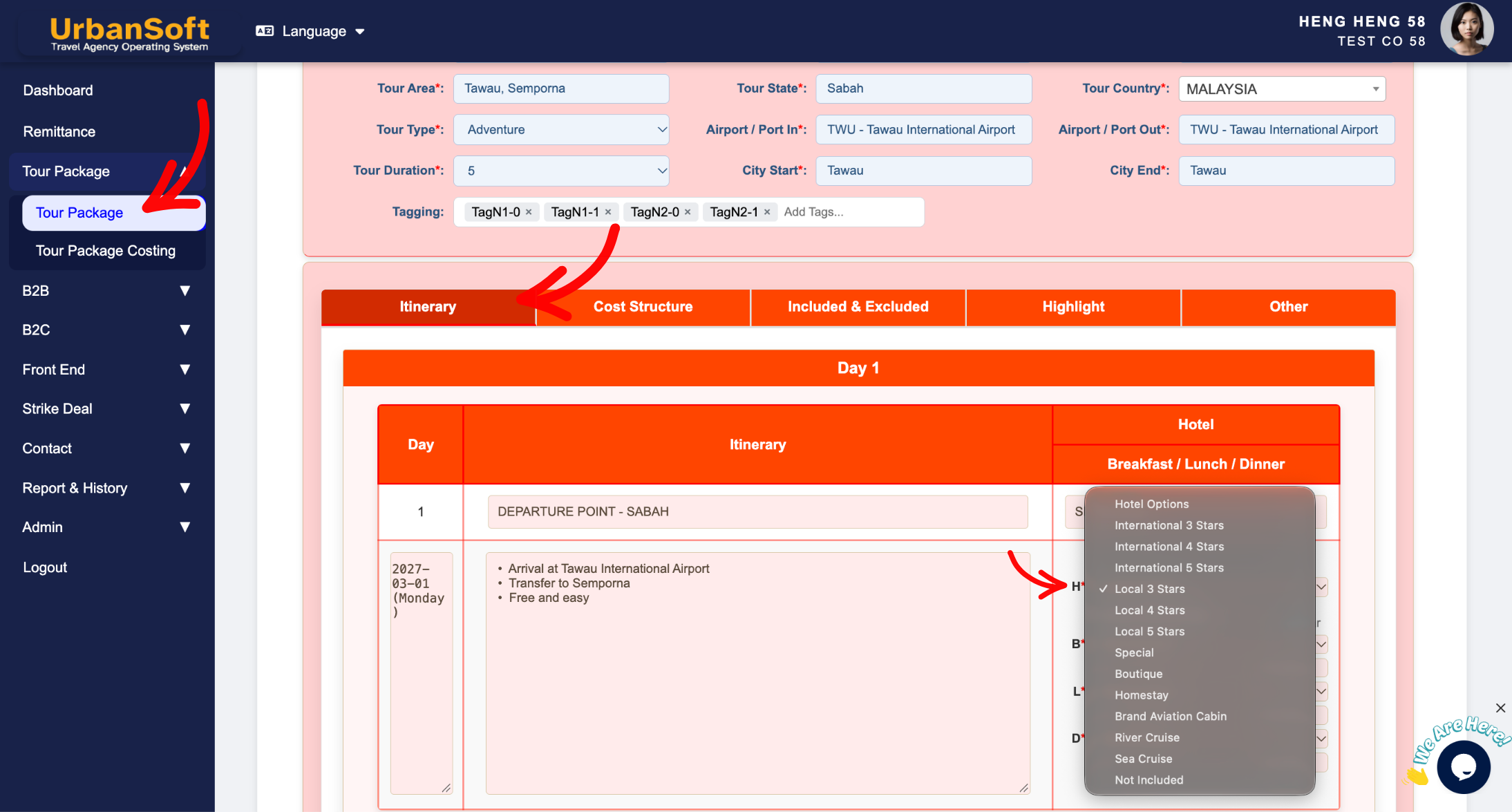
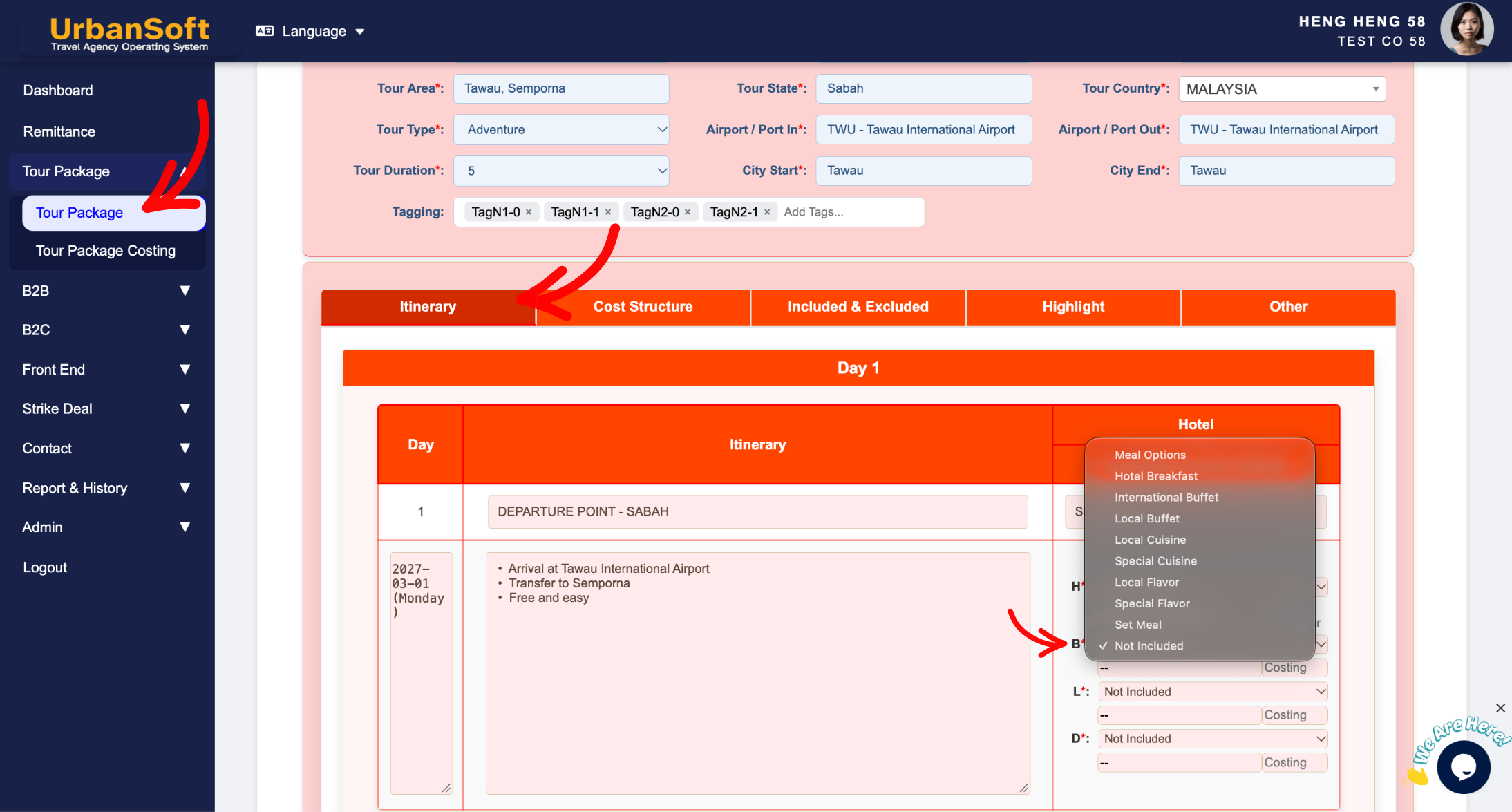
How to Update: To change these summary numbers, simply update or edit the corresponding day-by-day itinerary entries, and the system will update the summary automatically.
Example
For example, if you add a hotel stay or a local buffet meal to Day 2 of your itinerary, the system automatically updates the summary to display entries like "1Local Buffet" or "1 night Local 4 Stars". Because these metrics are dynamically generated from your daily inputs, they cannot be manually edited in the inclusions section.
Important Notes
-
Breakfast*: System-generated count displaying total breakfast meals and meal types based on itinerary inputs (e.g., "4*Hotel Breakfasts"). Cannot be manually modified.
-
Lunch*: System-generated count displaying total lunches and meal categories (e.g., "1Set Meal | 2Local Buffet"). Cannot be manually modified.
-
Dinner*: System-generated count displaying total dinners and dining styles (e.g., "2Local Buffet | 1Local Cuisine"). Cannot be manually modified.
-
Hotel*: System-generated summary showing total nights stayed and hotel star ratings across the itinerary (e.g., "2 nightsLocal 3 Stars | 2 nightsLocal 5 Stars"). Cannot be manually modified.
-
How to Update: To change these summary numbers, simply update or edit the corresponding day-by-day itinerary entries, and the system will update the summary automatically.
Different Angles: Same Stories, Same Content, New Perspective
-
Why are my meal and hotel counts locked in the inclusions tab?
-
Why is the itinerary summary automatically updated from my daily schedule?
-
Why can't I manually change the total number of breakfasts or hotel nights in the package overview?
-
How to customize daily itinerary meals and hotel arrangements?
-
Why is my tour package summary not reflecting recent itinerary updates?
Same Folder Articles
-
 How to create "New Tour Package" manually?
-
How to create "New Tour Package", with "Ai Insert Tour Package" feature?
-
How to edit or update an existing "Tour Package"?
-
How to duplicate assisting "Tour Package"?
-
How to use "Ai Translate" to translate assisting tour package to another new other language tour package?
Related Articles
-
What should be filled out in the "Attraction Ticket" field in Setting > General and Included & Excluded section?
-
Why can't I edit the "Breakfast, Lunch, Lunch & Hotel" details in the Inclusions & Exclusions section?
-
What should be filled out in the "Price Excluded" field in Setting > Notice and Included & Excluded section?
-
What should be filled out in the "Price Included" field in Setting > Notice and Included & Excluded section?
-
What should be filled out in the "Surcharges for Public Holiday & Peak Seasons" field in Setting > General and Cost Structure section?
