.gif)
.gif)
.gif)

 How to check "My Membership Status"?
This page will show you how to check your current UrbanSoft membership package, membership status, available features, add-ons, and remaining usage.
When Do You Use This?
Use this when you want to check your current membership package, available features, add-ons, or remaining usage before using UrbanSoft services.
Before You Start
You need:
-
Access to your UrbanSoft account with your credentials (email and password).
-
Make sure you can access your Profile or Transaction or Order History page.
Precautions:
-
Ensure you are logged into the correct UrbanSoft account before checking your membership details.
-
Always verify your remaining feature limits or usage quotas prior to executing system actions.
Step-by-Step
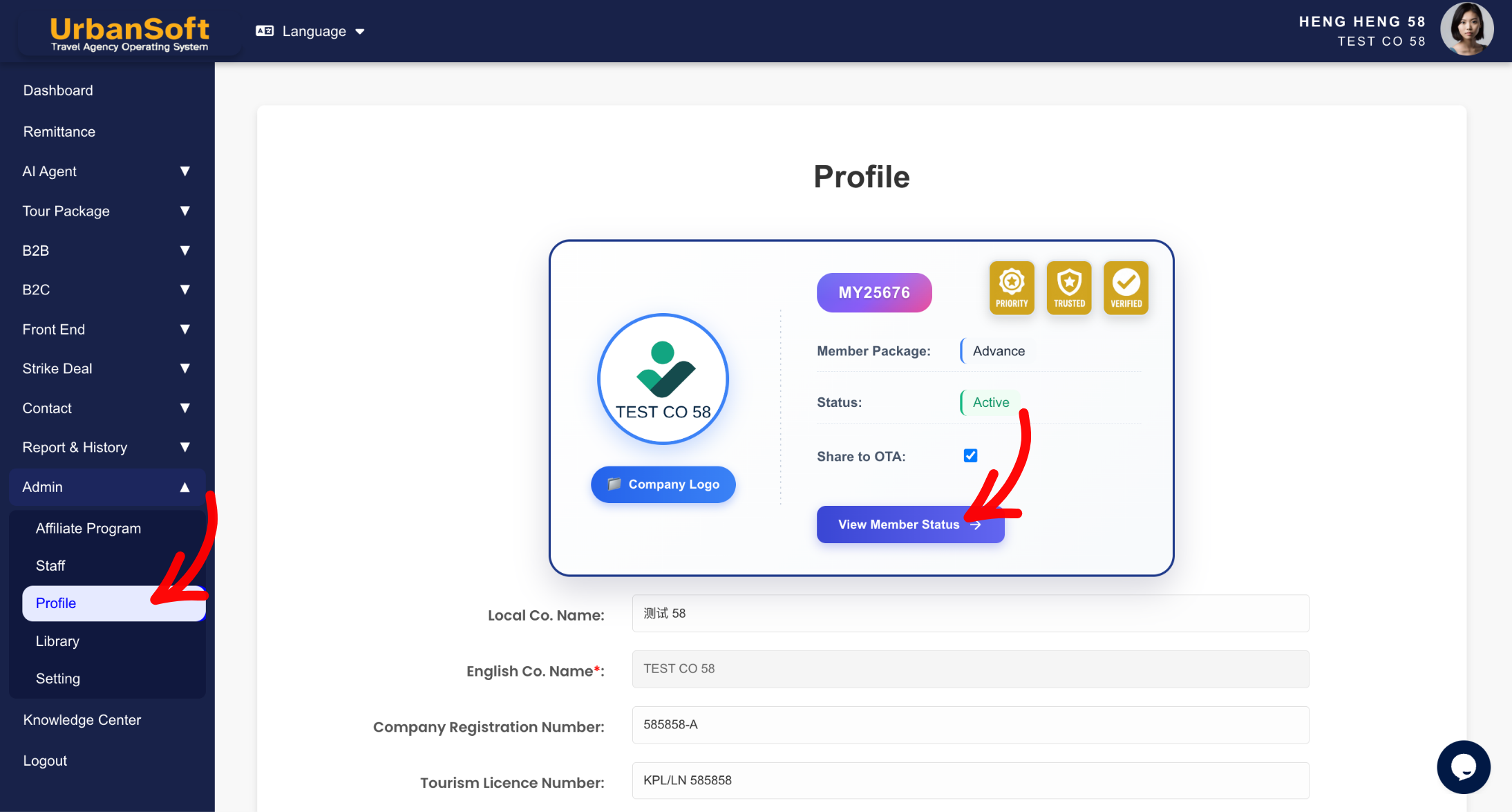
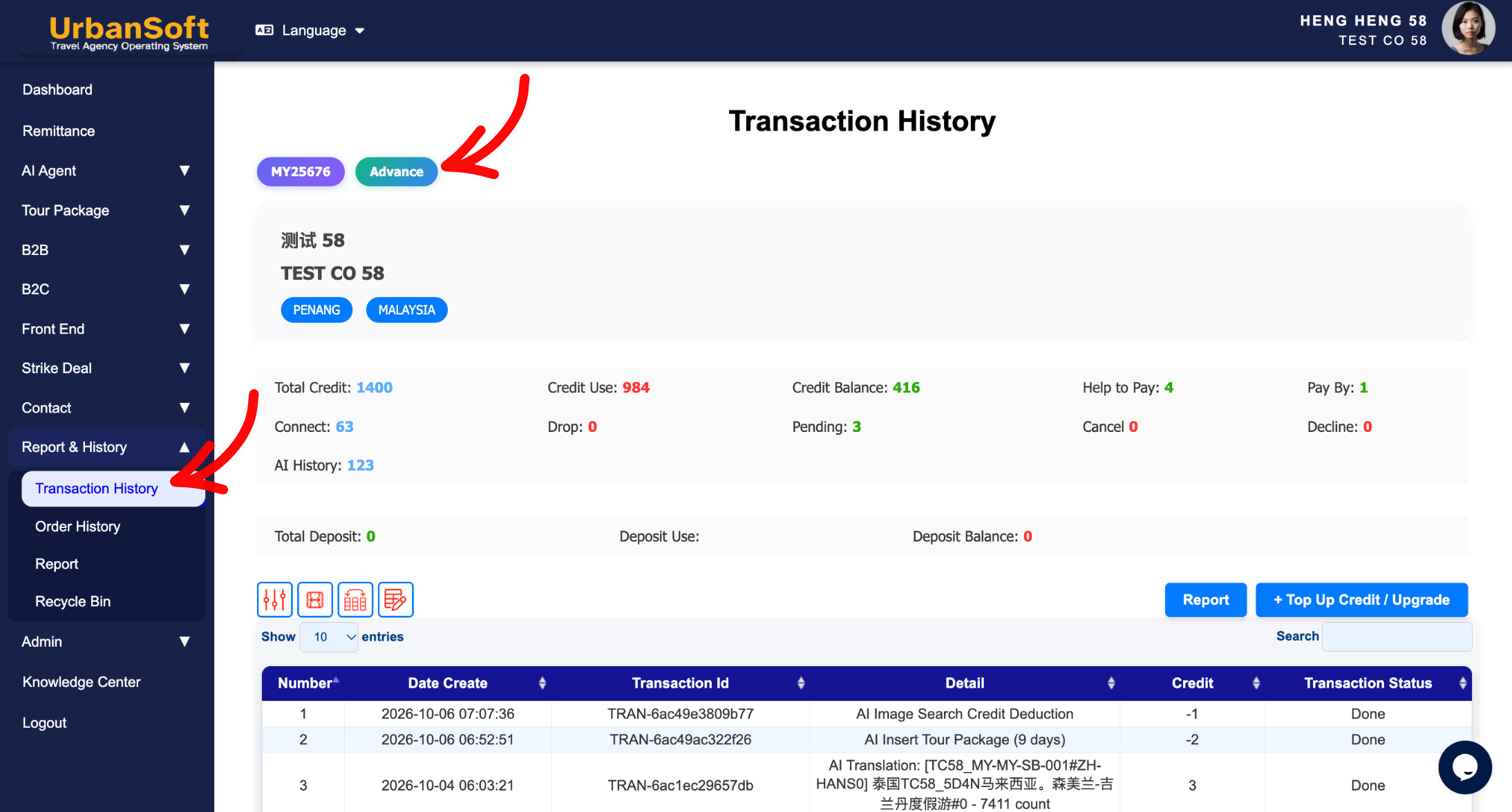
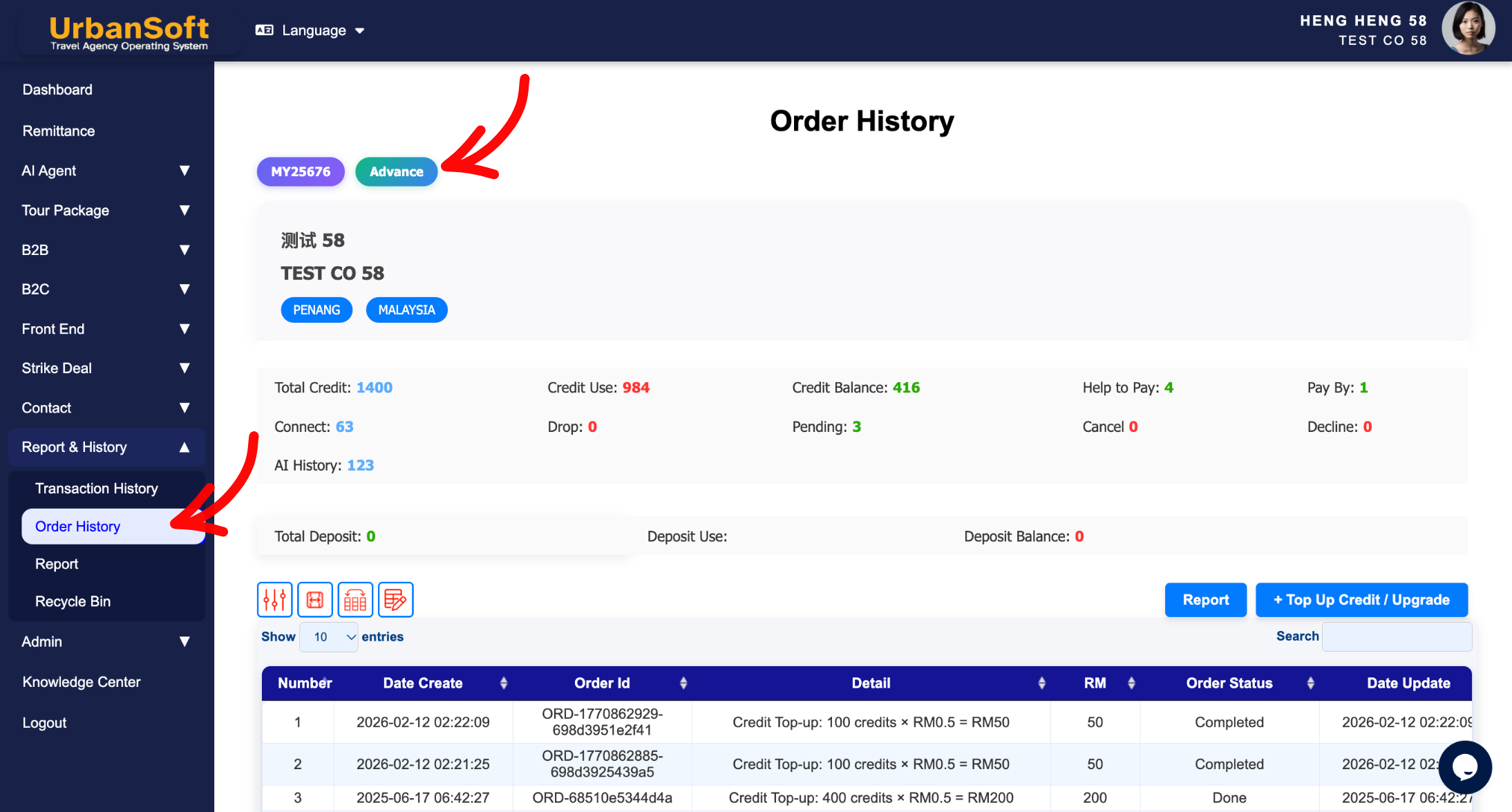
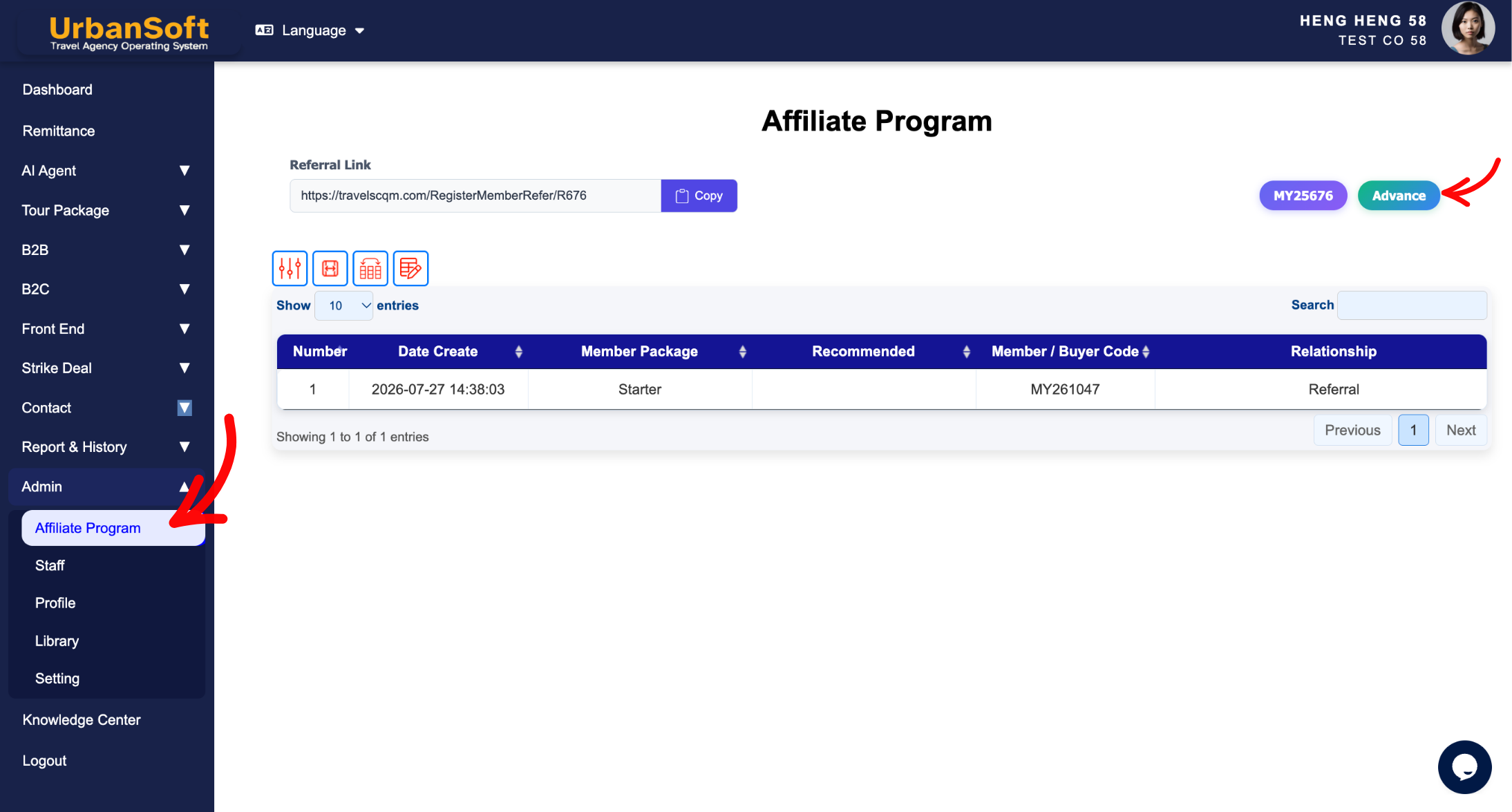
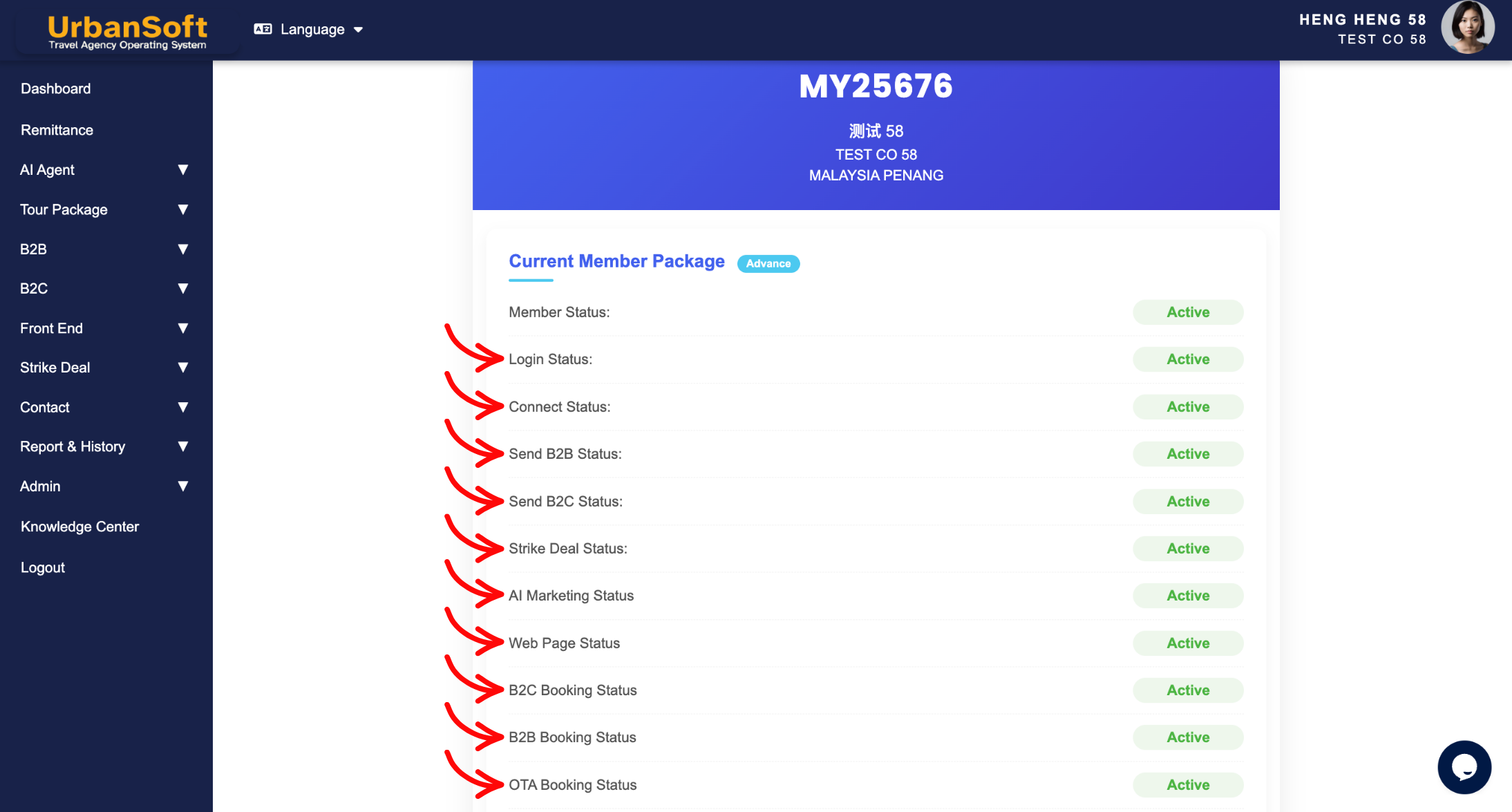
-
Log in to your UrbanSoft account.
-
Go to Admin > Profile or Report & History > Transaction or Report & History > Order History or Admin > Affiliate Program.
-
Click your current membership tier icon (e.g. Advance).
-
View your member code, company name, and location displayed at the top.
-
Scroll down to view your membership status, including available features, add-ons, and remaining usage.
-
Check the available usage before using the related features or services.
Expected Result
You can clearly see your current membership package, membership status, available features, add-ons, and remaining usage.
Important Notes
Check your membership status regularly to understand what features and usage are currently available under your membership package.
Common Mistakes
-
Checking the membership information without logging in to the correct UrbanSoft account.
-
Confusing the membership tier with the available usage or add-ons.
-
Not checking the remaining usage before using a limited feature or service.
Different Angles: Same Stories, Same Content, New Perspective
-
How to view my available usage?
-
What features are included in my membership package?
 What is a "Member Code or Reference Code"?
