.gif)
.gif)
.gif)

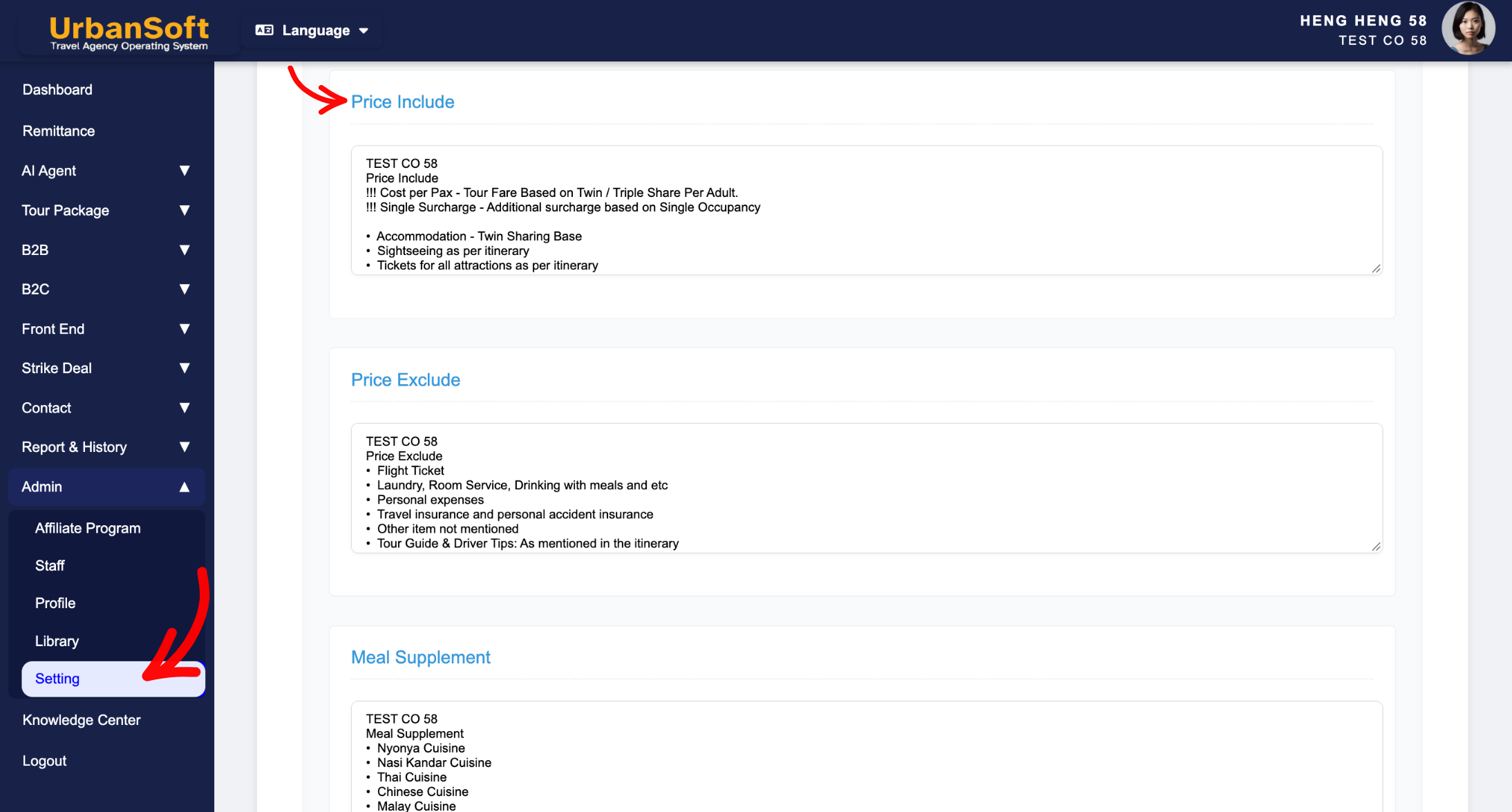
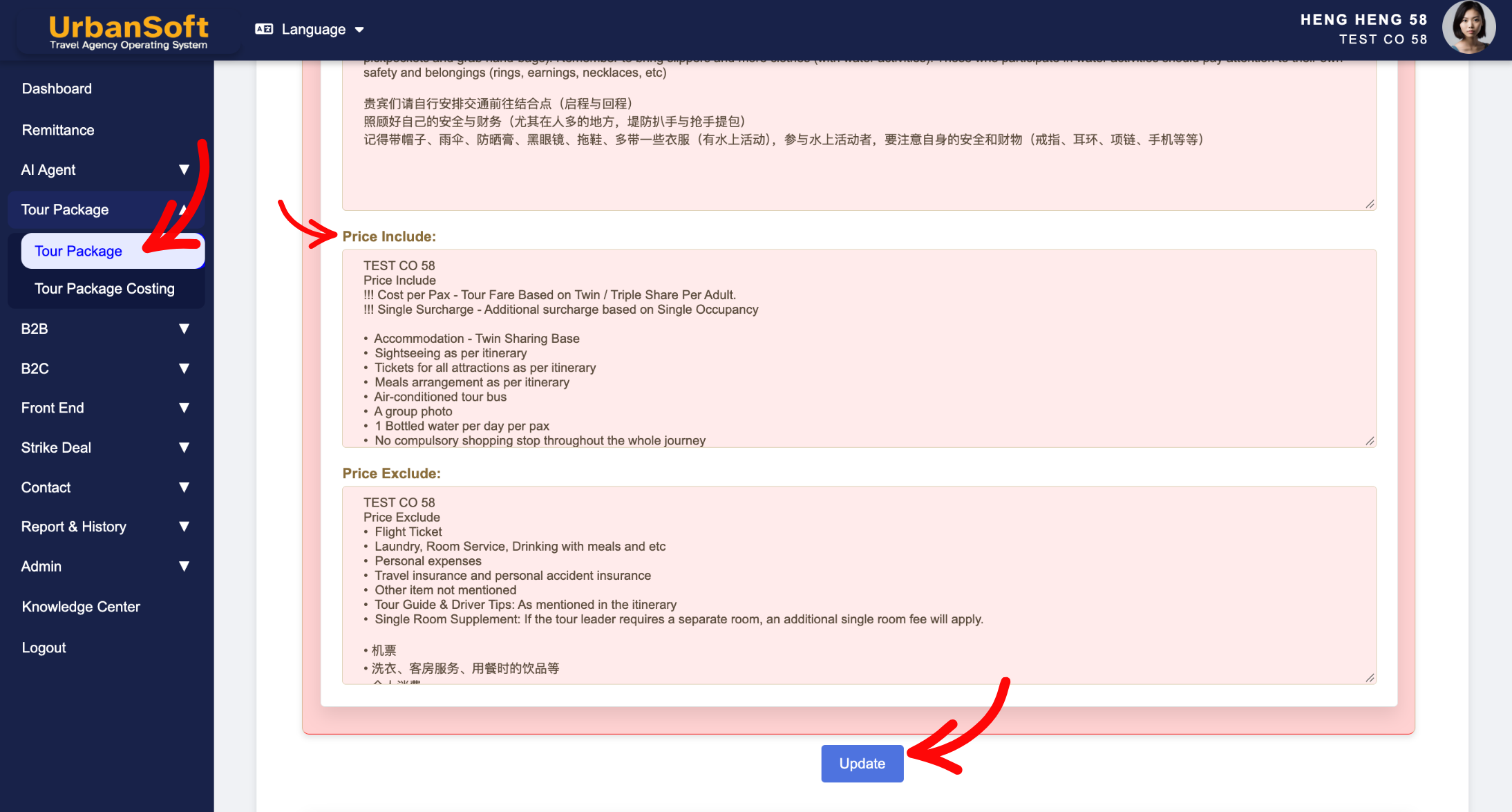
 What should be filled out in the "Price Included" field in Setting > Notice and Included & Excluded section?
The Price Included field in the Included & Excluded section of an UrbanSoft tour package outlines all services, amenities, and entry costs covered by the total tour package fee. Presenting inclusions in a clean, bulleted format reassures customers about package value, eliminates booking ambiguity, and ensures sales teams present accurate coverage details. System-wide default inclusion text can be configured under Admin > Setting > Notice and freely modified when creating new tour packages without altering existing tours in your database.
What Can I Do?
You can establish clear value propositions and manage defaults using the following options:
-
Summarize Covered Services: Clearly list core components included in the package price, such as hotels, transport, entrance fees, and scheduled meals.
-
Configure Global Default Templates: Set up standard inclusion templates under
Admin > Setting > Notice,so every newly created package auto-populates with standard inclusions. -
Tailor per Tour Package: Customize or override default inclusion text on a package-by-package basis, to reflect specific package tiers or promotional offers.
-
Protect Database Integrity: Modify inclusion details on new packages safely, without affecting existing or published packages across your system.
Field Definitions & Ideal Inputs
-
Price Included List: Bulleted summary of covered services, such as:
-
Hotel accommodations (specifying star ratings or room categories).
-
Scheduled meals as listed in the itinerary (e.g., daily breakfast, specified lunches/dinners).
-
Ground transportation, airport transfers, and sight-seeing coaches.
-
Entrance fees to all listed attractions and national parks.
-
Professional licensed tour guide and driver services.
-
-
Default Notice Template (
Admin > Setting > Notice): Global default inclusion text that automatically loads into every newly created tour package. -
Package-Level Override: Direct editing capability within a specific package, that updates only that record without altering global admin defaults.
Example
For a complete Japan tour package, you can set global defaults in Admin > Setting > Notice for general inclusions. When setting up a specific luxury package, you can customize the Price Included section to state: "Includes: 4-Star hotel stay with daily breakfast, bullet train tickets, all attraction entry fees, private air-conditioned coach transfers, English-speaking guide, and specified local Kaiseki lunches."
Important Notes
-
Default inclusion text set in
Admin > Setting > Noticeautomatically populates newly added packages, speeding up package creation. -
Editing the Price Included field inside a new or existing tour package updates that specific record only—it does not alter global admin defaults or affect existing packages in the system.
-
Clear, itemized inclusions flow directly into generated PDF itineraries and customer quotes, giving buyers confidence in their purchase.
Different Angles: Same Stories, Same Content, New Perspective
- What specific services and amenities should be listed in the Price Included field when creating a tour package in UrbanSoft?
-
Where do Price Include and Exclude details display on customer documents?
Same Folder Articles
Related Articles
-
 What should be filled out in the "Price Excluded" field in Setting > Notice and Included & Excluded section?
-
What information should be include in the "Highlight" tab?
-
What should be filled out in the "Meal Supplement" field in Setting > Notice and Highlight section?
-
What information should be include in the "Admin > Setting > Notice" tab?
-
What should be filled out in the "Costing Table" field in Cost Structure section?
