.gif)
.gif)
.gif)

 What should be filled out in the "Costing Table" field in Cost Structure section?
The Costing Table in the Cost Structure section of an UrbanSoft tour package manages tiered group pricing, transport allocation, and calculated selling rates. It features 15 customizable pricing slots (labeled A-costing for through O-costing for) that allow tour operators to define prices based on different passenger group sizes, tour leader (TL) allocations, and vehicle capacities. Depending on your subscription plan (Starter vs. Launch Membership and above), prices can either be entered manually or generated automatically through the Tour Package Costing module.
What Can I Do?
You can manage group pricing tiers, transport choices, and rate calculations using the following features:
-
Configure Group Size Tiers (A to O): Set up to 15 distinct pricing categories corresponding to different passenger counts and tour leader allocations.
-
Assign Vehicles & Operational Notes: Pair each group tier with appropriate transport options and log vehicle seat capacities or driver notes.
-
Calculate Selling Prices & Surcharges: Enter or sync calculated rates for standard tour packages, single room supplements, and driver/guide gratuities.
-
Export & Preview Breakdown Documents: Generate detailed PDF summary sheets displaying itemized cost and profit components for auditing and validation.
Field Definitions & Operational Guidance
-
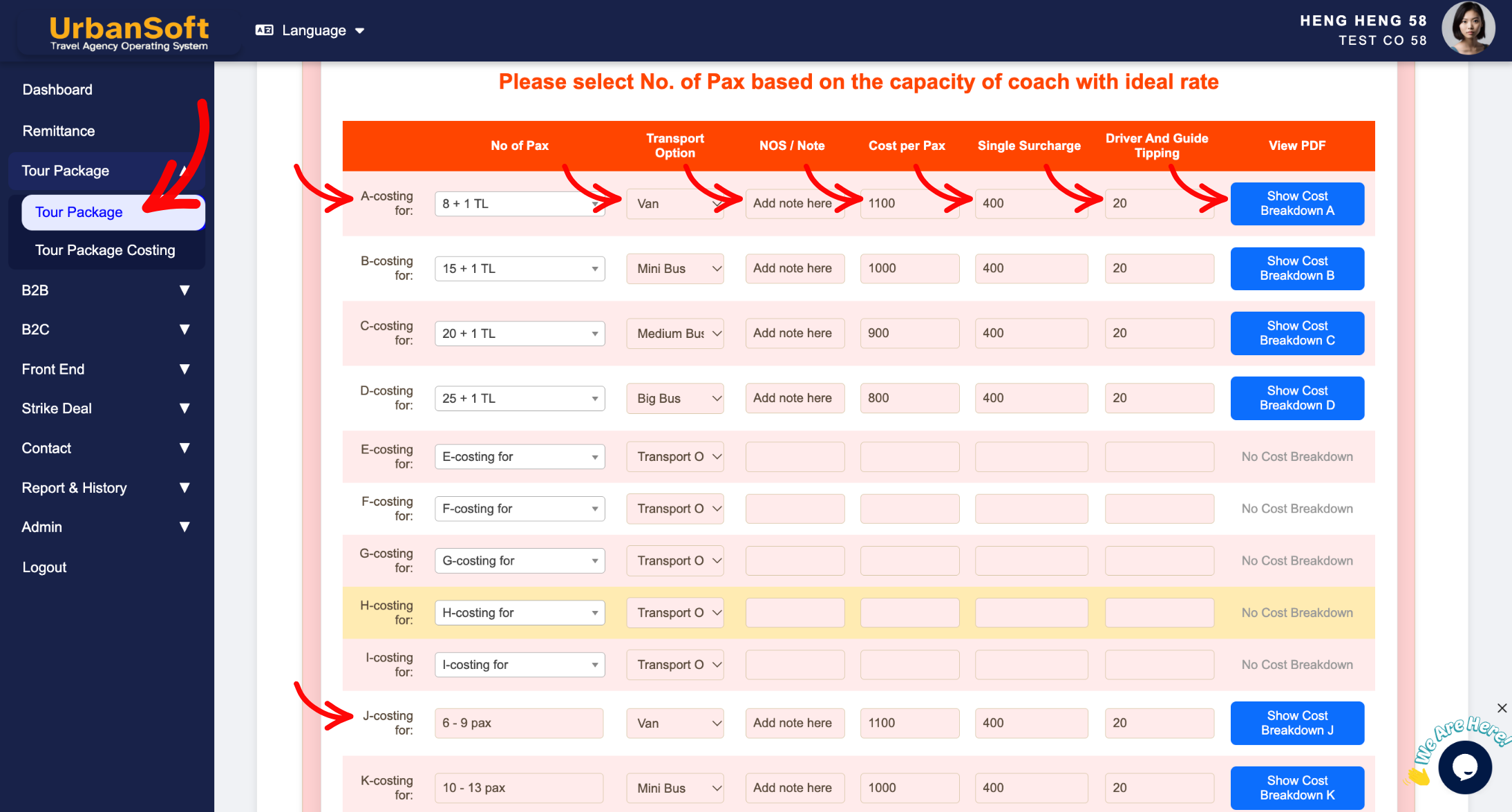
A-costing for until O-costing for: Represents the 15 customizable pricing category slots (A through O) used to tier different group sizes or vehicle capacities.
-
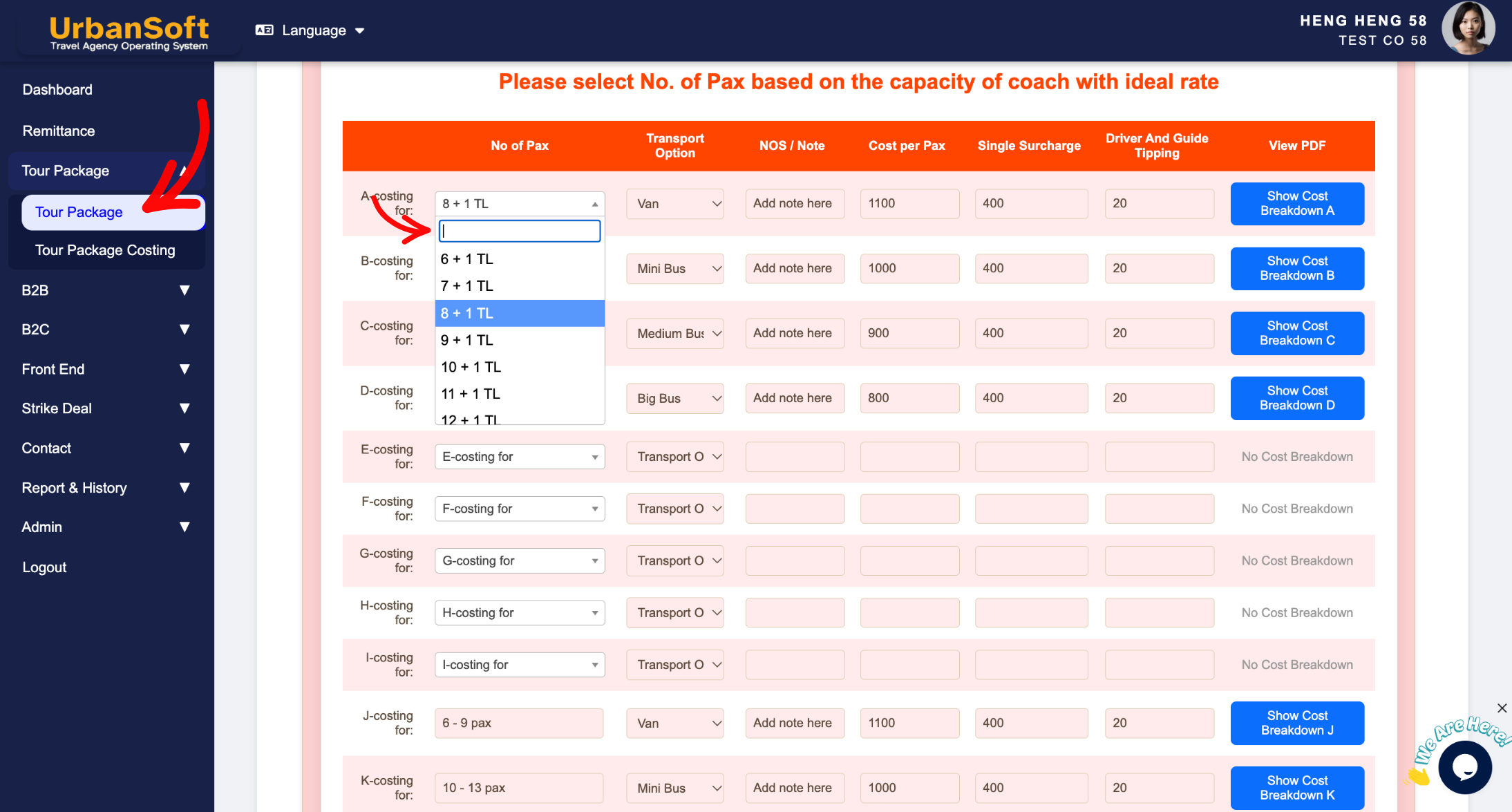
Select No of Pax: Choose or manually enter the specific passenger group size (e.g.,
A = 6 Pax,B = 8 + 1 TL Pax,J = 7 - 10 Pax). Note: When manually typing pax numbers, insert a space after the first digit to ensure proper system formatting and per-pax calculations. -
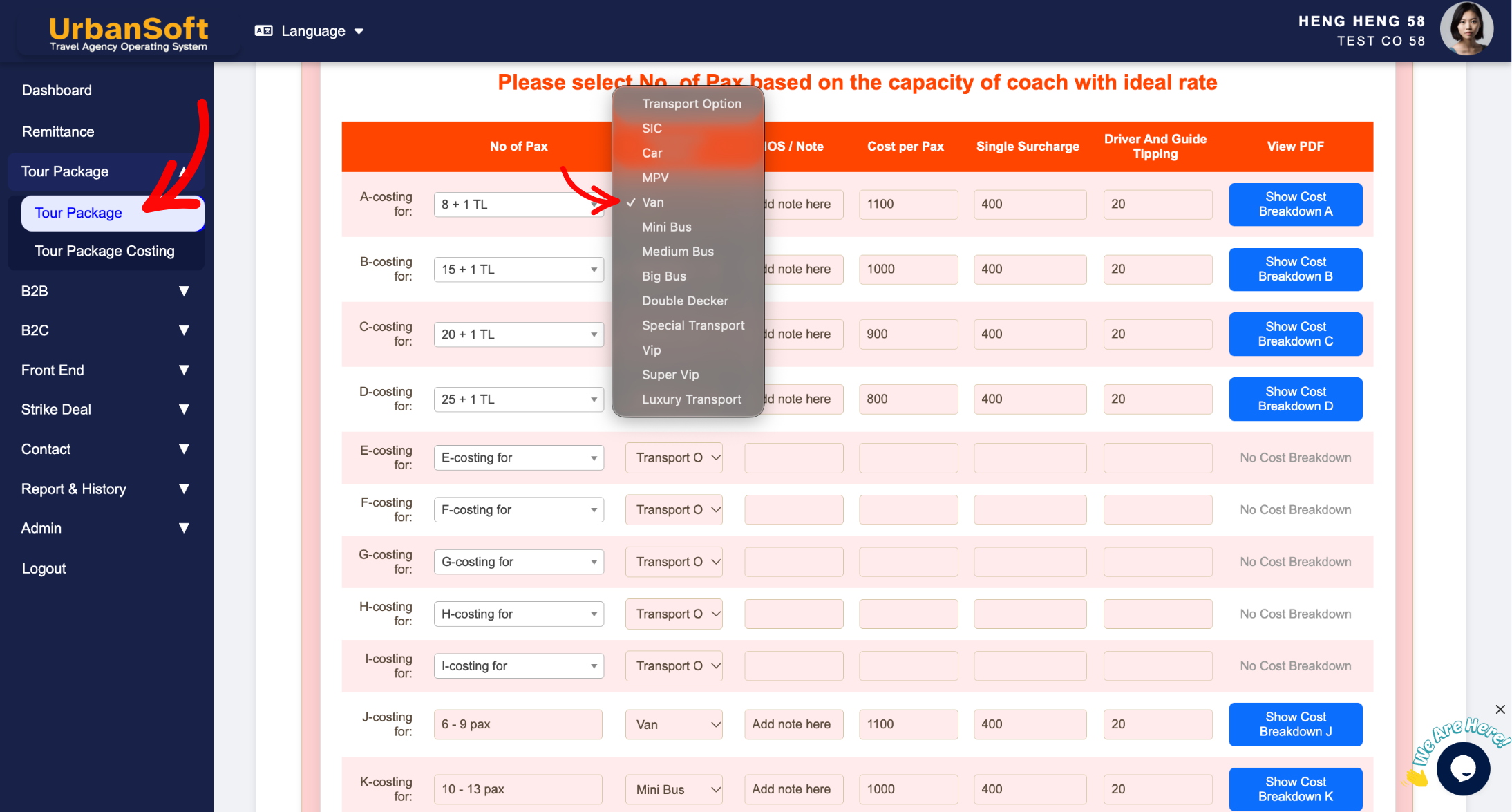
Select Transport Option: Pick the vehicle type assigned to that specific group size tier (e.g.,
Van,18-Seater VIP Coach, orBig Bus). -
NOS / Note: Enter the Number of Seats (NOS) or internal operational notes regarding transport arrangements, driver allocations, or special vehicle requirements.
-
Cost per Pax:
-
For Launch Membership and above: Can use Tour Package Costing or enter Manually. Calculated using the Tour Package Costing Module to generate the final selling price (Cost + Profit) and inserted into the table (editable).
-
For Starter Membership: Manually enter the final selling cost per individual traveler based on the selected pax tier and vehicle costs.
-
-
Single Surcharge:
-
For Launch Membership and above: Can use Tour Package Costing or enter Manually. Calculated using the Tour Package Costing Module to derive the final single supplement rate (Cost + Profit) and inserted into the table (editable).
-
For Starter Membership: Manually enter the single supplement fee charged to solo travelers occupying a private room alone.
-
-
Driver and Guide Tipping:
-
For Launch Membership and above: Can use Tour Package Costing or enter Manually. Calculated using the Tour Package Costing Module to calculate the final tipping amount (Cost + Profit) and inserted into the table (editable).
-
For Starter Membership: Manually enter the required or suggested tipping fee per pax or per day for the driver and tour guide.
-
-
View costing breakdown in PDF: Click to generate and preview a comprehensive PDF sheet detailing itemized cost and profit components for verification.
Example
When setting up a 5-Day Penang & Langkawi tour package:
-
Tier A (6 Pax): Set
No of Paxas6 Pax, selectTransport OptionasVan, and enterNOS / Noteas10 Seats. -
Tier B (8 + 1 TL Pax): Set
No of Paxas8 + 1 TL Pax, selectTransport OptionasMedium Bus, and enterNOS / Noteas18 Seats. -
Rates:
-
Launch Plan: Go to Tour Package Costing to inert tour package to detail, and start calculate component cost + profit and sync back
Cost per Pax,Single Surcharge, andDriver and Guide Tipping, selling price. -
Starter Plan: Manually key in
Cost per Pax = MYR 1,200,Single Surcharge = MYR 350, andDriver and Guide Tipping = MYR 50.
-
-
Click View costing breakdown in PDF to verify the calculated cost structure before publishing the quotation.
Important Notes
-
Inserting a space after the first digit when manually entering pax numbers ensures proper system parsing for cost-per-pax division (e.g., 5 - 8 pax, 10 - 12 pax).
-
Upgrading to Launch Membership or above automates rate calculation via the integrated Tour Package Costing Module, eliminating manual cost-plus-margin math.
-
Reviewing the generated PDF costing breakdown helps detect any miscalculated vehicle, or room supplement costs prior to finalizing client proposals.
Different Angles: Same Stories, Same Content, New Perspective
- How do you configure passenger tiers, vehicle assignments, and membership-based price calculations in the Costing Table of an UrbanSoft tour package?
Same Folder Articles
-
 How to create "New Tour Package" manually?
-
How to create "New Tour Package", with "Ai Insert Tour Package" feature?
-
How to edit or update an existing "Tour Package"?
-
How to duplicate assisting "Tour Package"?
-
How to use "Ai Translate" to translate assisting tour package to another new other language tour package?
Related Articles
-
Relationship between "Costing Currency, Quote Currency, Current Rate, and Fixed Rate" in Setting > General and Tour Package?
-
What should be filled out in the "Surcharges for Public Holiday & Peak Seasons" field in Setting > General and Cost Structure section?
-
What should be filled out in the "Other Costing Remark" field in Setting > General and Cost Structure section?
-
What should be filled out in the "Policy for kids and adult with extra bed" field in Setting > General and Cost Structure section?
-
What should be filled out in the "Price Included" field in Setting > Notice and Included & Excluded section?
