.gif)
.gif)
.gif)

 What should be filled out in the "Coach, Bottled Water, Tipping" field in Setting > General and Included & Excluded section?
The Coach, Bottled Water, and Tipping fields in the Included & Excluded section of an UrbanSoft tour package define essential ground service standards, daily guest allowances, and driver/guide gratuity policies. Properly configuring these three operational details ensures total transparency regarding vehicle usage limits, daily hydration perks, and tip expectations. System-wide defaults for these fields are configured under Admin > Setting > General and can be freely customized when creating new tour packages without altering existing packages in your database.
What Can I Do?
You can clarify vehicle, amenity, and tipping details using the following field configurations:
-
Specify Coach & Transport Terms: Define vehicle types, capacity, daily usage hours, and coverage of tolls or parking fees.
-
Define Bottled Water Allowance: State the complimentary mineral water allocation provided per guest per day.
-
Set Tipping Policies: Clarify whether local guide and driver gratuities are included in the package price or payable separately on-site.
-
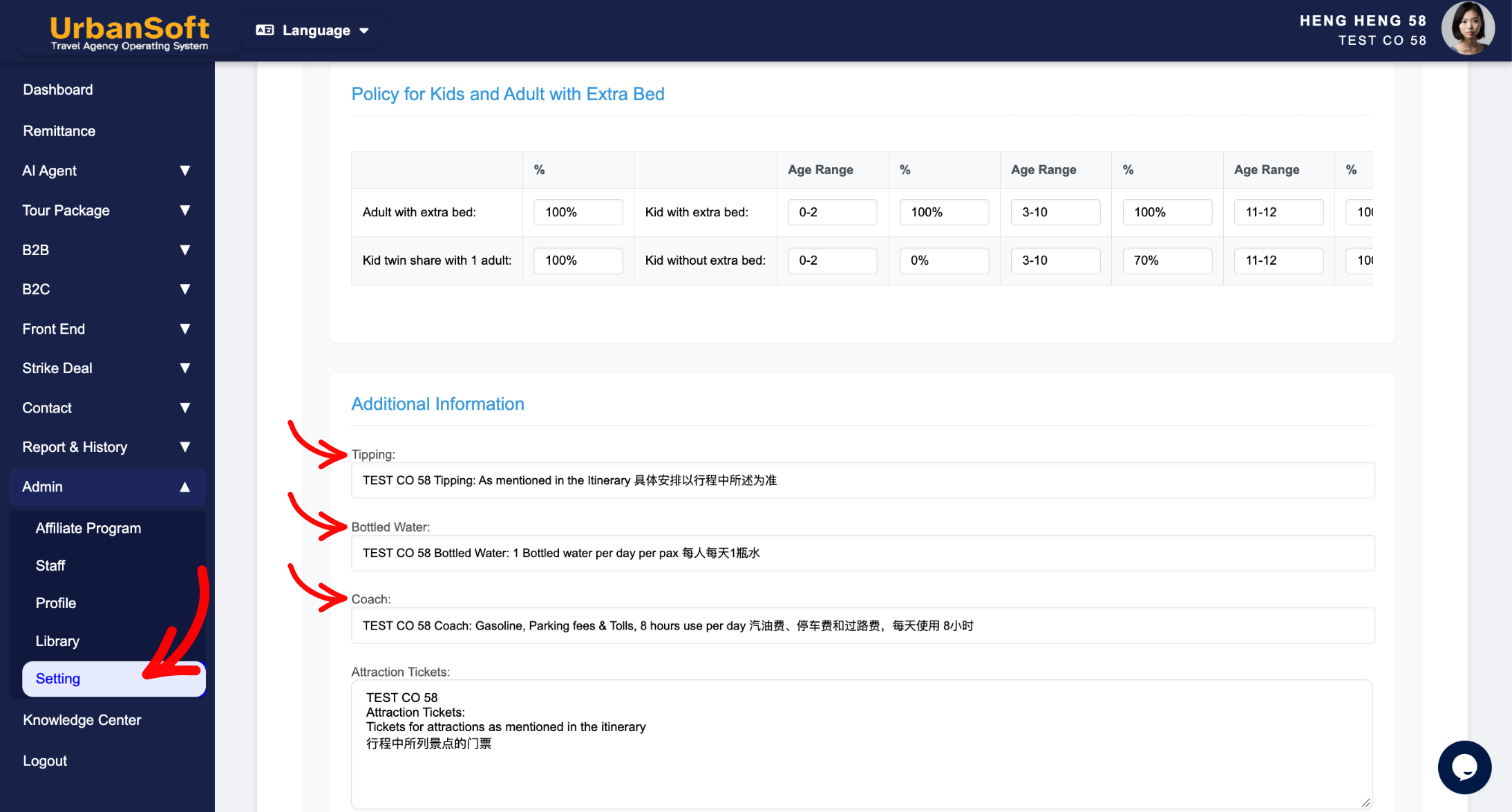
Manage Global Defaults & Overrides: Configure company-wide defaults in
Admin > Setting > Generaland adjust them per package as needed without impacting existing database records.
Field Definitions & Ideal Inputs
-
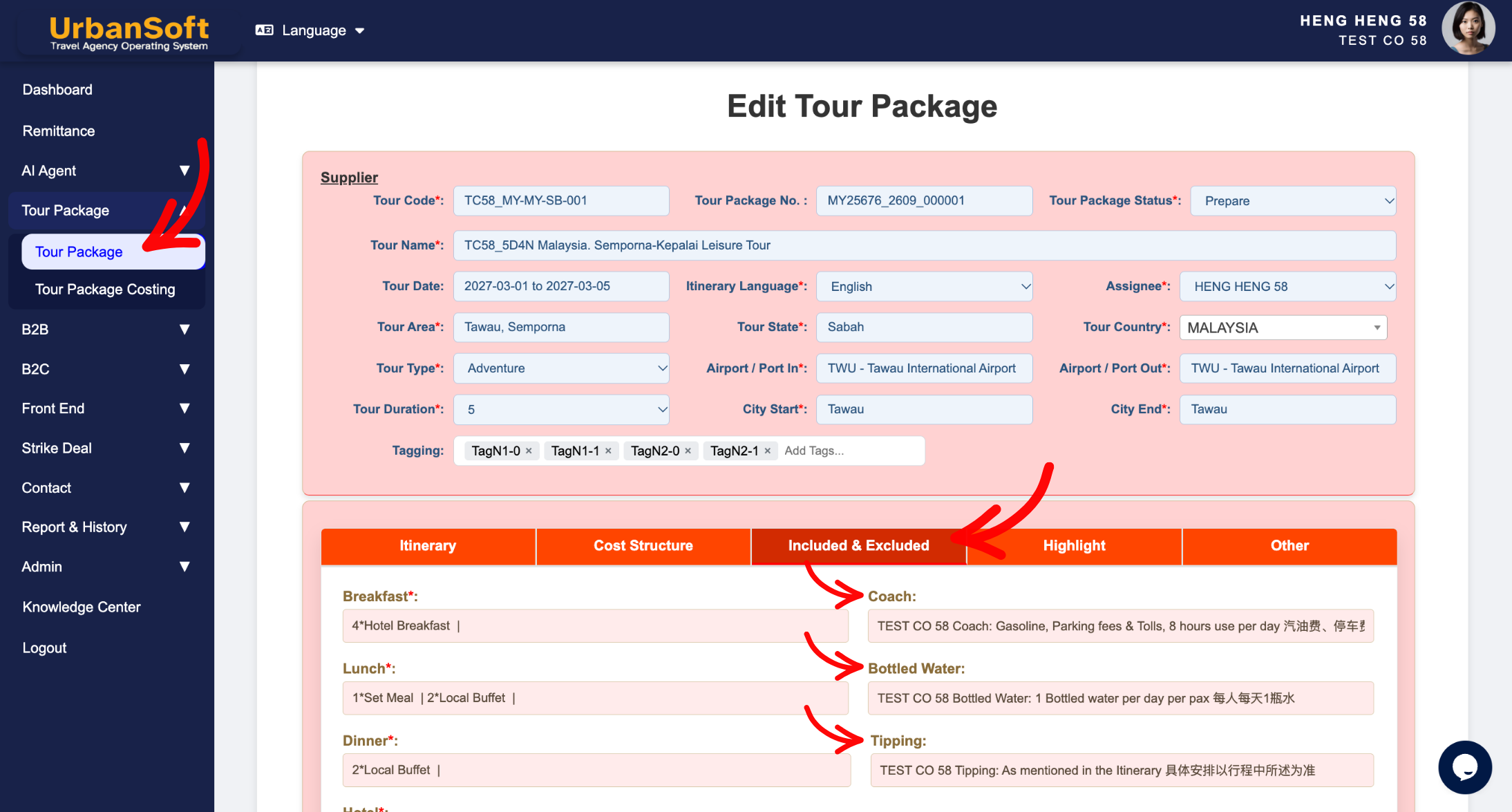
Coach: State details of transportation arrangements provided for the group (defaulted from
Admin > Setting > General).-
Ideal Inputs: Vehicle type and terms (e.g., "Air-conditioned private coach transfer throughout the tour", "14-Seater VIP Van", or "Includes Gasoline, Parking fees & Tolls, max 8 hours use per day").
-
-
Bottled Water: Specifies the complimentary drinking water allowance provided to guests (defaulted from
Admin > Setting > General).-
Ideal Inputs: Daily quota per guest (e.g., "1 bottle of mineral water per person per day").
-
-
Tipping: Specifies daily or per-tour driver and tour guide gratuity terms and payment expectations (defaulted from
Admin > Setting > General).-
Ideal Inputs: Tipping status and recommended daily rates (e.g., "Included" or "Excluded - USD 5 per person per day payable on-site").
-
Example
For an international group tour, you can set global defaults under Admin > Setting > General for standard transport and hydration terms. When setting up a specific 5-Day Bali package, you can customize these fields:
-
Coach: "Air-conditioned 30-seater VIP Coach (includes fuel, parking, tolls, max 10 hours daily use)".
-
Bottled Water: "2 bottles of 500ml mineral water per person per day".
-
Tipping: "Excluded - USD 6 per person per day for local guide and driver".
Important Notes
-
Default values set under
Admin > Setting > Generalautomatically load into newly created tour packages to speed up package setup. -
Editing these fields within a new or existing tour package updates that specific package record only—it does not alter global admin defaults or change existing packages.
-
Clear statements on coach usage hours and tipping avoid on-site misunderstandings between travelers, tour escorts, and local drivers.
Different Angles: Same Stories, Same Content, New Perspective
- What operational details should be filled out in the Coach, Bottled Water, and Tipping fields when setting up a tour package in UrbanSoft?
Same Folder Articles
Related Articles
-
 What should be filled out in the "Attraction Ticket" field in Setting > General and Included & Excluded section?
-
What should be filled out in the "Price Included" field in Setting > Notice and Included & Excluded section?
-
What should be filled out in the "Price Excluded" field in Setting > Notice and Included & Excluded section?
-
What should be filled out in the "Notice" field in Setting > Notice and Cost Structure section?
-
What should be filled out in the "Meal Supplement" field in Setting > Notice and Highlight section?
