.gif)
.gif)
.gif)

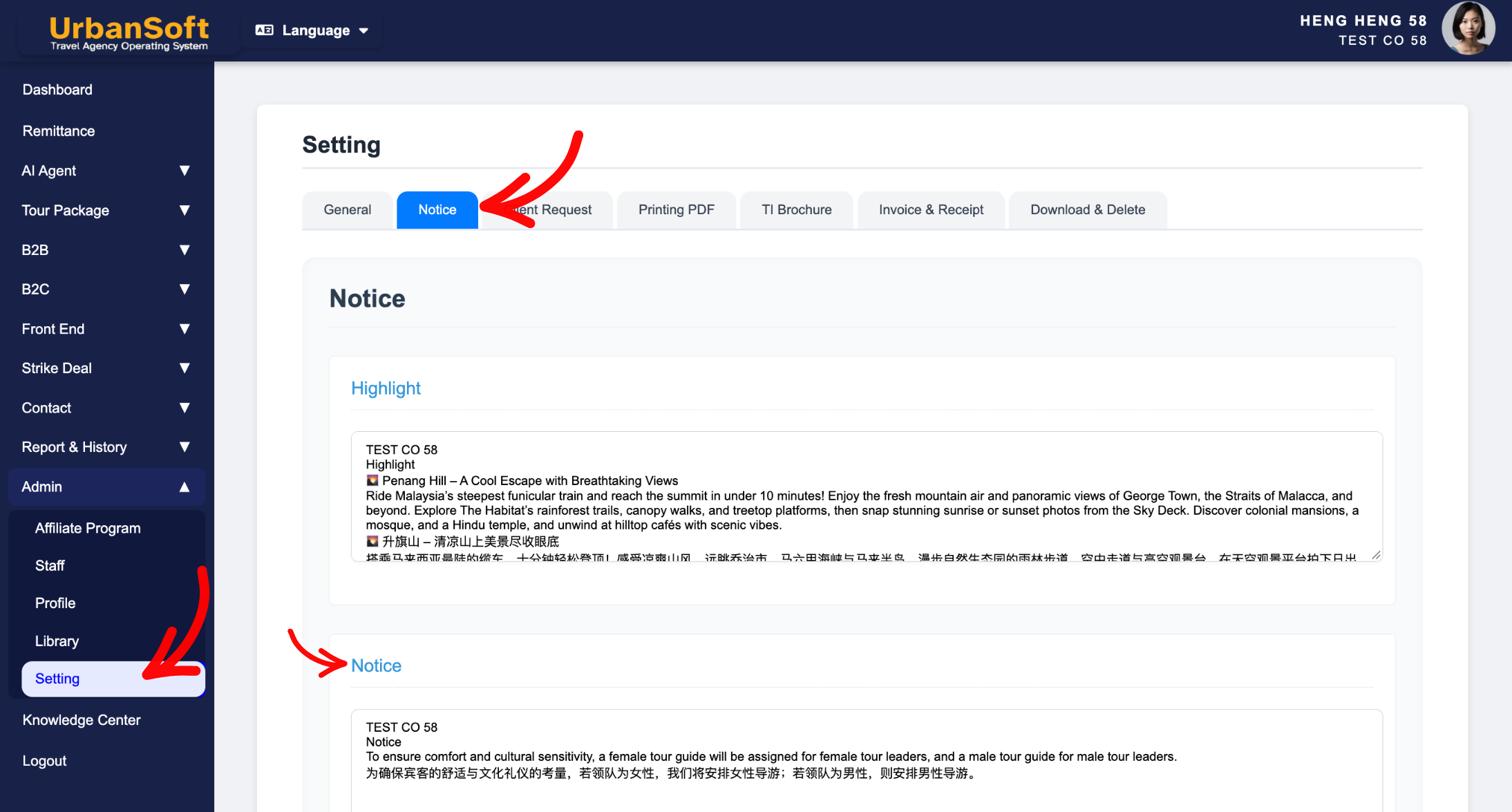
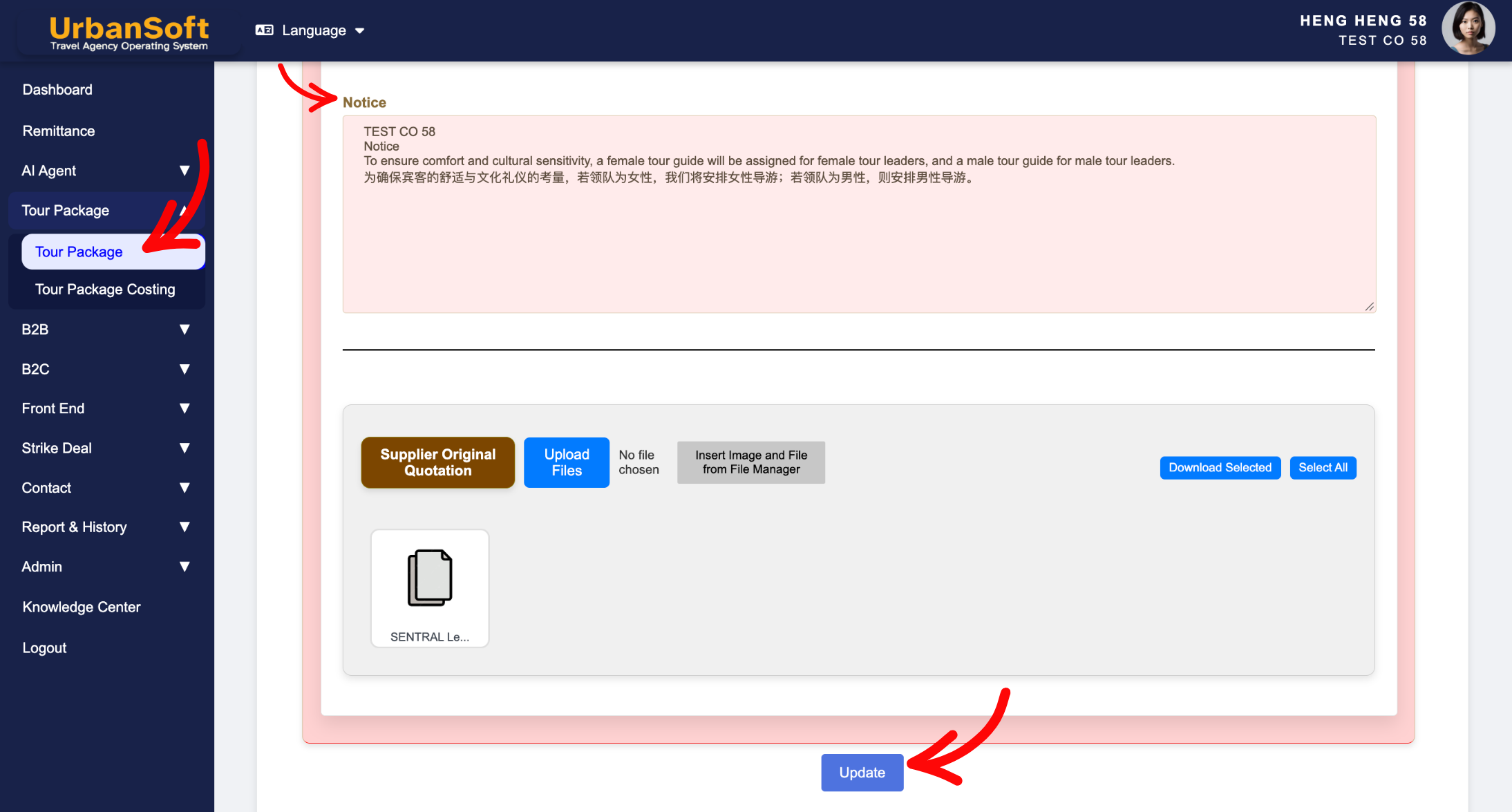
 What should be filled out in the "Notice" field in Setting > Notice and Cost Structure section?
The Notice field in the Cost Structure section of an UrbanSoft tour package outlines important operational reminders, special instructions, safety disclosures, and general travel guidelines that customers must be aware of prior to booking or departure. It serves as an essential informational disclaimer covering critical logistics such as passport validity, visa entry requirements, health/vaccination protocols, luggage limits, and tipping guidelines. Global default notice templates can be configured under Admin > Setting > Notice and freely tailored when creating new tour packages without affecting existing packages in your database.
What Can I Do?
You can convey essential travel compliance policies and manage default templates using the following options:
-
Provide Critical Operational Guidelines: Outline vital entry and safety rules, such as requiring at least 6 months of passport validity, specific visa policies, health protocols, baggage allowances, or tipping expectations.
-
Configure Global Notice Presets: Establish system-wide default notice text under
Admin > Setting > Noticeso every new tour package automatically populates with standard company guidelines. -
Tailor Guidelines per Tour Package: Easily edit or expand notice text during package setup to accommodate destination-specific rules (e.g., country-specific visa laws or climate/altitude advisories).
-
Protect Existing Database Data: Modify notice text on newly created tour packages safely—changes apply only to the new package, preserving existing or published packages in your system.
Field Definitions & Ideal Inputs
-
Passport & Visa Requirements: Mandatory policies regarding minimum passport validity (e.g., 6 months from travel date) and traveler visa application responsibilities.
-
Health & Safety Protocols: Mandatory health declarations, vaccination requirements, physical fitness advisories, or destination altitude/weather warnings.
-
Luggage & Travel Allowance: Weight limits, piece restrictions, and baggage handling policies for flights and coach transfers.
-
Gratuity & Tipping Guidelines: Standard recommended tipping guidelines for local tour guides, coach drivers, and hotel staff.
-
Other Advisories: Weather alerts, dress codes, and other information traveller need to know before departure or during the trip.
-
Default Notice Template (
Admin > Setting > Notice): System-wide default notice text that automatically pre-populates whenever a new tour package is created. -
Package-Level Override: Direct editing capability within a specific package that overrides global defaults for that single itinerary.
Example
For a Southeast Asia tour package, you can set the global default in Admin > Setting > Notice for general passport rules. When creating a specific Vietnam/Cambodia package, you can customize the Notice field to state: "Notice: Passports must have at least 6 months validity from return date. E-visas required prior to departure. Maximum checked luggage is 20kg per guest. Tipping guideline for local guide & driver is $5/day per traveler."
Important Notes
-
Default notice disclaimers set in
Admin > Setting > Noticeautomatically load into new tour packages, ensuring consistent legal compliance and saving time. -
Modifying the Notice field inside a new or existing package affects that specific tour package only—it will not alter global admin settings or corrupt existing packages.
-
Clear notice disclosures flow directly into exported PDF itineraries, tour confirmations, and customer quotes, reducing post-booking disputes.
Different Angles: Same Stories, Same Content, New Perspective
- What key operational guidelines and travel advisories should be included in the Notice field of a tour package in UrbanSoft?
-
How to set default package notices and disclaimers in Admin settings?
Same Folder Articles
Related Articles
-
 What should be filled out in the "Price Included" field in Setting > Notice and Included & Excluded section?
-
What should be filled out in the "Price Excluded" field in Setting > Notice and Included & Excluded section?
-
What should be filled out in the "Surcharges for Public Holiday & Peak Seasons" field in Setting > General and Cost Structure section?
-
What should be filled out in the "Highlight" field in Setting > Notice and Highlight section?
-
What should be filled out in the "Meal Supplement" field in Setting > Notice and Highlight section?
