.gif)
.gif)
.gif)

 What kind of details can be preset on the "Library" page?
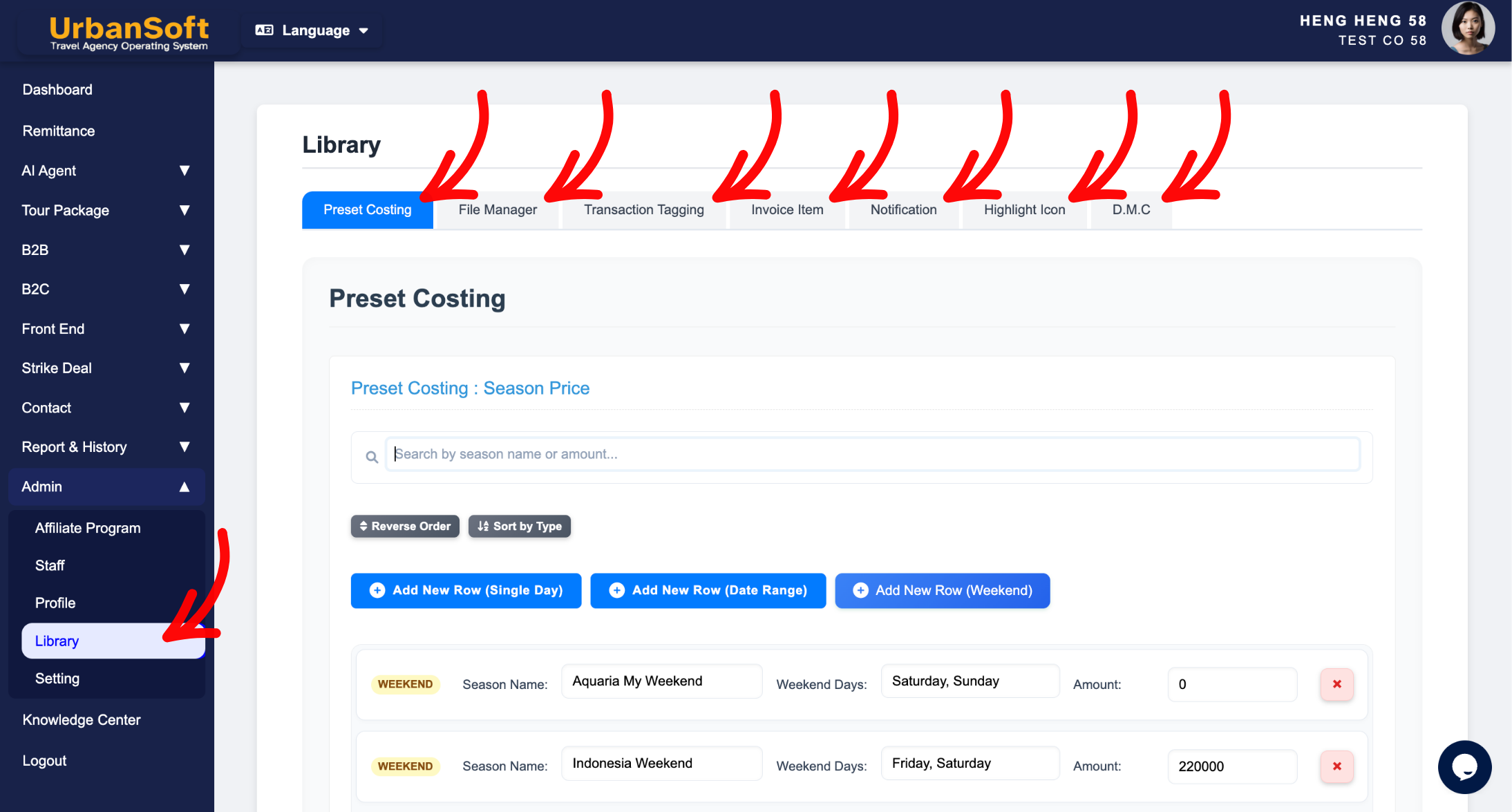
The Library page in UrbanSoft acts as a centralized repository for reusable travel components and master content blocks. It allows travel operators and planners to store and pre-configure standard preset costing (such as hotel, attraction and transport surcharge details), file manager, transaction tagging, invoice item, notification, Highlight Icon, and D.M.C (Destination Management Center). By organizing these elements in the Library, you can quickly drag, drop, or select pre-built item when assembling new invoice or generating quotations.
What Can I Do?
On the Library page, you can preset and manage a comprehensive database of reusable travel resources, including:
-
Hotel, Attractions & Transport Surcharge: Standardized Seasoning surcharge of hotel, attraction and transport, including date range and price increase.
-
File Manager: All file and image uploaded will display here, you can manage file storage, delete file or image.
-
Transaction Tagging: All tagging will display here, you can manage tagging by create, edit and delete option.
-
Invoice Item: All preset invoice item will display here, you can manage invoice item by create, edit and delete option.
-
Notification: Modular strike deal notification, and general operational notes.
-
Highlight Icon: All Highlight Icon uploaded will display here, you can manage highlight icon images by upload, arrange sequence and delete option.
-
D.M.C (Destination Management Center): All preset destination (include, attraction, activities, event, etc) will display here, you can manage D.M.C detail by create, edit, upload image, arrange sequence and delete option.
Example
For example, if your agency frequently offers high-season packages during peak holidays, you can pre-configure a "Year-End Peak Season Hotel Surcharge" or standard Invoice Items (such as "Airport Transfer Service" or "Surcharge Fee") in the Library. When generating a new invoice or quotation for a client, you can quickly select these preset items or tags directly from your Library without having to re-key the pricing rules, descriptions each time.
Important Notes
-
Presetting items in the Library establishes master building blocks, making quotation and invoicing building significantly faster and more consistent.
-
Editing or adding an item in the Library creates a reusable master asset; inserting it into a specific invoice allows for further customization without altering the master Library template.
-
Organizing your Library items into clear categories ensures your operational team can easily search and locate relevant invoice item during invoicing creation.
Different Angles: Same Stories, Same Content, New Perspective
-
What travel assets and master content can I store in the Library?
-
How can I build a reusable invoice content database in UrbanSoft?
 How to check "My Membership Status"?
