.gif)
.gif)
.gif)

 What should be filled out in the "Story" field in Library > D.M.C and Other section?
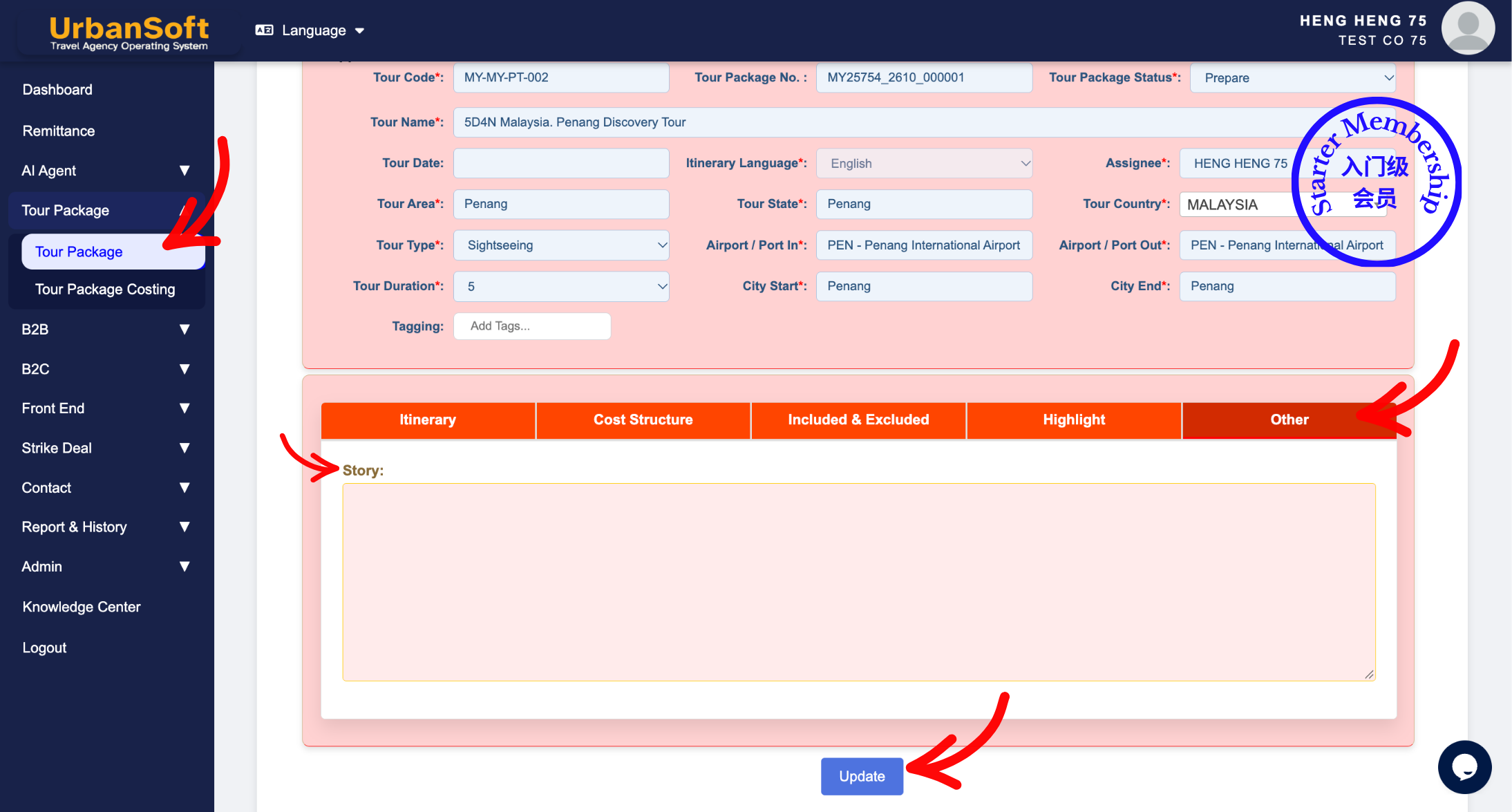
The Story field in the Other section of an UrbanSoft tour package is a narrative and visual engagement tool used to capture compelling background stories, cultural history, and unique trivia about attractions, activities, events, and dining experiences. Designed to evoke emotion and excite potential buyers, each story helps motivate clients to purchase the tour package. Each story entry supports up to 4 dedicated photos. Depending on your membership tier, story content can be added manually or automatically inserted from pre-configured templates in the Destination Management Center (DMC) library.
What Can I Do?
Depending on your subscription tier, you can populate and manage storytelling content using the following options:
-
Manual Entry (Available to Starter Tier & Above): Manually write or paste engaging background stories, cultural history, and dining narratives directly into the Story field.
-
Automated DMC Insertion (Launch Tier & Above): Pre-configure stories under
Admin > Library > D.M.C. Then, in the DMC section at the bottom of the Itinerary tab, add row and select your desired attractions, tick the Story checkbox, click Update D.M.C button, and click Insert to Tour Package button to automatically populate the story content and images to Story section under the Other tab.
Field Definitions & Operational Guidance
1. Story Content & Visual Standards
-
Story Content: Enter captivating, classic, and unique stories about attractions, local activities, upcoming events, or signature dining venues and cuisine. The goal is to excite buyers and inspire them to experience the tour.
-
Story Photos: Each story entry can include up to 4 dedicated photos to complement the narrative text visually.
2. Membership Tier Capabilities & DMC Integration
-
Starter Tier Members: Restricted to manual input only. Story text must be written or pasted manually. No photo image support.
-
Launch Tier & Above Members: Access the automated DMC insertion workflow:
-
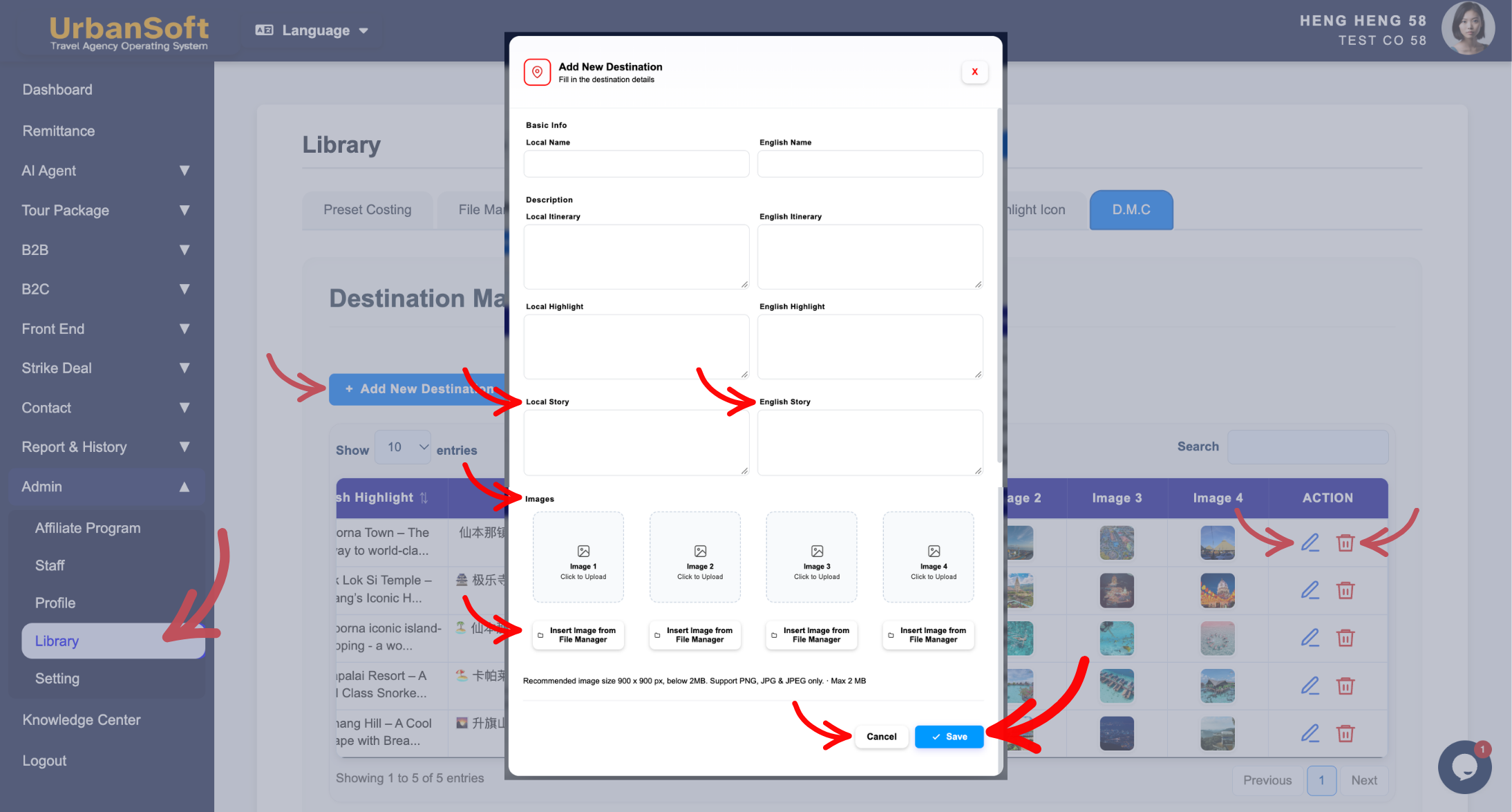
Pre-set story narratives and 4 images in
Admin > Library > D.M.C,and click + Add New Destination. -
In Description, enter concise bilingual a rich historical story for both English and Local fields.
-
Navigate to the DMC section at the bottom of the Itinerary tab.
-
Add row and select the target attraction/activity and tick the Story checkbox.
-
Remember to click Update D.M.C, to save and store the adjustment.
-
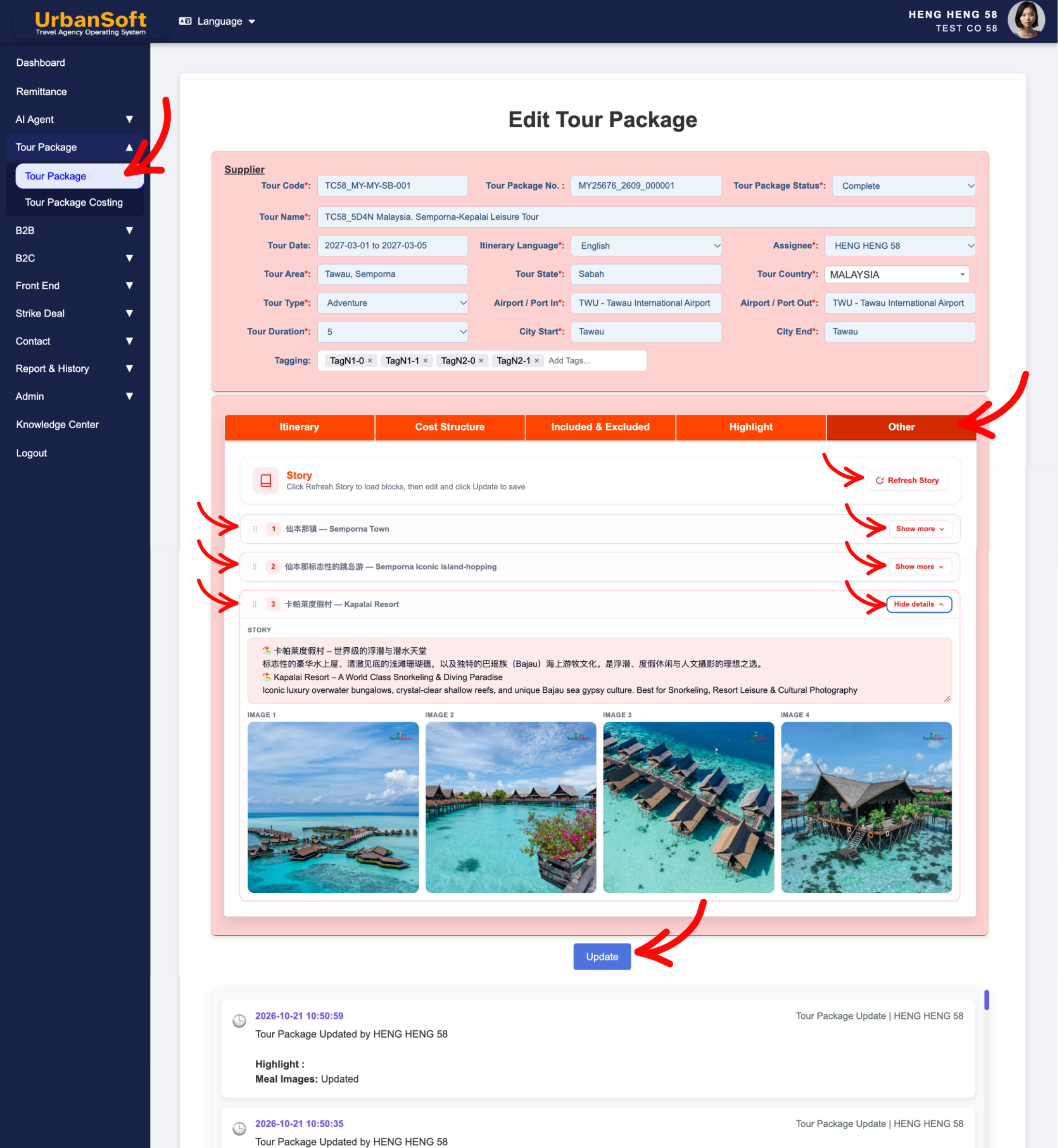
Click Insert to Tour Package to instantly send the story text and its 4 associated photos to the Story section in the Other tab.
-
Click the Refresh Story button to quickly update the story text and photos.
-
Click the Show More button to review the story text and photos.
-
Drag to Arrange Sequence, click and hold the icon row, then drag it up or down to set the display order.
-
Example
When setting up a 7-Day Kyoto Cultural Tour package:
-
DMC Preset Option (Launch Tier & Above): Pre-build a story titled "The Secret of 300-Year-Old Traditional Tea Ceremony" with 4 photos under
Admin > Library > D.M.C. In the Itinerary tab, add row and select the tea ceremony attraction from dropdown list, tick the Story checkbox, and click Update D.M.C button, then click Insert to Tour Package button to automatically load it into the Other tab. -
Manual Input Option (Starter Tier): Open the Other tab, navigate to the Story field, and type out the captivating history of the tea house and its cultural significance.
Important Notes
-
Utilizing the DMC library (
Admin > Library > D.M.C) enables travel agencies to build a centralized repository of iconic destination stories, that team members can reuse across multiple tour packages with a single click. -
Pairing high-quality storytelling with up to 4 images, creates a rich emotional appeal, that significantly improves proposal conversion rates.
Different Angles: Same Stories, Same Content, New Perspective
- How do Starter and Launch tier memberships differ when adding stories to tour packages, and how does the DMC library automate story insertion into the Other section in UrbanSoft?
Same Folder Articles
Related Articles
-
 What information should be include in the "Other" tab?
-
How to insert itinerary from "DMC (Destination Management Center)" to active Tour Package?
-
What information should be include in the "Highlight" tab?
-
What information should be include in the "Itinerary" tab?
-
What should be filled out in the "Itinerary" field in itinerary section?
