.gif)
.gif)
.gif)

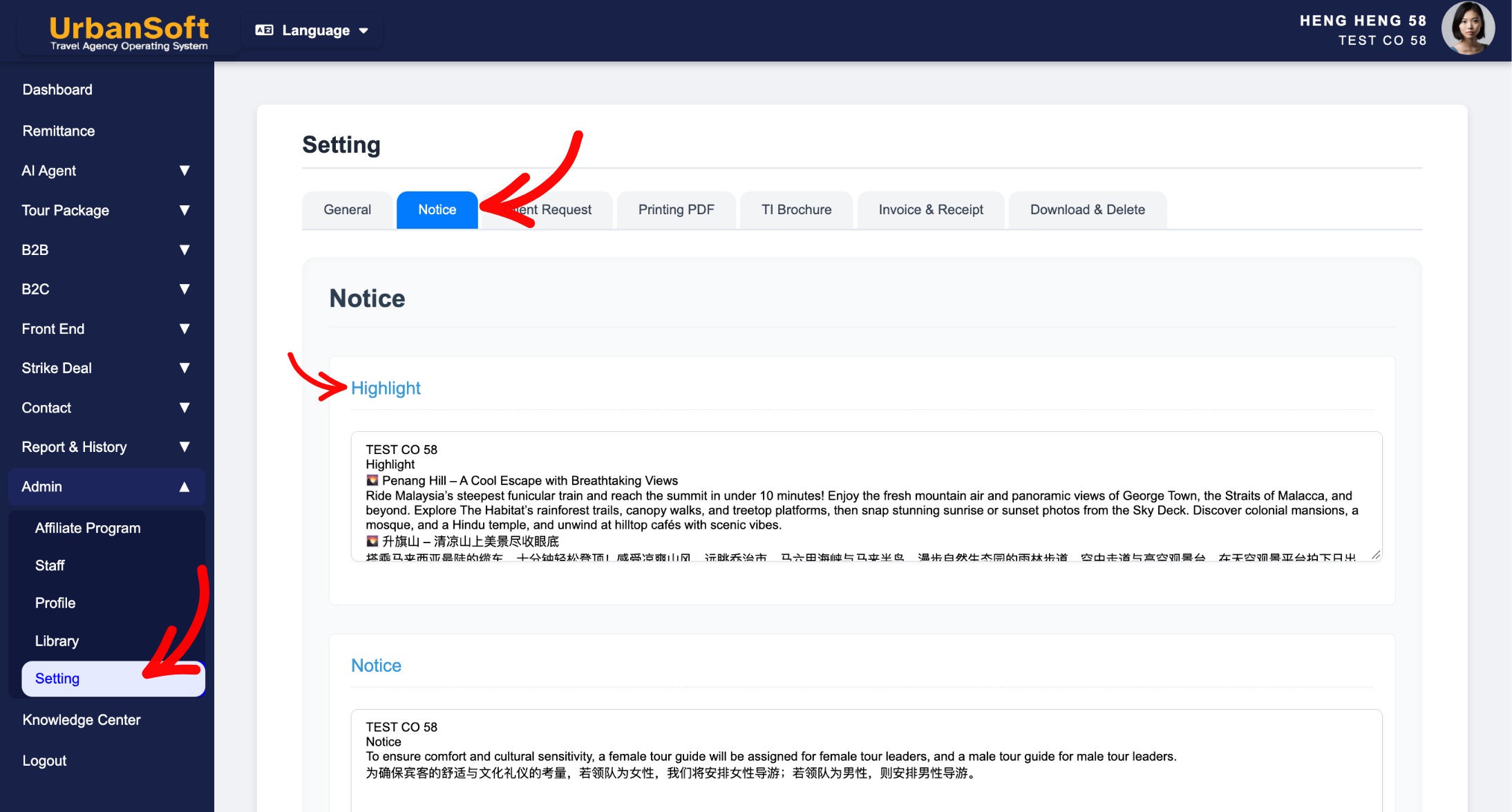
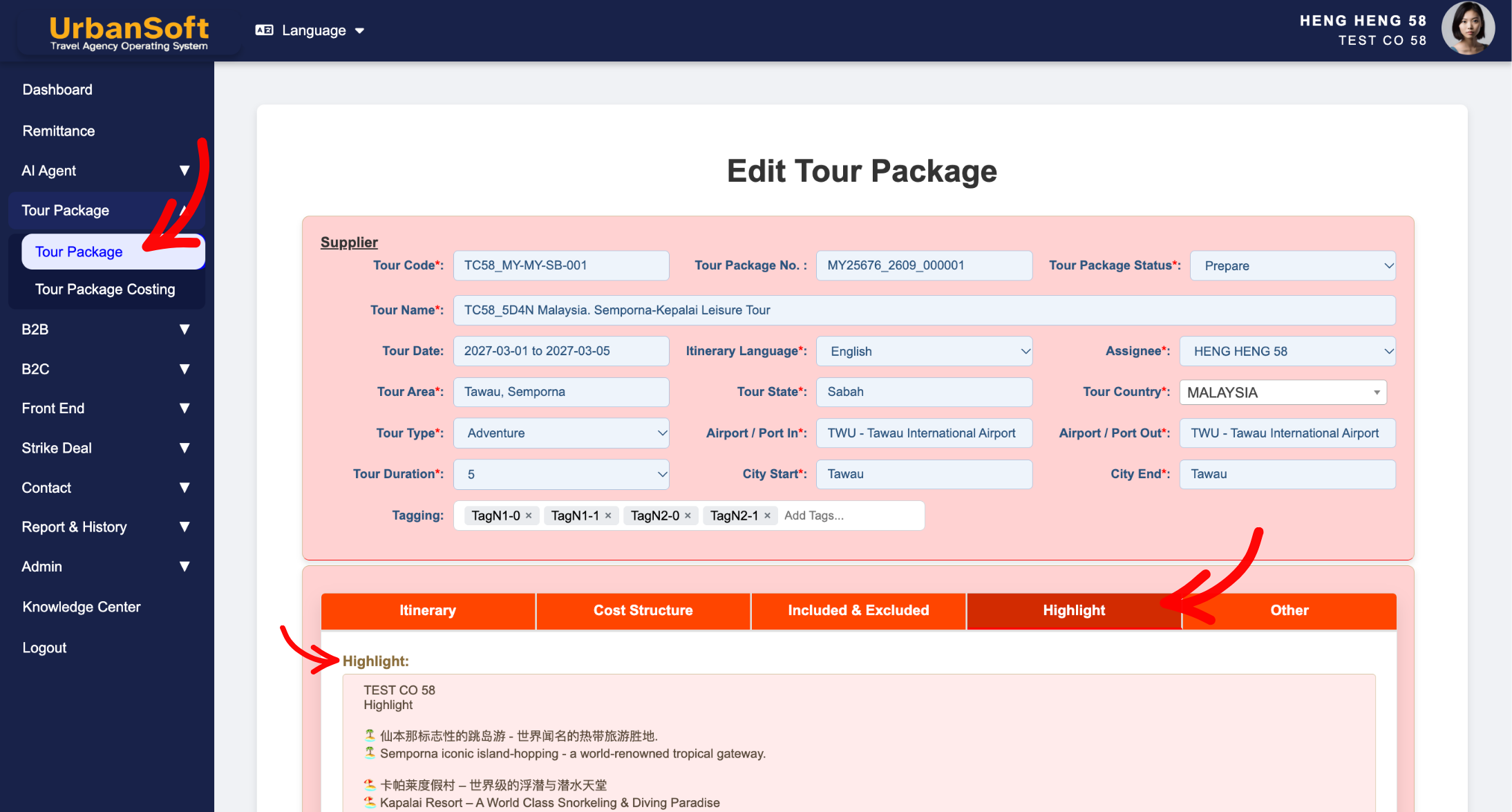
 What should be filled out in the "Highlight" field in Setting > Notice and Highlight section?
The Highlight section within UrbanSoft’s tour packages serves as a showcase for the product's key selling points. Designed to spotlight the itinerary's core attractions and signature experiences, it uses concise, compelling copy to create an immediate visual impact and drive booking interest—making it ideal for display on the cover page or at the very beginning of the itinerary. While default content can be pre-populated from Admin > Setting > Notice or Admin > Library > D.M.C (Destination Management Center), tour operators can fully customize all content for each individual package.
What Can I Do?
You can showcase key tour selling points and manage defaults using the following options:
-
Summarize Core Attractions: List must-see landmarks, UNESCO sites, and signature activities included in the itinerary.
-
Craft Marketing Highlights: Write punchy, enticing descriptions designed to grab prospective travelers' attention on sales materials.
-
Manage Global & Local Templates: Set system-wide default highlight presets under
Admin > Setting > NoticeorAdmin > Library > D.M.C (Destination Management Center)and customize them directly when setting up new tour packages. -
Protect Existing Data: Modify default highlight templates freely during package creation, knowing changes apply strictly to the new package without altering existing tours in your database.
Field Definitions & Ideal Inputs
-
Attraction / Activity Name: Precise names of iconic destinations or featured experiences (e.g., "Mount Fuji 5th Station", "Private Gondola Ride in Venice").
-
Key Feature / Selling Point: Engaging phrases that highlight what makes each activity unique, memorable, or exclusive.
-
Default Notice Template (
Admin > Setting > Notice): System-wide global default highlight structure that automatically pre-populates when creating new tour packages. -
Default DMC (Destination Management Center,
Admin > Library > D.M.C):-
For Launch Membership and above: Setup itinerary detail in DMC section (under bottom part of itinerary tab), tick the Highlight, click Update D.M.C, click Insert to Tour Package, system will auto transfer detail to higlight section (editable),
-
For Starter Membership - not allow to use DMC. Please upgrade to optimal your feature and maximal your profit and time.
-
-
Package-Level Override: The ability to edit, add, or remove highlights on an individual tour package without affecting global defaults or other published packages.
Example
For a signature Europe itinerary, you can set global default disclaimers in Admin > Setting > Notice (e.g., "All listed highlights include guaranteed entry tickets unless specified"). When creating a new package, you can customize the Highlight section to display: "Eiffel Tower Summit Access with Champagne Toast", "Louvre Museum VIP Guided Tour", and "Scenic Seine River Evening Cruise", instantly capturing customer interest on exported itineraries.
Important Notes
-
Default text configured in
Admin > Setting > Noticeautomatically populates whenever a new tour package is created. -
Editing the Highlight section inside a new or existing package only updates that specific tour package, ensuring your other active itineraries remain unchanged.
-
Highlights formatted here flow directly onto marketing brochures, STI PDFs, and Tour Package PDFs to drive sales conversion.
Different Angles: Same Stories, Same Content, New Perspective
- What information should be included in the Highlight section when setting up a tour package in UrbanSoft?
-
Where can I add detailed descriptions of tour attractions/activities if needed?
-
How to manage and edit package highlights on client itineraries?
Same Folder Articles
Related Articles
-
 What information should be include in the "Itinerary" tab?
-
What should be filled out in the "Meal Supplement" field in Setting > Notice and Highlight section?
-
What information should be include in the "Admin > Setting > Notice" tab?
-
How to edit or update an existing "Tour Package"?
-
How can I preset default information, for all Tour Packages in the "Admin > Setting" page?
