.gif)
.gif)
.gif)

 How to upload a "Company Logo"?
This guide explains how to upload your official Company Logo in UrbanSoft. You will learn where to locate the logo upload field within your profile settings and the required image specifications (500 x 500 px, PNG/JPG/JPEG under 2MB).
When Do You Use This?
Use this feature during initial account setup or whenever your company rebrands or updates its official logo. Uploading a proper logo ensures your company branding appears correctly across system-generated documents, client invoices, itinerary PDFs, and B2B profile displays.
Before You Start
-
You need:
-
Administrator credentials for your UrbanSoft account.
-
Your company logo file saved on your local device.
-
-
Precautions:
-
Image Dimensions: Recommended size is 500 x 500 px.
-
File Format: Must be PNG, JPG, or JPEG (a transparent PNG is recommended for the best visual display).
-
File Size: Must be under 2MB.
-
Step-by-Step
-
Log in to your UrbanSoft account using your administrative credentials.
-
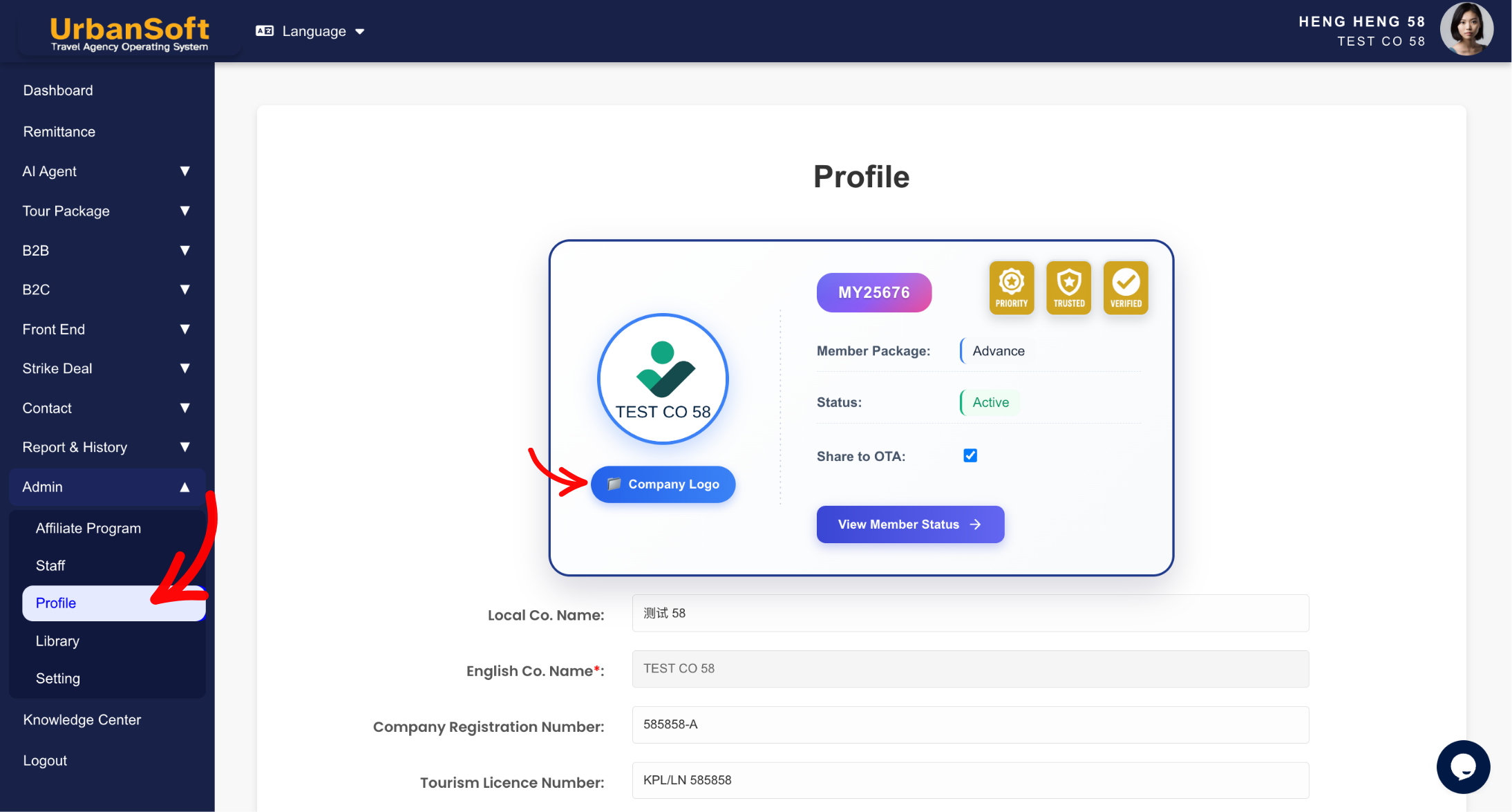
From the main menu on the left, navigate to Admin > Profile.
-
Scroll to the logo asset section on top of profile form.
-
Click Upload File / Browse under the Company Logo field.
-
Select your prepared company logo image file (500 x 500 px, PNG/JPG/JPEG under 2MB) from your device.
-
Verify that the image preview appears correctly on the screen.
-
Scroll to the bottom of the page and click Update to apply changes.
Expected Result
Your company logo will be saved and linked to your profile, automatically updating your company branding across system-generated PDFs, itineraries, and B2B platform views.
Important Notes
-
Logo Specifications: Upload a Company Logo file (500 x 500 px, PNG/JPG/JPEG under 2MB).
-
Ensure the logo file meets size and dimension constraints to prevent distortion or rendering issues on PDF exports.
-
Always click Update after uploading the file to finalize your profile.
Common Mistakes
-
Uploading logo files larger than 2MB or using unsupported file formats.
-
Using non-square image aspect ratios that cause logo stretching or cropping on official documents.
-
Forgetting to click Update after selecting the image file.
Different Angles: Same Stories, Same Content, New Perspective
-
Where do I upload my official company logo in UrbanSoft?
-
What are the image size and format requirements for the company logo?
 How to set up my "Company Profile"?
