.gif)
.gif)
.gif)

 Why am I unable to edit my "Company Name and Country" in the Setting > General and Company Profile page?
Your Company Name and Country serve as your legal and operational identity across the UrbanSoft platform. Restricting direct modifications to these details ensures platform integrity, verified identity management, and compliance with legal and tax frameworks. It also guarantees that business connections, contracts, and B2B/B2C transactions remain tied to a validated business entity.
What Problem Does It Solve?
It prevents accidental edits, unauthorized company profile modifications, and potential fraud or identity spoofing within the UrbanSoft network. Because company details directly affect tax settings, regional currency configurations, and partner connection records, locking these fields prevents billing discrepancies, invalid legal agreements, and broken B2B/B2C connections.
Benefits
-
Data Integrity & Security: Protects your organization from accidental or unauthorized profile changes by non-administrative staff.
-
Verified Partner Trust: Maintains a verified business identity so suppliers, clients, and buyers can engage with your company in total confidence.
-
Compliance & Legal Consistency: Ensures all quotations, strike deals, contracts, and transaction histories remain legally compliant and accurate.
-
Audit Trail Protection: Preserves a clean history of business activities connected to your registered company profile.
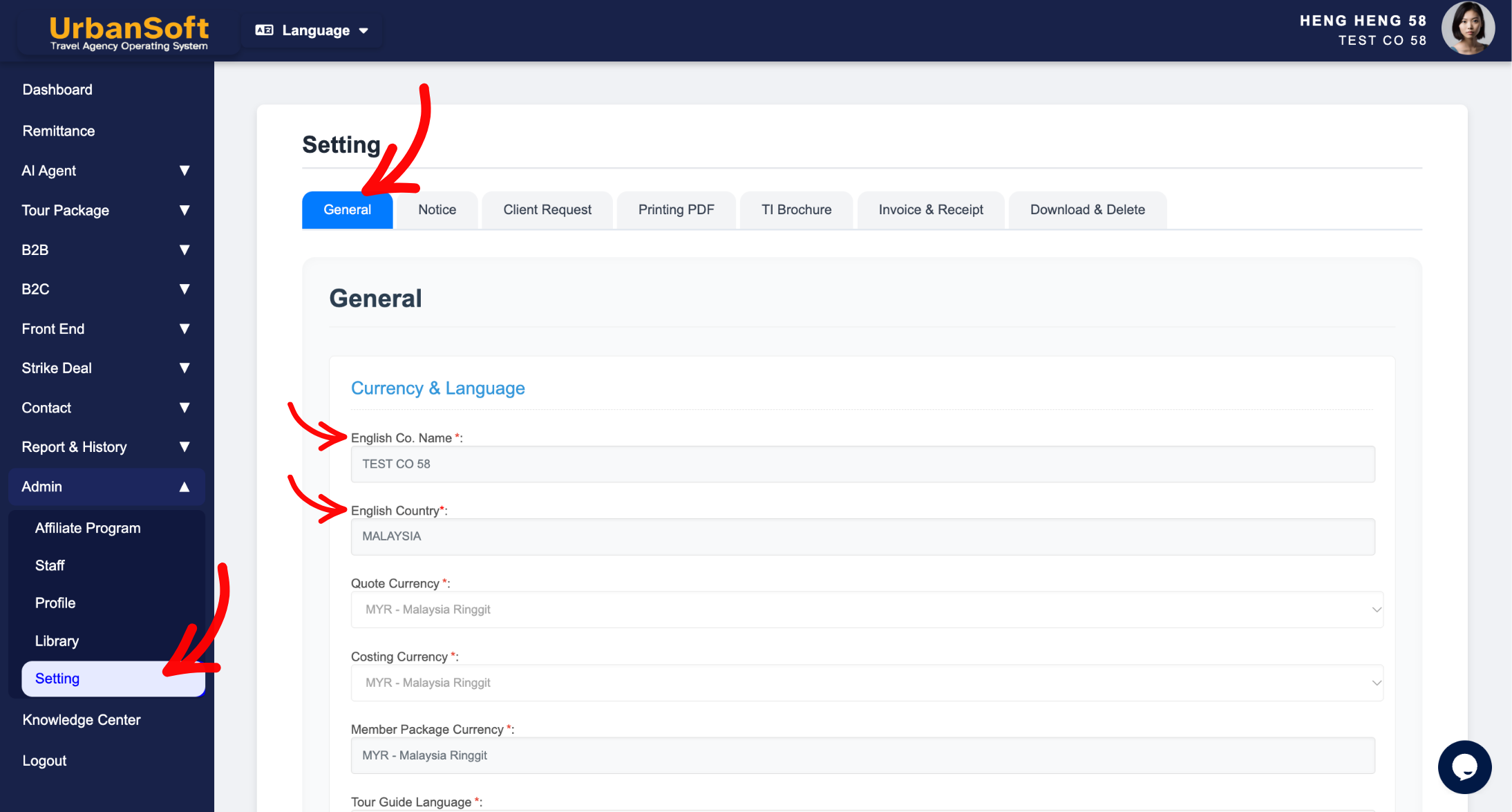
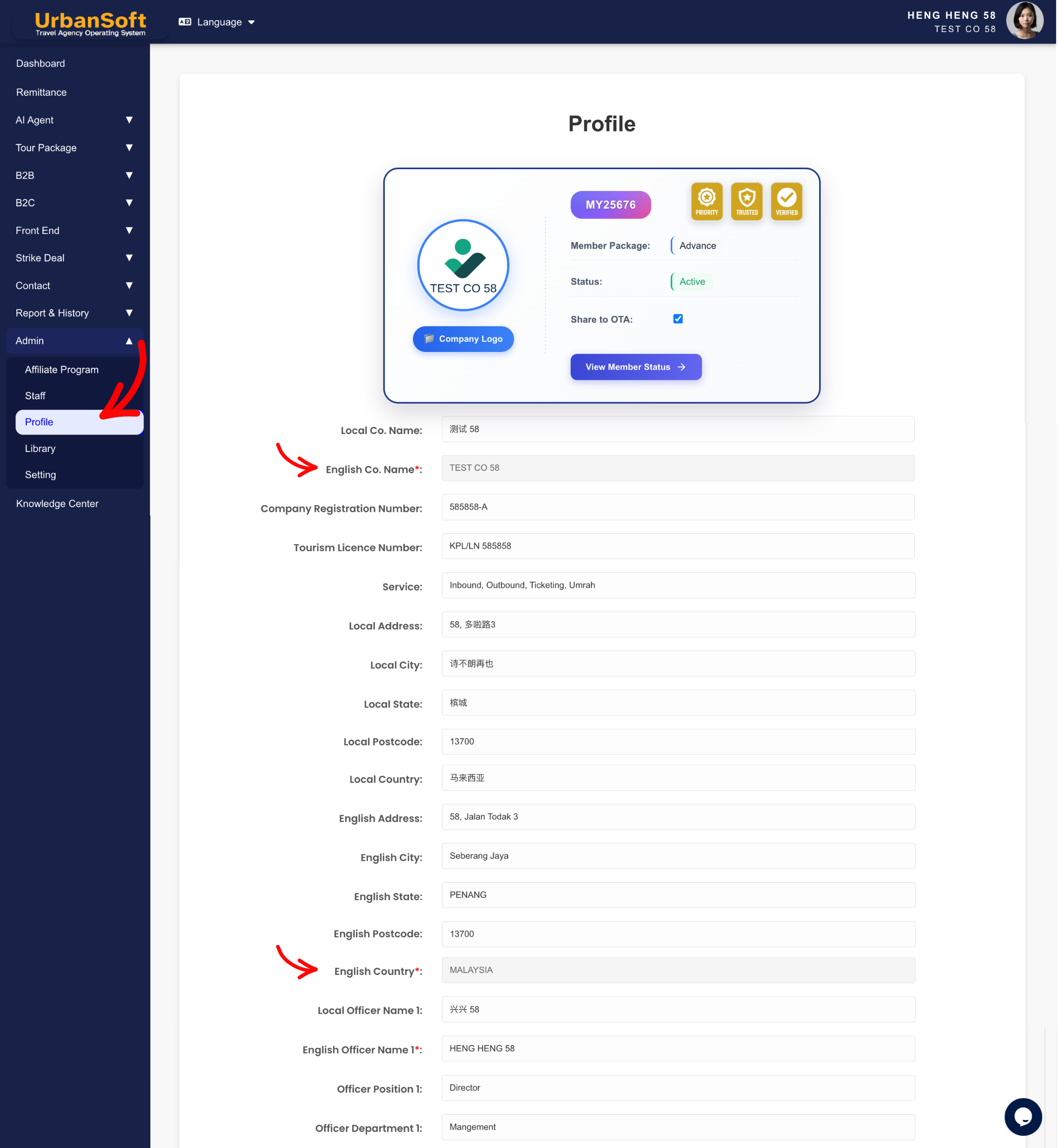
Example
If a staff member accidentally attempts to change the company name or country in the Setting page, the fields will appear locked or non-editable. This prevents the business from unintentionally altering its registered jurisdiction, which could otherwise invalidate existing B2B quotations or mess up tax calculations for client deals. If an official legal name change or relocation is required, administrators must submit an official request through UrbanSoft support for verification.
Important Notes
-
Company name and country are primary account fields set during initial account setup.
-
Direct self-service edits are restricted after registration. Note that company name and country modifications are only permitted once within the first 14 days post-registration.
-
After the initial 14-day window, or if you need to update your registered comapny name or country, direct edits via the Setting page are locked.
-
If your company undergoes an official rebranding, legal name change, or country migration, please contact UrbanSoft Support directly with relevant verification documents.
-
Changes made by support will update future system records, while historical transaction records remain preserved for audit compliance.
Different Angles: Same Stories, Same Content, New Perspective
-
Why are company registration fields locked in the UrbanSoft Setting page?
-
How can I update my official company name and country if our business legally rebrands?
-
Why are my company profile details locked in the Setting menu?
-
How does restricting company name and country edits protect my B2B transactions?
-
Why is it important to select the correct company country?
 How to check "My Membership Status"?
