.gif)
.gif)
.gif)

 Relationship between "Tour Date" and "Tour Duration" in tour package.
The relationship between tour date and tour duration in an UrbanSoft tour package, refers to how setting specific date ranges automatically controls and pre-populates the daily itinerary schedule. In UrbanSoft, the Tour Date field can either be left blank for flexible/open-dated packages or configured with a specific date range (Date Between). When a date range is selected, the system automatically detects the number of days, generates the matching number of daily itinerary entry slots, and auto-fills the exact calendar dates along with the corresponding days of the week into the schedule form (e.g., Day 1 – October 1, Thursday).
What Can I Do?
You can streamline itinerary setup using the following automated schedule controls:
-
Leave the Tour Date field blank when creating fixed-duration but open-dated or recurring tour packages.
-
Select a specific date range (Date Between) for fixed-departure series or seasonal tour packages.
-
Allow the system to automatically generate the required number of daily itinerary rows and auto-populate precise dates and days of the week (e.g., Day 1 - Oct 12, Mon).
-
If you wish to add or remove rows in the itinerary table, simply adjust the Tour Duration to the desired number of days and click Update. However, if the itinerary includes specific tour dates, you will need to adjust those manually.
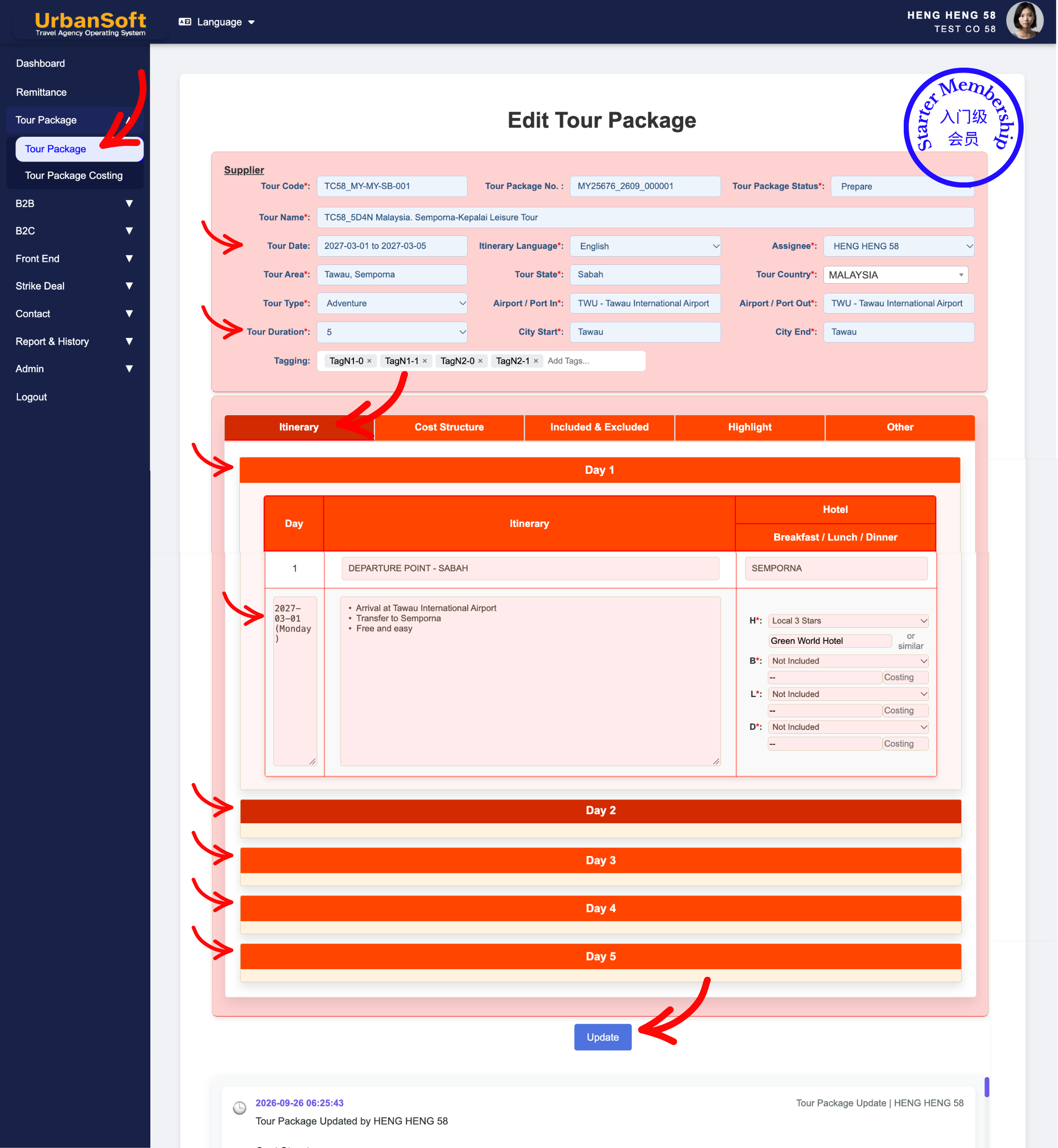
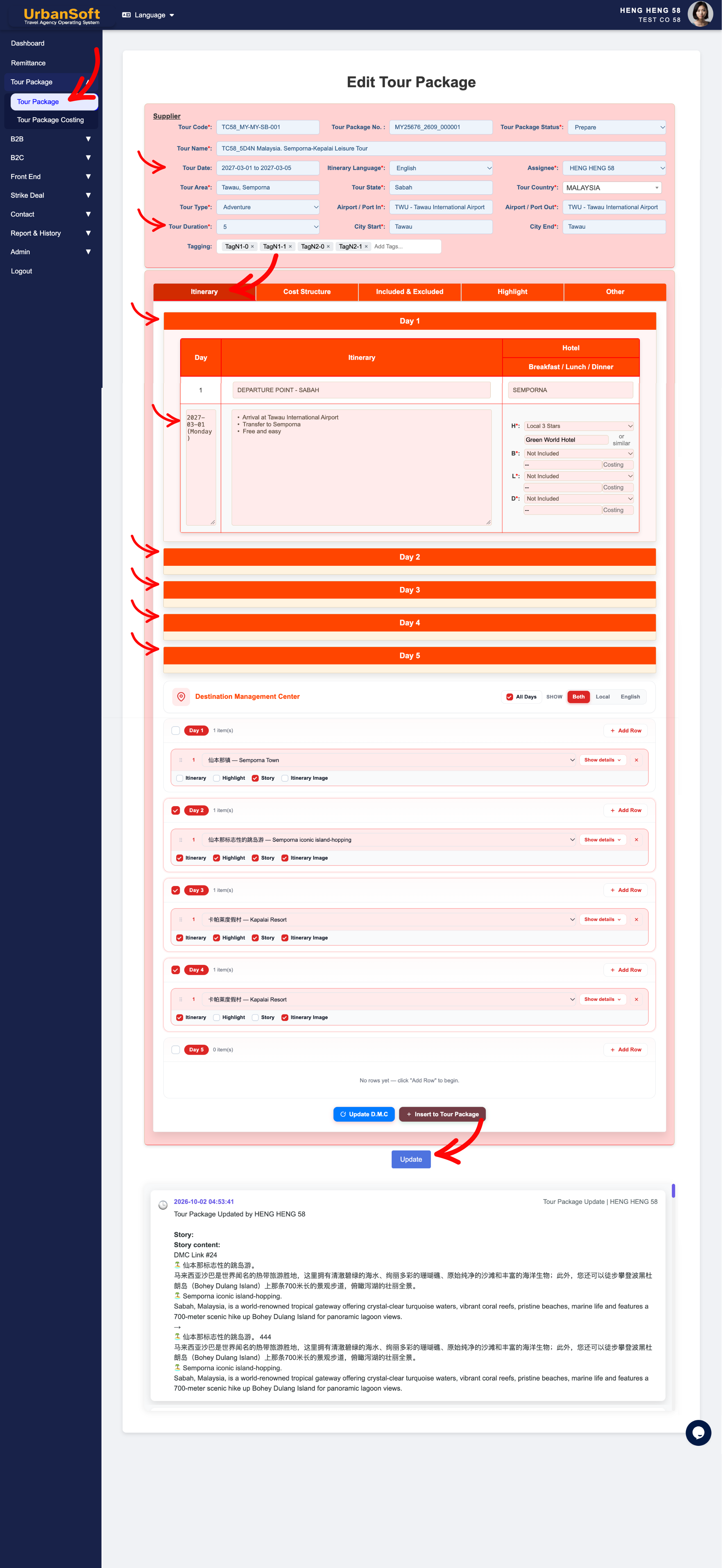
Example
For example, if you create a fixed-departure package and select a Date Between range from October 1 to October 5, the system automatically creates 5 daily itinerary slots. It will automatically fill Day 1 as Oct 1 (Thu), Day 2 as Oct 2 (Fri), through to Day 5 as Oct 5 (Mon), saving you from entering dates manually.
Important Notes
-
Leaving the Tour Date blank allows you to define tour duration independently for template or recurring packages.
-
Selecting a Date Between range triggers automated calculations, locking the duration to the exact calendar span chosen.
-
Auto-generated dates and days of the week, seamlessly transfer to exported customer quotes and PDF itineraries.
-
The Tour Duration data determines how many rows need to be displayed in the itinerary form.
Different Angles: Same Stories, Same Content, New Perspective
- How does selecting a date range in UrbanSoft automatically generate, my daily itinerary days and calendar dates?
-
How to set up fixed-departure vs. flexible-date tour packages in UrbanSoft?
-
How to edit or adjust daily itinerary entries after tour duration (date ranges) are set?
Same Folder Articles
-
 How to create "New Tour Package" manually?
-
How to create "New Tour Package", with "Ai Insert Tour Package" feature?
-
How to edit or update an existing "Tour Package"?
-
How to duplicate assisting "Tour Package"?
-
How to use "Ai Translate" to translate assisting tour package to another new other language tour package?
Related Articles
-
How to create "New Tour Package" manually?
-
Are there any restrictions or requirements for my "Tour Code and Tour Name" format?
-
Am I allowed to add multiple areas / state / province in the “Tour Area” and “Tour State” field?
-
How to select the "Tour Package Status"?
-
How to change Setting > General and Tour Package "Itinerary Language" option?
