.gif)
.gif)
.gif)

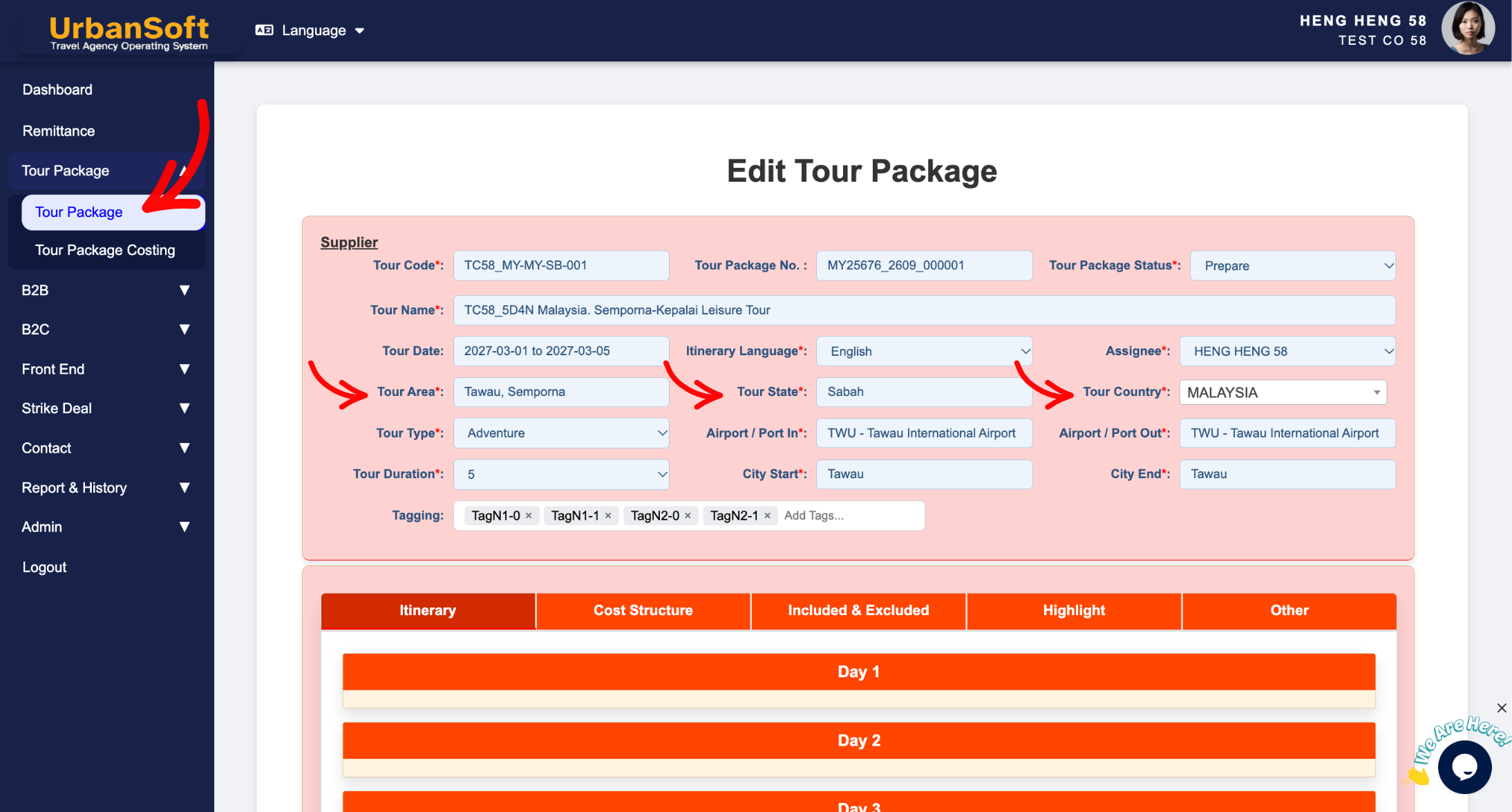
 Am I allowed to add multiple areas / state / province in the “Tour Area” and “Tour State” field?
Adding multiple areas, states, or provinces in the Tour Area and Tour State fields refers to how you classify multi-destination travel itineraries in UrbanSoft. Under UrbanSoft's system flexibility, you can manually type multiple areas, states, or provinces into these fields. Additionally, you can utilize the Tour Package Tagging feature to accurately reflect all covered regions, making it easier to search, filter, and generate statistics for multi-region packages.
What Can I Do?
You can organize and tag your multi-destination travel products using the following options:
-
Manually type multiple areas, states, or provinces directly into the "Tour Area" and "Tour State" fields when creating or editing a package.
-
Add relevant region and destination tags to your tour package for better operational visibility.
-
Filter and search for multi-region travel packages across your database using added tags and manual region inputs.
Example
For example, if a travel itinerary covers both Kansai and Kanto regions (including Osaka, Kyoto, and Tokyo), you can manually enter "Osaka, Kyoto, Tokyo" in the "Tour Area" and "Kansai, Kanto" in the "Tour State" fields. By also adding tags like #Osaka, #Kyoto, #Tokyo, #Osaka and #Kyoto to the tour package, your staff can easily search for all packages involving Osaka or Kyoto during customer inquiries.
Important Notes
-
The "Tour Area" and "Tour State" fields support manual text input, allowing you to list multiple locations separated by commas or slashes.
-
Utilizing package tagging alongside manual field entries significantly enhances system searchability and reporting accuracy.
-
Keeping regional descriptions clear ensures accurate information rendering on customer-facing PDF itineraries.
Different Angles: Same Stories, Same Content, New Perspective
- Can I list more than one region or province under the Tour Area and Tour State options in UrbanSoft?
Same Folder Articles
-
 How to create "New Tour Package" manually?
-
How to create "New Tour Package", with "Ai Insert Tour Package" feature?
-
How to edit or update an existing "Tour Package"?
-
How to duplicate assisting "Tour Package"?
-
How to use "Ai Translate" to translate assisting tour package to another new other language tour package?
