.gif)
.gif)
.gif)

 Will changes made on the "Setting" page, affect my existing "invoice & receipt"?
This question addresses how modifications made in the Setting page interact with financial documents that have already been generated, such as quotation, invoices and receipts in UrbanSoft. In short, NO, any changes or updates made on the Setting page will not affect or overwrite your existing quotation, invoices and receipts. Global settings function as defaults for future financial transactions rather than retroactive controllers.
What Can I Do?
-
Update Financial Settings Freely: You can adjust default preferred design, numbering format, payment terms, bank details, tax rates, or company branding on the Setting page without affecting past accounting records.
-
Apply New Settings to Future Documents: Any updated settings will automatically apply only to newly created quotation, invoices and receipts moving forward.
-
Keep Historical Financial Records Intact: Enjoy peace of mind knowing that finalized accounting documents remain locked and historically accurate for auditing and record-keeping purposes.
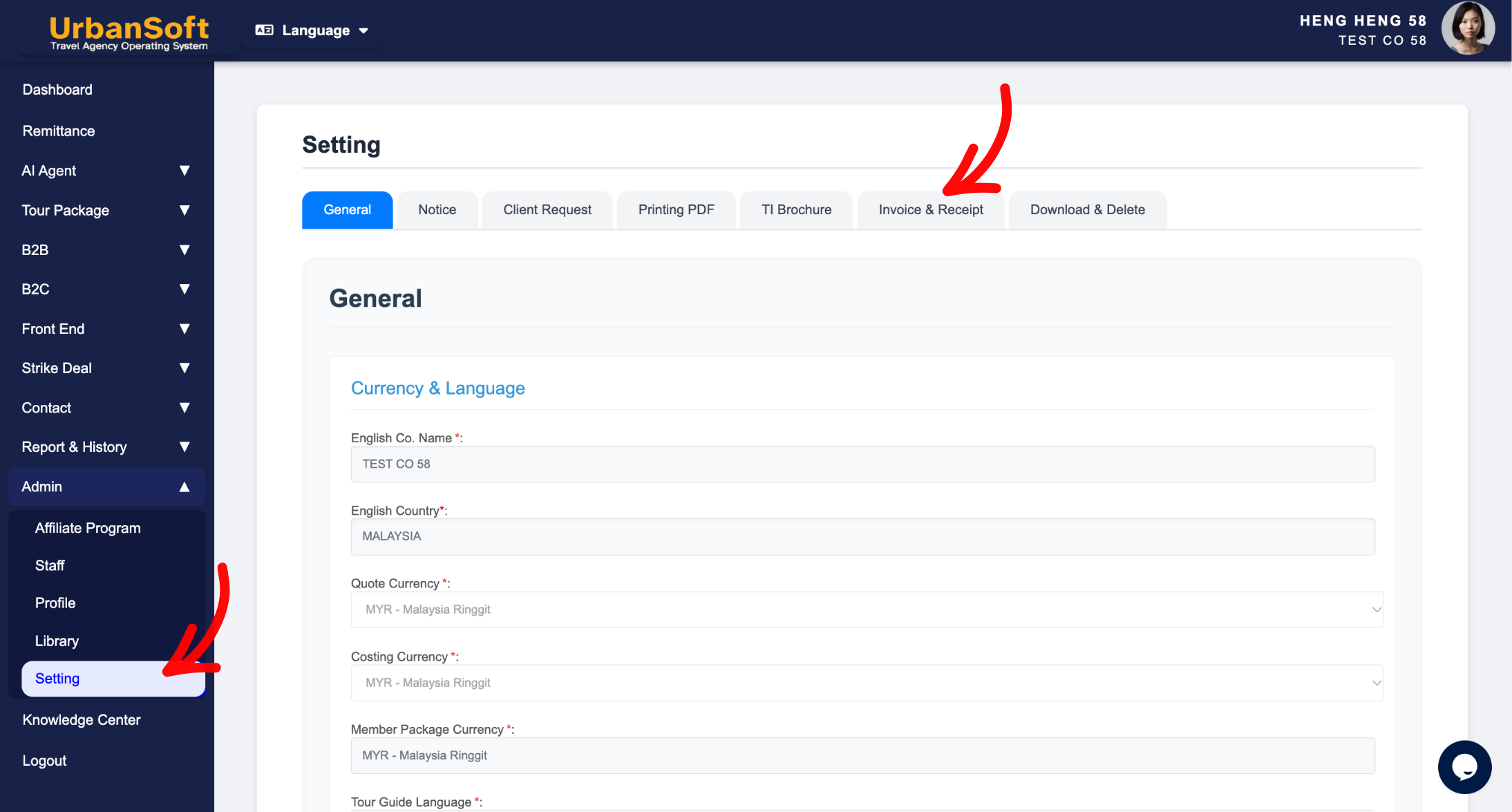
Example
For example, if you update your company’s bank details or default payment terms on the Setting page today, all invoices and receipts issued yesterday or earlier will retain the old bank information and terms. Only invoices and receipts generated after the change will display your updated bank details.
Important Notes
-
No Retroactive Effect: Default settings do not retroactively sync or alter data on previously issued quotation, invoices and receipts.
-
Data Integrity: Once an quotation, invoice or receipt is created, its core financial details, terms, and payment information remain locked to preserve audit trail integrity.
-
Manual Revision Required: If an existing invoice or receipt needs to be updated with new information, you must edit or re-issue that specific financial document individually.
Different Angles: Same Stories, Same Content, New Perspective
-
Will updating settings alter payment details or terms on previously issued receipts and invoices?
-
Do global setting updates apply retroactively to existing financial documents?
 How to check "My Membership Status"?
