.gif)
.gif)
.gif)

 How to edit or update "My Setting"?
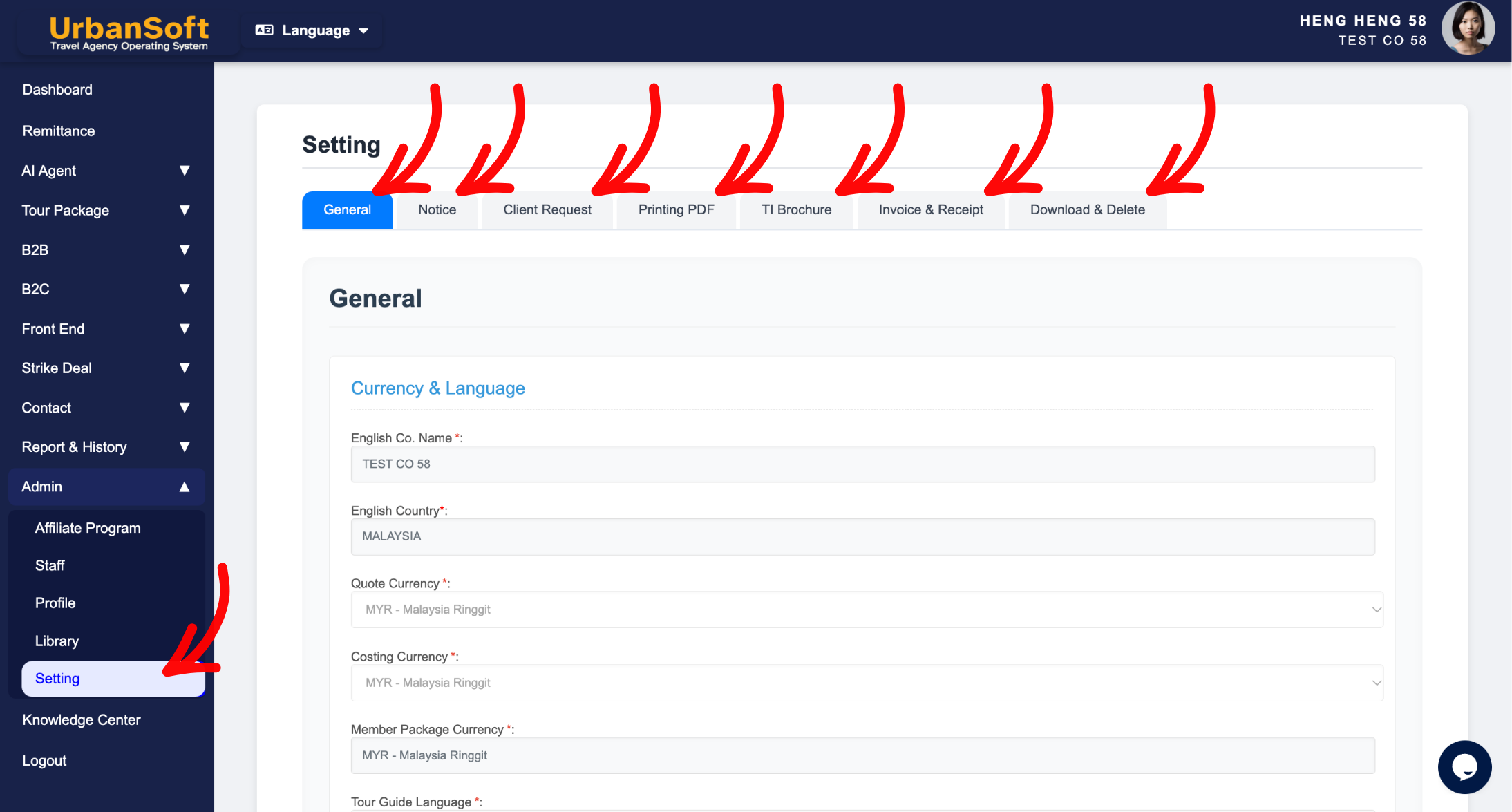
This page will show you how to edit and save your system settings in UrbanSoft. You will learn how to configure default information across different sections such as General, Notice, Client Request, Printing PDF, TI Brochure, and Invoice & Receipt, so that future tour packages, tour itinerary brochure, invoice & receipt reflect your updated defaults automatically.
When Do You Use This?
Use this function when you want to update default terms, general configurations, notice information, client request, printing PDF, tour itinerary brochure, or invoice & receipt options for all newly created tour packages, tour itinerary brochure, invoice & receipt.
Before You Start
You need:
-
Access to your UrbanSoft account with administrative or setting modification permissions.
-
Prepared details for the General, Notice, Client Request, Printing PDF, TI Brochure, or Invoice & Receipt sections that you wish to update.
Precautions:
-
Make sure to save your changes after editing each section.
-
Updates made here apply to newly created tour packages, tour itinerary brochure, invoice & receipt and will not automatically alter previously created documents.
Step-by-Step
-
Log in to your UrbanSoft account.
-
Navigate to Admin > Setting.
-
Edit the required information in each respective section, including General, Notice, Client Request, Printing PDF, TI Brochure, Invoice & Receipt and Download & Delete.
-
Scroll down and click Update for the sections you have updated.
-
Verify that the system confirms your changes are saved.
Expected Result
Your settings will be successfully saved, and the updated information will automatically apply to every new tour package, tour itinerary brochure, invoice & receipt created afterward.
Important Notes
-
Always click Update after modifying any configuration area to prevent losing your updates.
-
Pre-set defaults save time during quotation creation by eliminating repetitive data entry.
Common Mistakes
-
Navigating away from the settings page without clicking Update.
-
Expecting changes made in Settings to retroactively update existing tour packages.
Different Angles: Same Stories, Same Content, New Perspective
-
How to preset default information for my account?
-
Where can I configure system default information?
-
How to manage general system settings in UrbanSoft?
Same Folder Articles
Related Articles
-
 What kind of details can be preset on the "Admin > Setting" page?
-
How can I preset default information, for all Tour Packages in the "Admin > Setting" page?
-
Will changes made on the "Setting" page, affect my existing "Tour Packages"?
-
How to reset the "Tour Guide Language" on Setting > General and Tour Package in UrbanSoft?
