.gif)
.gif)
.gif)

 How to reset the "Tour Guide Language" on Setting > General and Tour Package in UrbanSoft?
This guide explains how to set and modify the Tour Guide Language in UrbanSoft. You will learn how to configure the default tour guide language in system settings and how to override/update it for individual tour packages.
When Do You Use This?
Use this feature when you need to change the primary language used by tour guides for your itineraries, either system-wide as a default baseline or specifically for a customized tour package.
Before You Start
-
You need:
-
Authorized access to your UrbanSoft Admin backend with setting and tour package management permissions.
-
-
Precautions:
-
Changing the default setting in General Settings will apply to newly created tour packages, but individual existing packages can always be updated directly within their own settings.
-
Step-by-Step
-
Log in to your UrbanSoft account using your administrative credentials.
-
To set the default tour guide language system-wide:
-
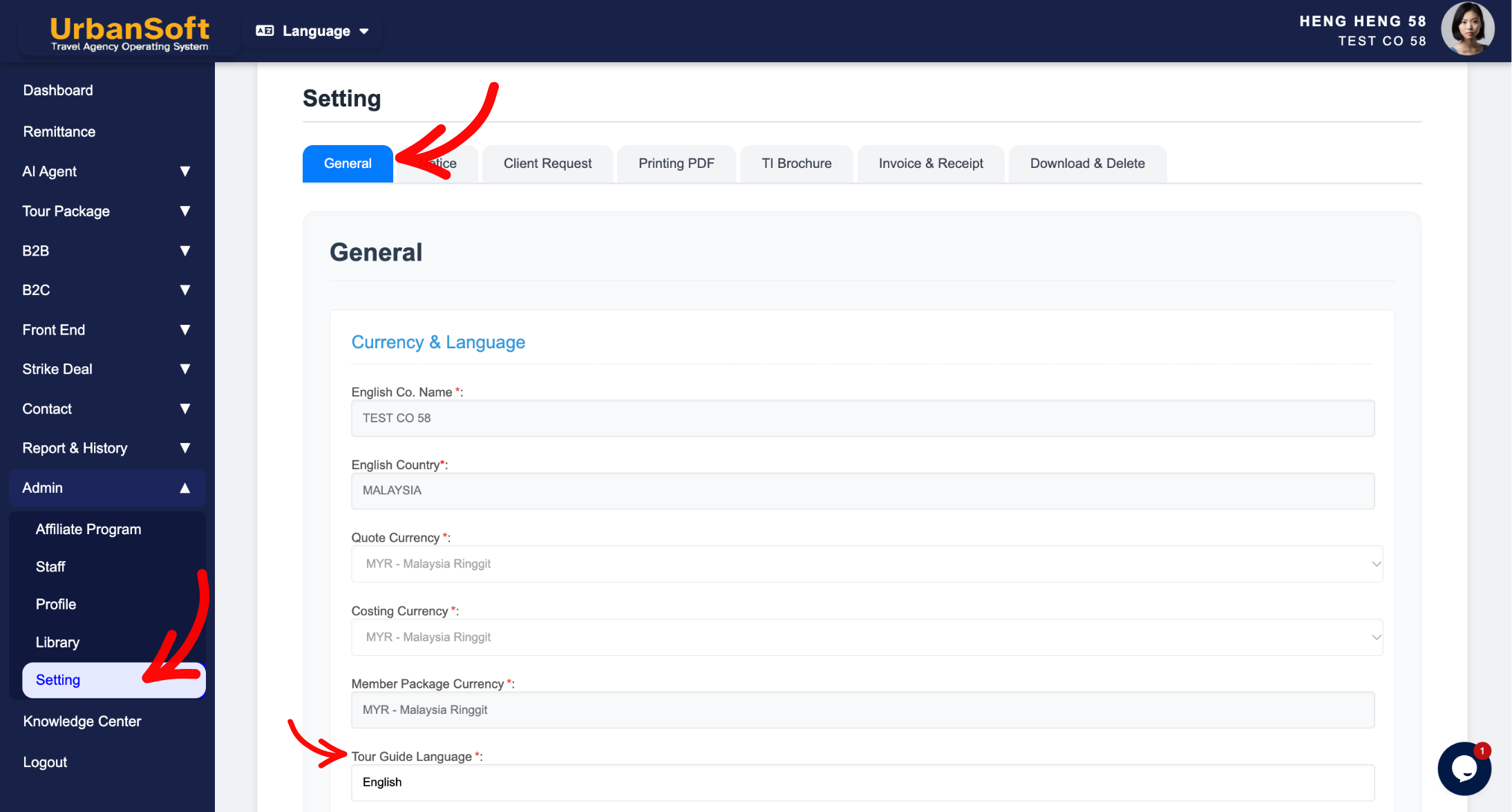
Navigate to Admin > Setting > General from the left navigation menu.
-
Locate the Tour Guide Language default setting option.
-
Select your desired default language and click Update.
-
-
To modify the tour guide language for a specific tour package:
-
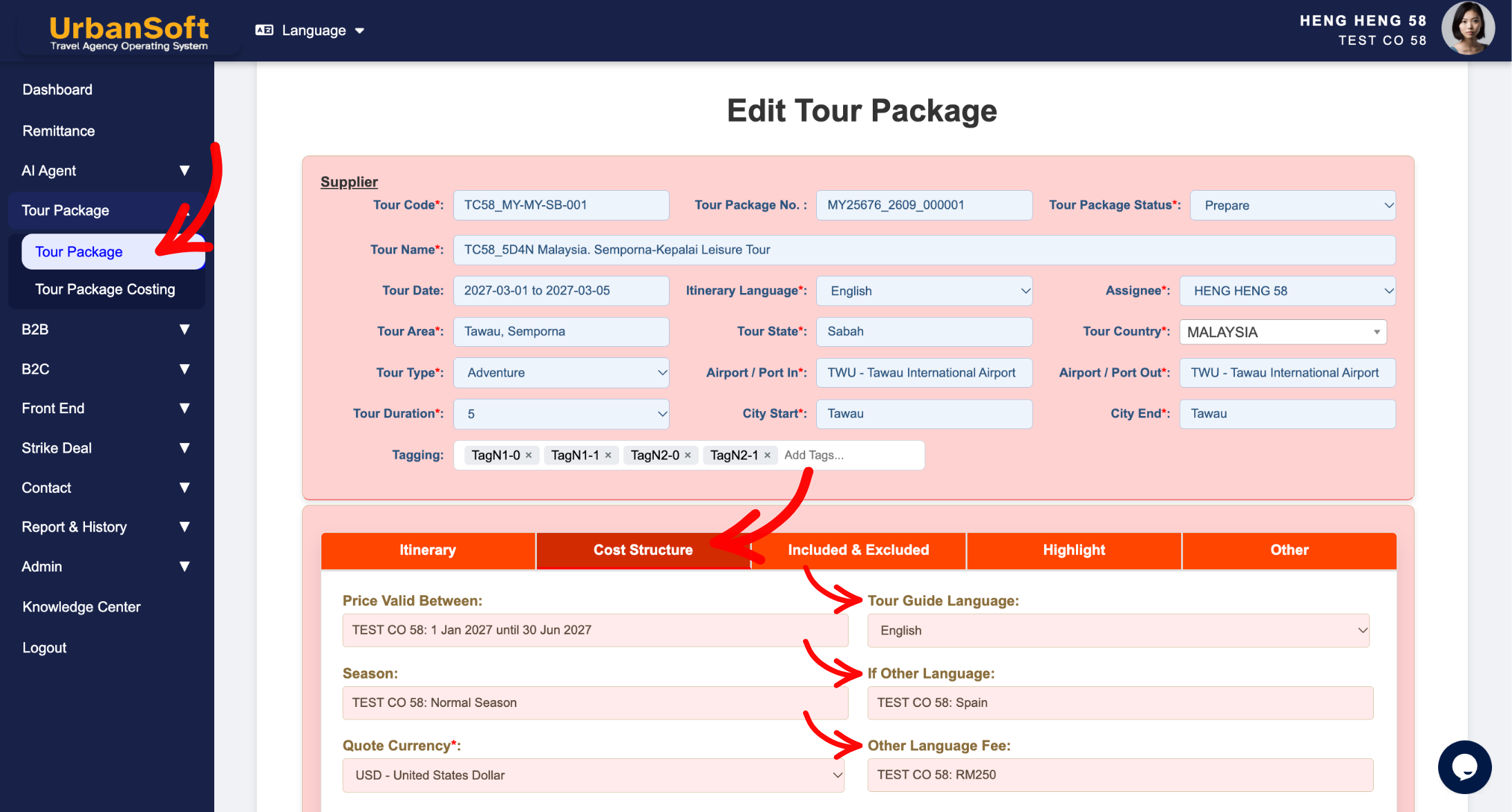
From the left navigation menu, go to Tour Package > Tour Package, overhere will have tour package index table.
-
Click the + Add New Tour Package button or click the Edit button next to an existing tour package.
-
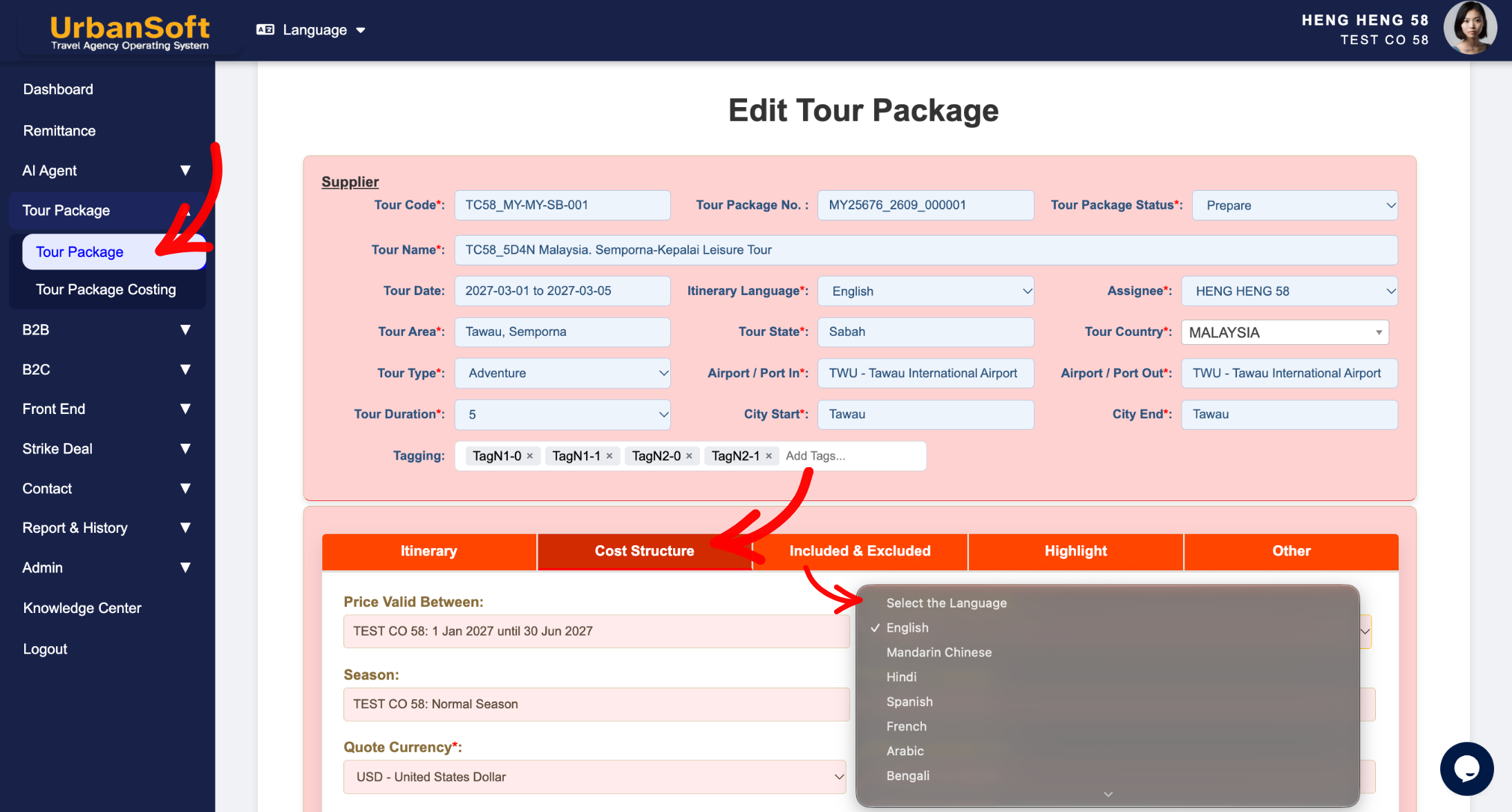
Locate the Tour Guide Language field on the package configuration page.
-
Select or change the language as needed for this specific package.
-
You can also add other language services requested by the customer and any additional charges here.
-
Click Update to apply your changes.
-
Expected Result
The default tour guide language will automatically populate for new packages, while individual tour packages can have custom guide languages assigned whenever needed.
Important Notes
-
The default tour guide language is configured under Admin > Setting > General.
-
You can modify or override the tour guide language, for individual tour packages, anytime inside each package's setting page.
-
You can also add other tour guide languages and additional charges.
Common Mistakes
-
Assuming that changing the default language in General Settings will automatically overwrite custom language settings already saved on existing tour packages.
-
Forgetting to click Update after changing the tour guide language, othe language, and fee inside a tour package.
Different Angles: Same Stories, Same Content, New Perspective
-
Where can I change the default tour guide language in UrbanSoft?
-
How do I override the guide language for a specific itinerary package?
-
Where can I add tour guides for other languages and their associated surcharges?
-
How to add additional tour guide languages?
 How to check "My Membership Status"?
