.gif)
.gif)
.gif)

 What should be filled out in the "Cost Profit Setting" field in Setting > General and Tour Package Costing section?
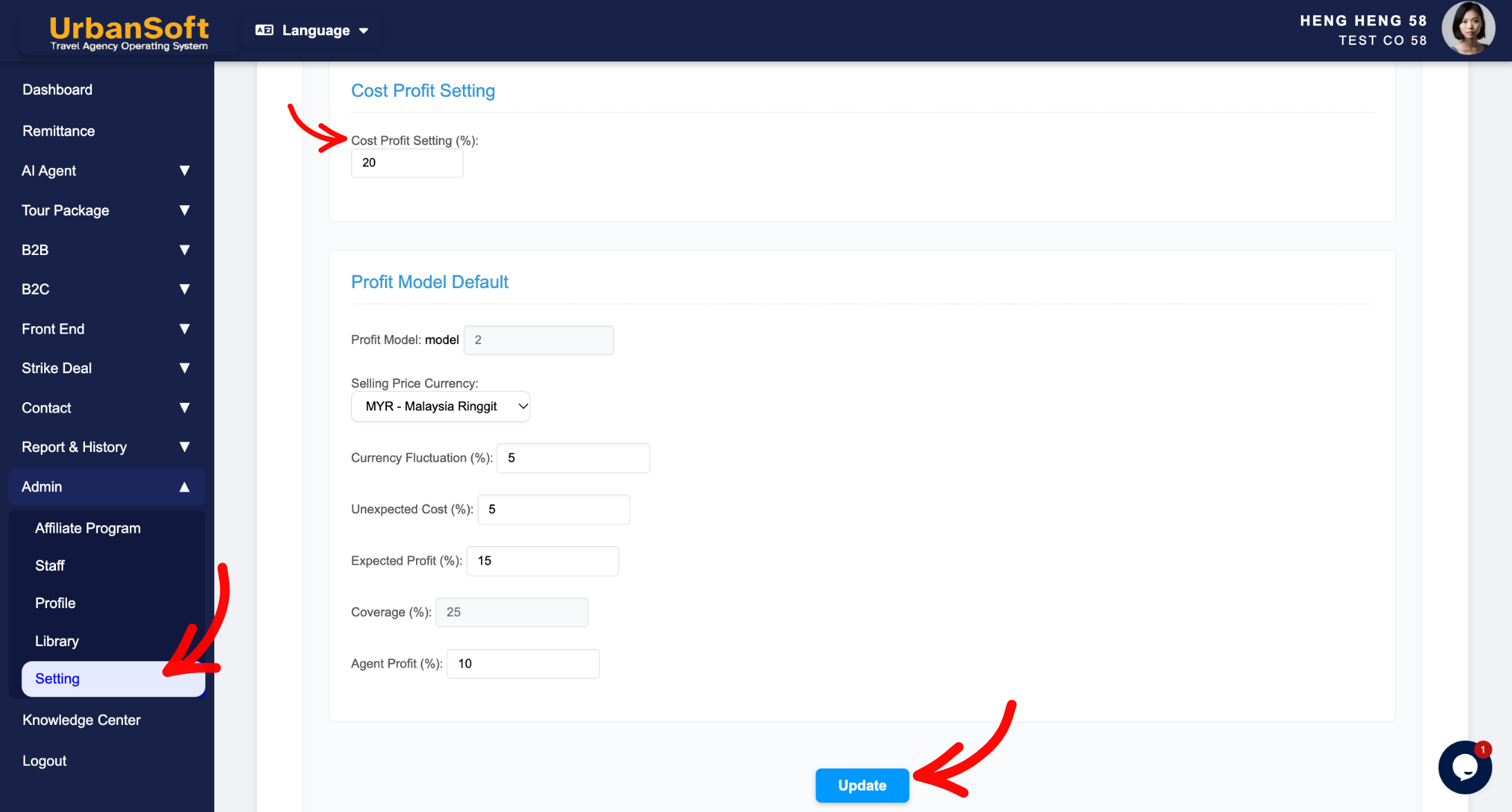
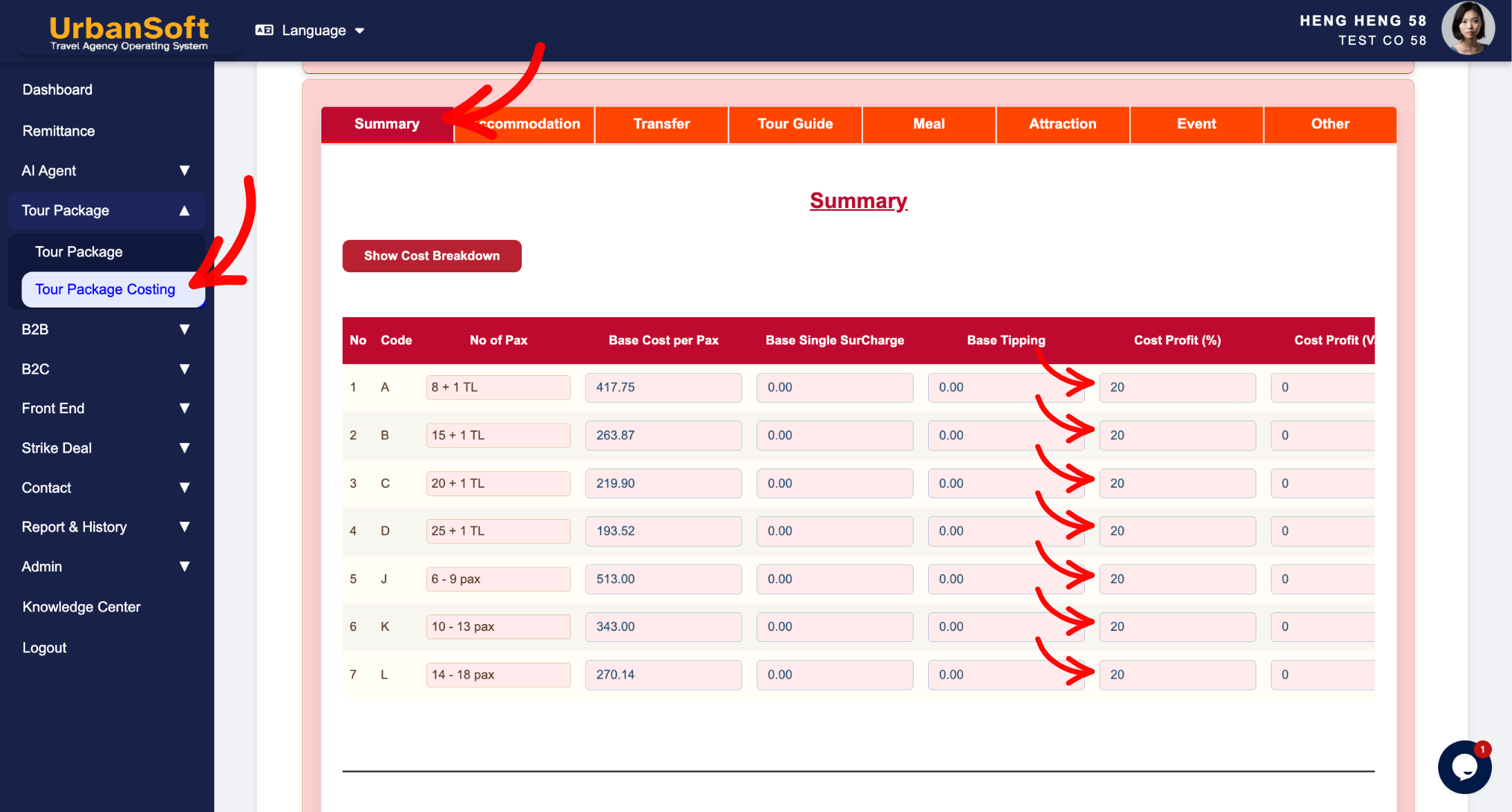
The Cost Profit Setting (%) field (located globally in Admin > Setting > General under Payment Detail & Profit Model Defaults, and applied within individual tour package costing sections) is a financial markup parameter used to define the standard default profit margin percentage. It is applied across tour costing modules to automatically compute markups over baseline supplier expenses, ensuring consistent profit margins across quotes and proposals.
What Can I Do?
You can establish and manage your default cost markup margins using the following key functions:
-
Set Baseline Markup Margins: Define a default profit percentage (e.g.,
15%) to automatically calculate standard profit markups over net supplier costs. -
Streamline Package Costing: Pre-populate profit markups into newly created tour package costing worksheets to save calculation time.
-
Maintain Flexible Pricing: Apply the global markup rate automatically while retaining full flexibility to adjust the percentage for individual tour package quotes when necessary.
Field Definitions & Operational Guidance
1. Cost Profit Setting Parameter
-
Cost Profit Setting (%): Set default profit margin percentage markups applied across costing modules (e.g.,
"15%"). This percentage serves as the baseline profit markup added to baseline operational costs across tour package costing worksheets.
2. System Application & Workflow
-
Global Setting (
Admin > Setting > General): Establishes the agency-wide baseline default profit percentage applied whenever a new tour package costing sheet is initialized. -
Package Level (
Tour Package > Tour Package Costing > Summary Section): Automatically inherits the global percentage, allowing travel planners to review, accept, or modify the markup rate for specific client quotes or seasonal promotions.
Example
When configuring cost profit markups for a travel agency:
-
Navigate to Admin > Setting > General and scroll down to Cost Profit Setting (%).
-
Enter
"15%"as your default company markup rate and click Update to save. -
When creating a new tour package costing worksheet, the system automatically applies a 15% profit margin over net ground supplier costs.
-
If a custom quote requires a higher margin, adjust the percentage directly inside the package costing summary section for that specific proposal without changing the global setting.
Important Notes
-
Pre-setting an accurate Cost Profit Setting (%) ensures that every generated quote maintains a sustainable profit margin by default.
-
Changing the percentage in
Admin > Setting > Generalupdates the default value for future tour packages—it does not alter previously created package costing worksheets or published quotes.
Different Angles: Same Stories, Same Content, New Perspective
- What default markup percentage, profit margin calculation rules, and package costing controls make up the Cost Profit Setting field in UrbanSoft?
Same Folder Articles
Related Articles
-
 How to setup "Admin > Setting" page?
-
What information should be include in the "Admin > Setting > General" tab?
-
What should be filled out in the "Profit Model Default" section in Setting > General and B2C section?
-
Relationship between "Costing Currency, Quote Currency, Current Rate, and Fixed Rate" in Setting > General and Tour Package?
