.gif)
.gif)
.gif)

 What should be filled out in the "Payment Detail" field in Setting > General, B2C and Invoice & Receipt section?
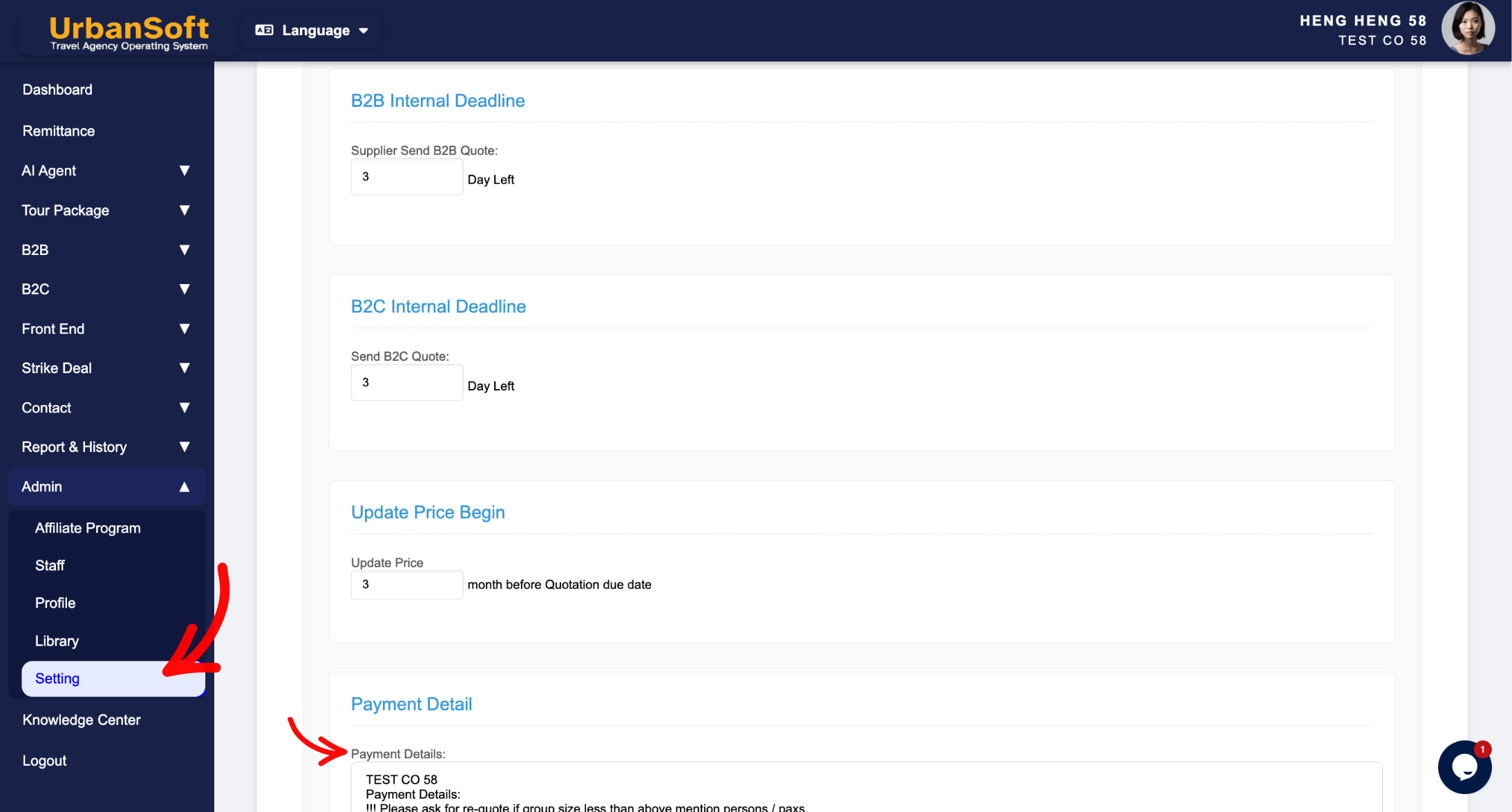
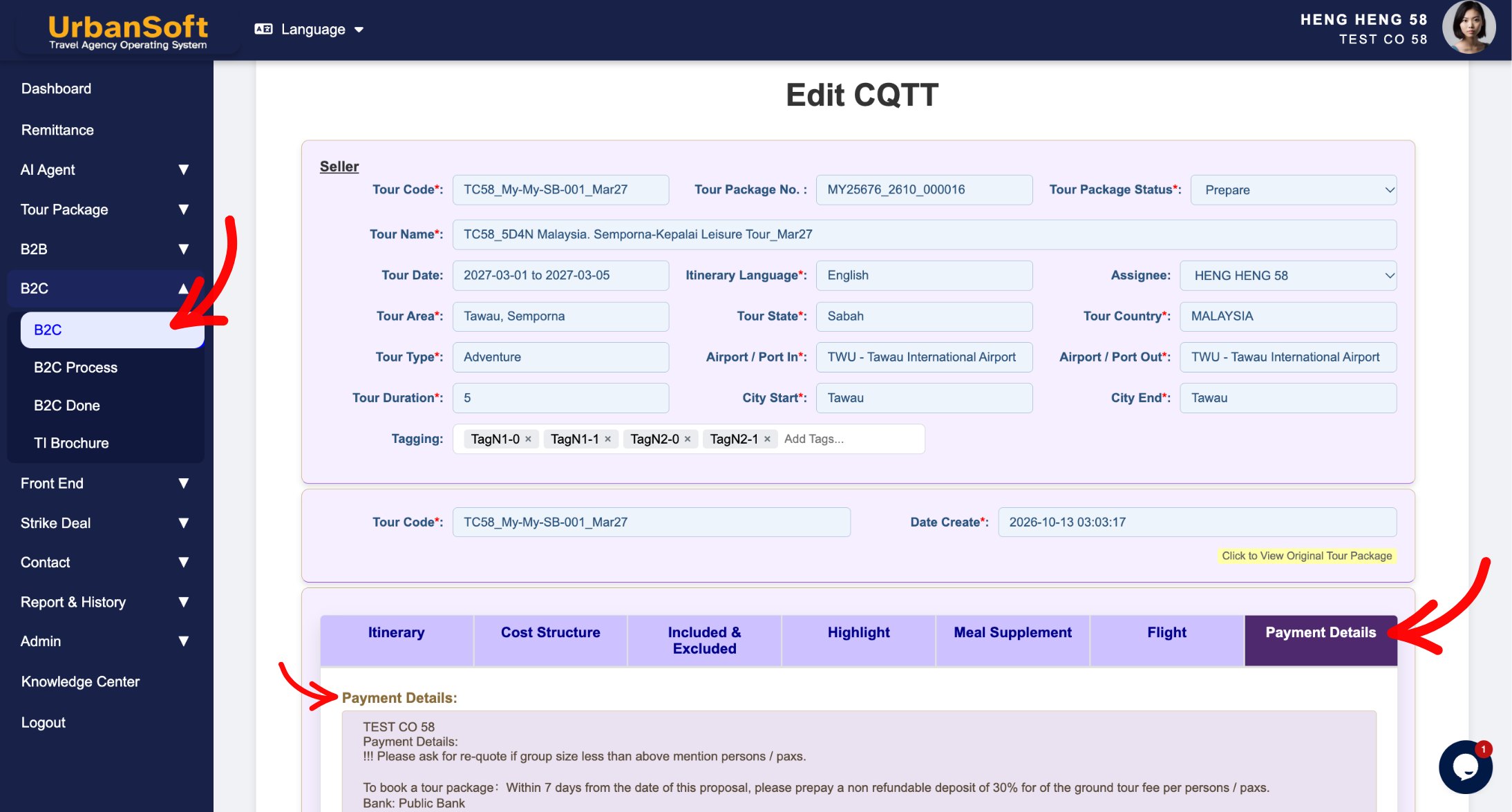
The Payment Details field (located globally in Admin > Setting > General under Payment Detail & Profit Model Defaults, and available within individual tour package B2C pricing modules) is a core administrative text field used to store standard settlement parameters. It captures default bank account details, SWIFT codes, digital payment links, or remittance instructions, automatically rendering this essential payment information onto buyer itinerary.
What Can I Do?
You can establish and manage your settlement information using the following key functions:
-
Pre-Configure Company Bank Details: Store official bank account names, account numbers, bank names, and SWIFT codes for seamless wire transfers.
-
Integrate Digital Payment Links: Include direct remittance links or online payment portal URLs for quick customer checkout.
-
Automate Billing Document Output: Automatically pre-populate payment instructions onto B2C quotations without manual re-typing.
-
Maintain Flexible Remittance Instructions: Update company bank details globally across system settings while retaining the ability to adjust payment notes for specific buyer tour package itinerarys when necessary.
Field Definitions & Operational Guidance
1. Payment Details Field Definition
-
Payment Details: Enter default bank account details, payment links, or remittance instructions to appear on itinerary (e.g.,
"Bank: Maybank | Acc No: 512345678901 | SWIFT: MBBEMYKL").
2. System Application & Navigation Paths
-
Global Default Path (
Admin > Setting > General): Serves as the agency-wide master remittance template that auto-loads into newly initialized B2C and financial document settings. -
Package Level Path (
B2C > Payment Detail Section): Auto-inherits the global payment instructions, allowing sales planners to modify bank notes or append specific deposit rules for a particular buyer itinerary.
Example
When setting up standard remittance parameters for a travel agency:
-
Navigate to Admin > Setting > General and locate the Payment Details field.
-
Enter your company's primary banking details:
"Bank: Maybank | Acc No: 512345678901 | SWIFT: MBBEMYKL | Beneficiary: Urban Travel Sdn Bhd". -
Click Update to save the global default.
-
When generating a B2C itinerary, the system automatically includes these bank details at the bottom of the printed PDF.
Important Notes
-
Entering clear, complete payment details (including SWIFT codes for foreign currencies) prevents billing delays and reduces transaction errors when clients make international wire transfers.
-
Updating the Payment Details field in
Admin > Setting > Generalupdates defaults for future itinerary without altering previously generated historical itinerary records.
Different Angles: Same Stories, Same Content, New Perspective
- What default bank account details, SWIFT code inputs, remittance instructions, and document output controls make up the Payment Detail field in UrbanSoft?
Same Folder Articles
Related Articles
-
 How to setup "Admin > Setting" page?
-
What information should be include in the "Admin > Setting > General" tab?
-
What information should be include in the "Admin > Setting > Invoice & Receipt" tab?
-
What should be filled out in the "Cost Profit Setting" field in Setting > General and Tour Package Costing section?
-
What should be filled out in the "Profit Model Default" section in Setting > General and B2C section?
