.gif)
.gif)
.gif)

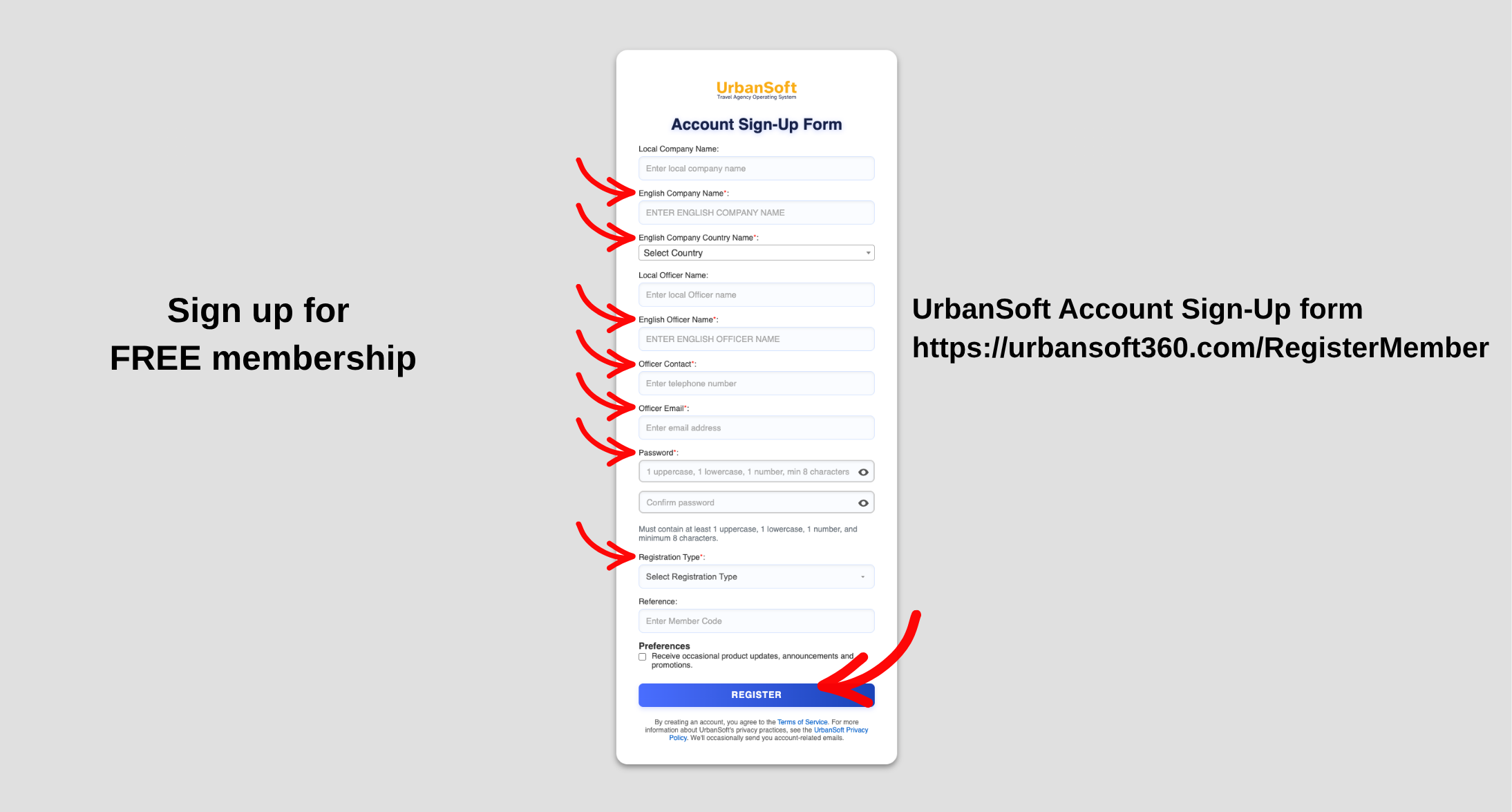
 Can I leave fields that are not marked with an "Asterisk (*)" blank?
Yes, you can leave fields that are not marked with an asterisk (*) blank. In the UrbanSoft platform, only fields with an asterisk (*) are mandatory for saving or submitting a form. Unmarked fields are optional supplementary fields designed to capture extra details if available, but omitting them will not block system execution or package creation.
What Can I Do?
You can manage form completion efficiently using the following approaches:
-
Focus on Mandatory (*) Fields: Fill out all fields marked with an asterisk (*) to ensure your tour package or system form meets minimum operational and saving requirements.
-
Leave Optional Fields Blank: Skip any non-asterisk fields during initial draft creation to speed up package setup.
-
Enhance Content Optionally: Return to unasterisked fields later to add granular details (such as extra descriptions, secondary contact information, or internal notes) as needed.
Operational Guidance & Best Practices
1. Mandatory vs. Optional Fields
-
Asterisk (*) Fields: Indicate essential data required by UrbanSoft logic (such as Tour Package Name, Tour Code, Duration, or Mandatory Meal Types). These must be populated before saving.
-
Non-Asterisk Fields: Represent optional parameters (such as secondary cost allocations, specific restaurant names, or optional DMC story layers). Leaving them blank will not cause system validation errors.
2. Workflow Efficiency
-
When creating quick quotes or preliminary tour package drafts, fill out only the required (*) fields first to publish or calculate initial costs faster.
-
You can always revisit the package workspace at any time to enrich optional fields before client delivery.
Example
When setting up a new tour package in UrbanSoft:
-
Complete all required fields marked with an asterisk (*), such as Tour Package Name* ("5D4N Penang Heritage Tour") and Tour Code* ("PNG-001").
-
Skip optional fields like Breakfast Name or extra internal reference notes during initial creation.
-
Save the package successfully without any error warnings.
Important Notes
-
While leaving non-asterisk fields blank allows for faster package creation, providing thorough information in optional fields results in richer proposals and more detailed customer-facing itineraries.
-
Mandatory fields (*) vary across different modules (Basic Info, Costing, Itinerary), so always look for the red/bold asterisk indicator when filling out forms.
Different Angles: Same Stories, Same Content, New Perspective
- How does field validation work in UrbanSoft forms, and what is the difference between mandatory asterisk (*) fields and optional blank fields when creating tour packages?
 How to set up my "UrbanSoft Account"?
