.gif)
.gif)
.gif)

 What should I do if I forgot my "Password"?
If you forget your UrbanSoft password, you can reset it by verifying access to the email address registered to your account. You do not need to contact support immediately; simply follow the password reset process from the login page.
What Can I Do?
You can reset your password by:
-
Go to Forgot Password page, https://urbansoft360.com/forgot-password.
-
Entering the email address registered to your UrbanSoft account.
-
Receiving a password reset email.
-
Clicking the reset link in the email.
-
Creating a new password that meets the required password rules.
-
Returning to the login page and signing in with your new password.
-
Completing the “I’m not a robot” verification before logging in.
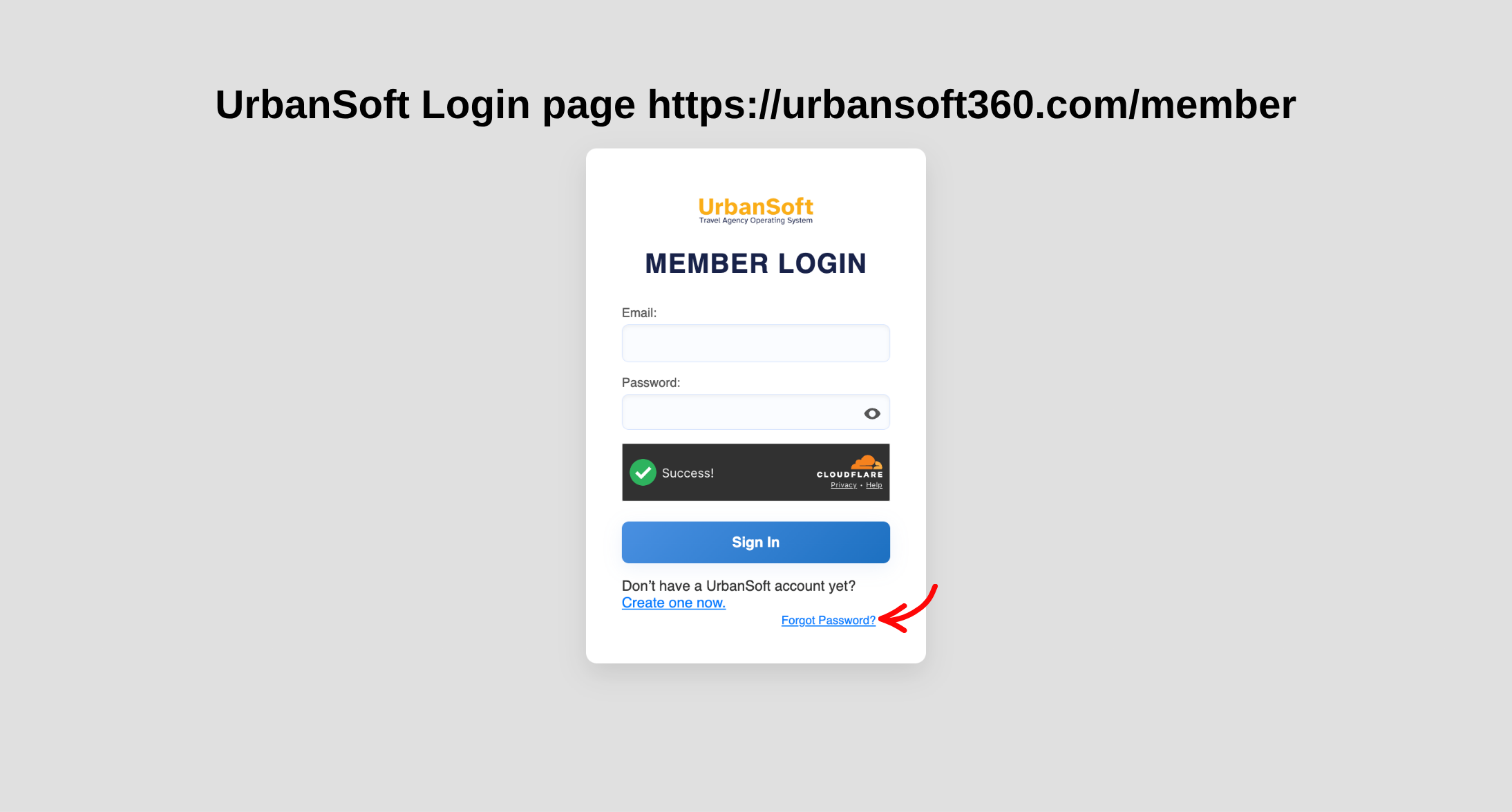
Login in to Your Account
UrbanSoft Member Login page https://urbansoft360.com/member
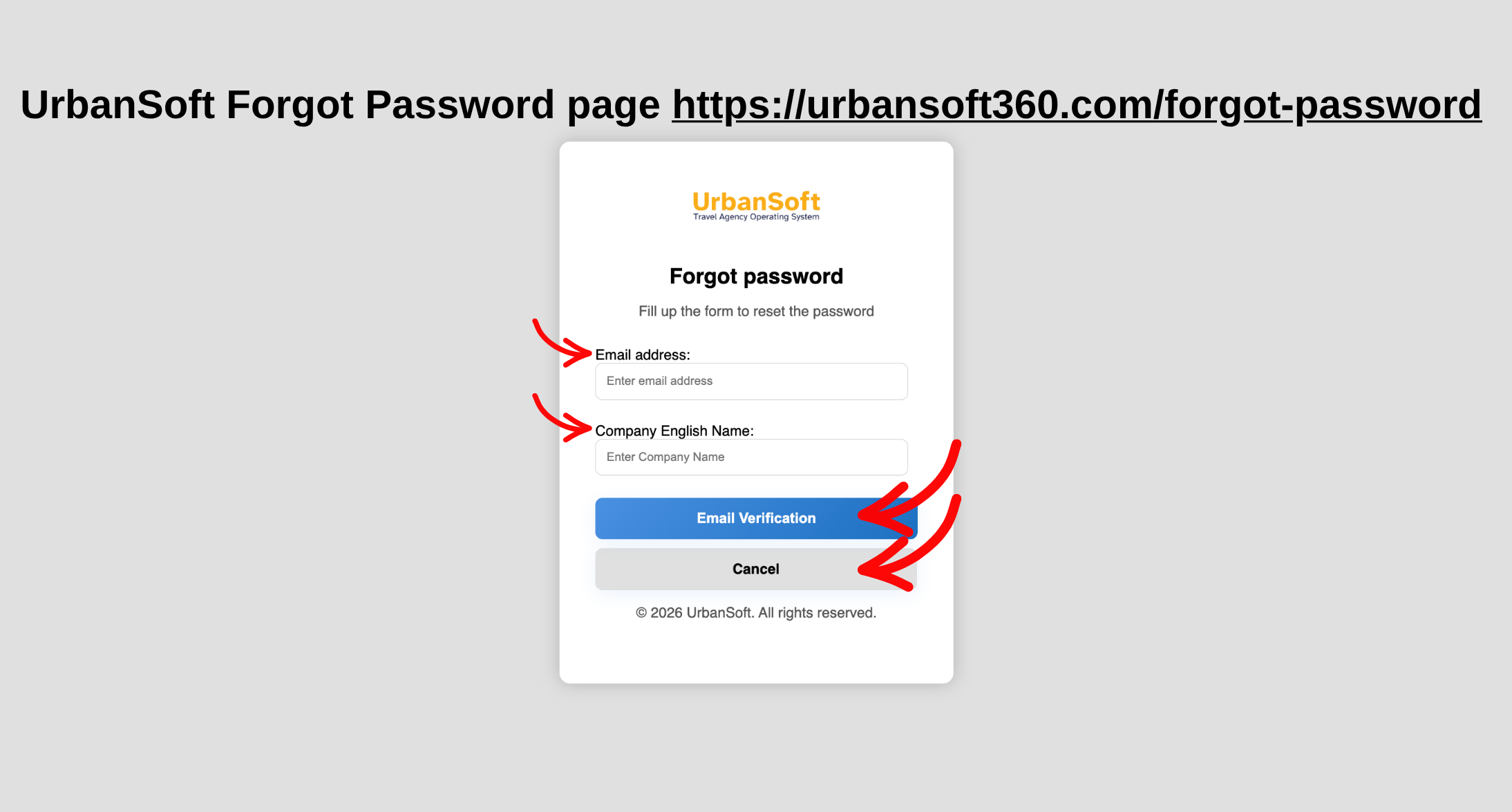
Request Link to Reset Your Password
UrbanSoft Forgot Password page https://urbansoft360.com/forgot-password
Example
For example, if you cannot remember your UrbanSoft password, select the Forgot Password option on the login page. Enter your registered email address and submit the request. Once you receive the password reset email, follow the link to create a new password. You can then return to the login page and sign in using your new password.
Important Notes
-
Make sure you enter the correct email address registered to your UrbanSoft account.
-
Check your Spam or Junk folder if you do not see the reset email in your inbox.
-
Email delivery may take a few minutes, so wait and check your inbox again if necessary.
-
Your new password must meet the required password requirements.
-
You must complete the “I’m not a robot” verification before logging in.
 How to set up my "UrbanSoft Account"?
