.gif)
.gif)
.gif)

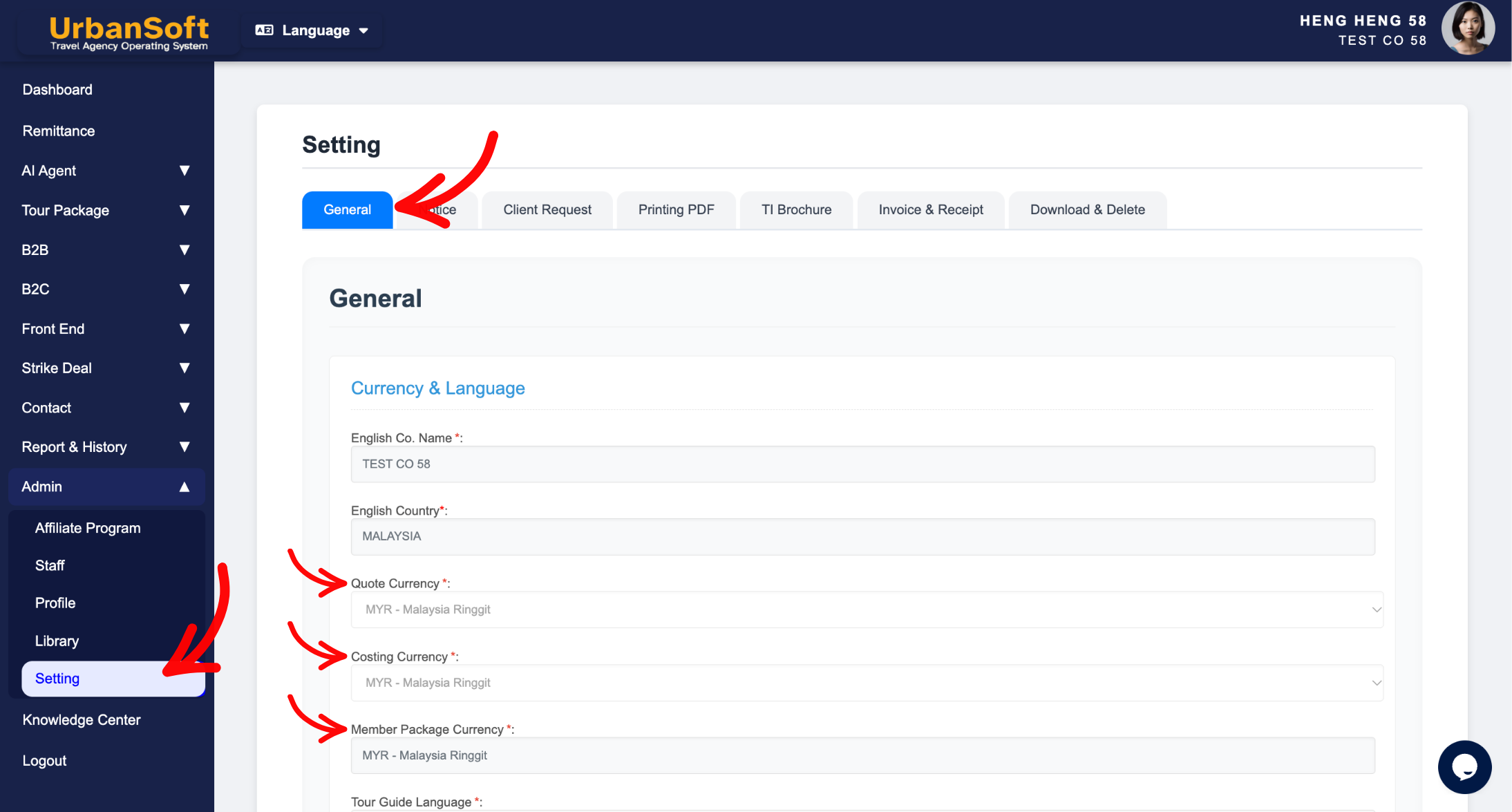
 How to change Setting > General and Top Up Credit / Deposit / Upgrade "Costing Currency" and "Member Package Currency" option?
Locking the Costing Currency and Member Package Currency in the Setting page is critical for maintaining overall accounting stability, multi-currency conversion accuracy, and consistent package pricing across your UrbanSoft ecosystem. Restricting ongoing modifications protects your financial framework from accidental currency misalignment across existing cost components, B2B partner distribution rates, and system invoices.
What Problem Does It Solve?
It prevents severe financial discrepancies and pricing errors across active tour itineraries and supplier components. If currency defaults could be changed freely after creating costing modules or subscribing to membership plans, historical cost calculations, currency conversion rates, and billing records would become mismatched or inaccurate.
Benefits
-
Financial Data Integrity: Ensures that all created cost components, profit margins, and tour package pricing retain consistent currency baselines.
-
Billing Precision: Guarantees that membership package renewals, credit top-ups, and add-on transactions align accurately with your designated regional billing currency.
-
Multi-Currency Protection: Prevents team members from unintentionally altering primary costing units, protecting existing quotation templates.
-
System-Wide Alignment: Maintains standardized monetary values across Inbound Suppliers and Outbound Agencies in B2B transactions.
Example
Suppose a travel operator sets its default Costing Currency to MYR and sets up various hotel and transportation cost components. If an employee subsequently changes the default costing currency to USD in the settings page, all existing cost calculations could be incorrectly interpreted, leading to incorrect quotation calculations for B2B clients. Locking these fields guarantees that established financial parameters remain safe and stable.
Important Notes
-
Initial Setup Restriction: Costing and member package currency fields are restricted to prevent mid-operational disruption after initial onboarding.
-
14-Day Window Policy: Similar to general account settings, core operational currency defaults are only editable within the initial 14-day setup window post-registration (or up to 1 change allowance).
-
Post-Lock Support Assistance: Once locked, if your business model changes or you require a complete account currency reconfiguration, you must submit an official request to UrbanSoft Customer Support for verification.
Different Angles: Same Stories, Same Content, New Perspective
-
Why are my company's costing currency settings locked in read-only mode?
-
How does restricting member package currency updates protect my financial reporting?
 How to check "My Membership Status"?
