.gif)
.gif)
.gif)

 How can I purchase "Add-ons" for my plan?
This guide explains how to select and purchase extra add-ons in UrbanSoft. You will learn how to access the add-on purchase page, select your preferred add-on options, the payment cycle will follow main subscription cycle, and complete the payment to activate additional capacity or features for your account.
When Do You Use This?
Use this process when you need additional system features, extra usage limits, or supplementary services beyond what is included in your primary subscription package without changing your base plan.
Before You Start
You need:
-
An active UrbanSoft account with valid login credentials.
-
Information about your company details and member code.
-
Browse our add-ons to view pricing and features for each option.
-
Preferred payment method ready for checkout.
Precautions:
-
Monthly Add-Ons: Automatically charged each month along with your active subscription cycle (Recurring Payment). You can adjust or cancel add-ons prior to the next billing cycle.
-
Yearly Add-Ons: Requires a non-refundable, one-time full payment for the entire year. It cannot be cancelled mid-term and remains active until the yearly period ends.
Step-by-Step
-
Log in to your UrbanSoft account.
-
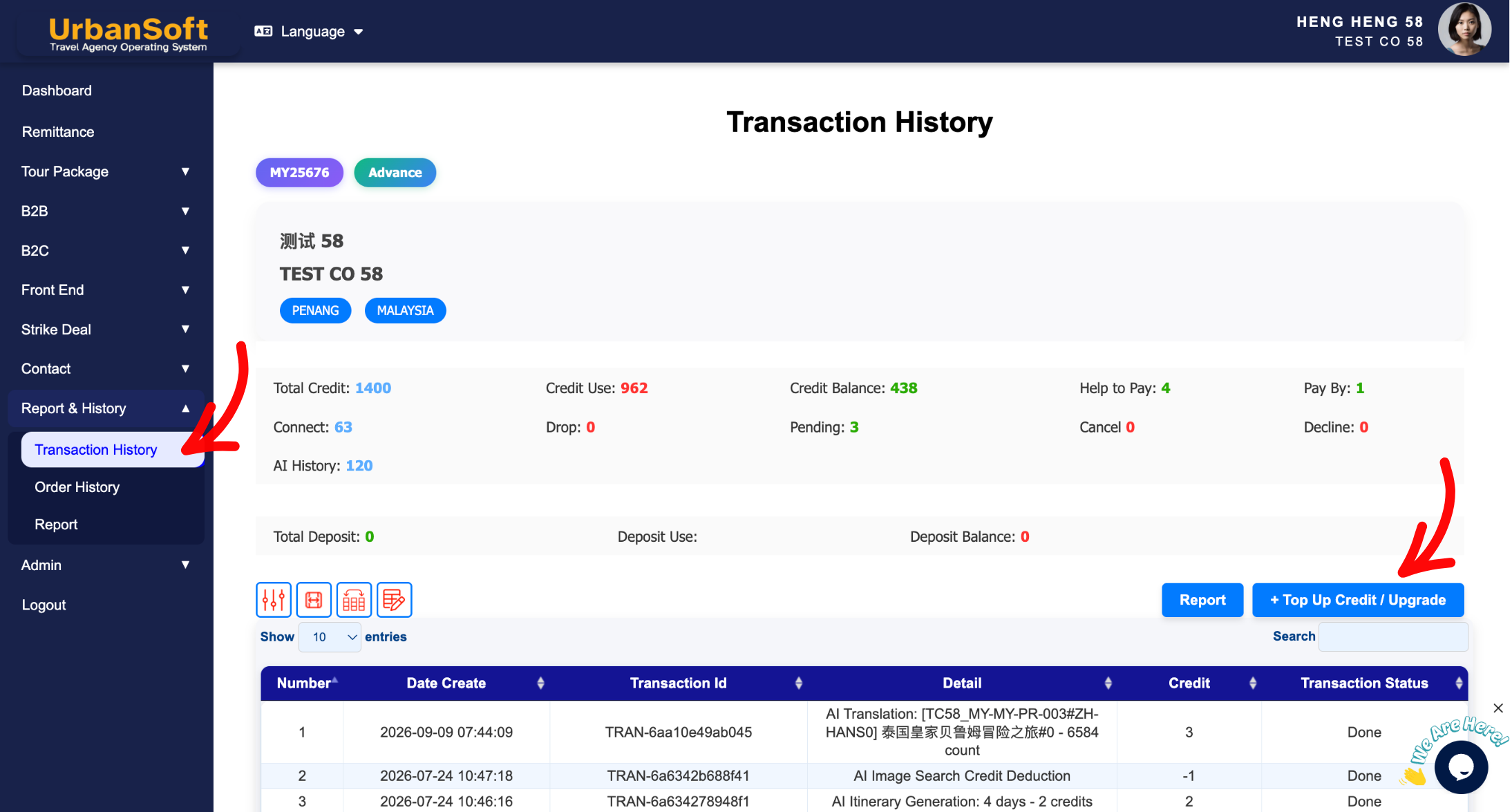
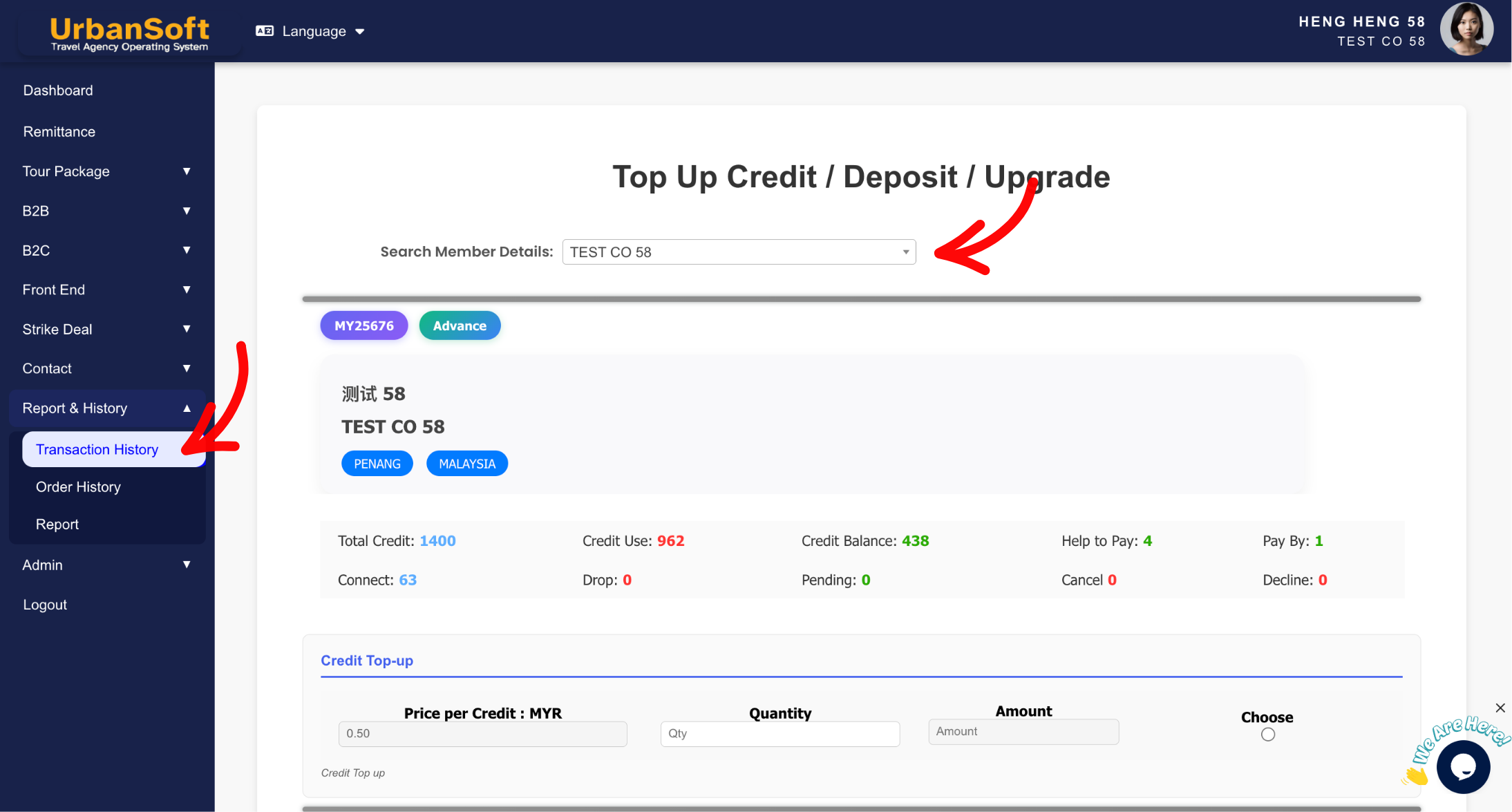
Navigate to Report & History > Transaction / Order History > + Top Up Credit / Upgrade
-
Select your member details and company name.
-
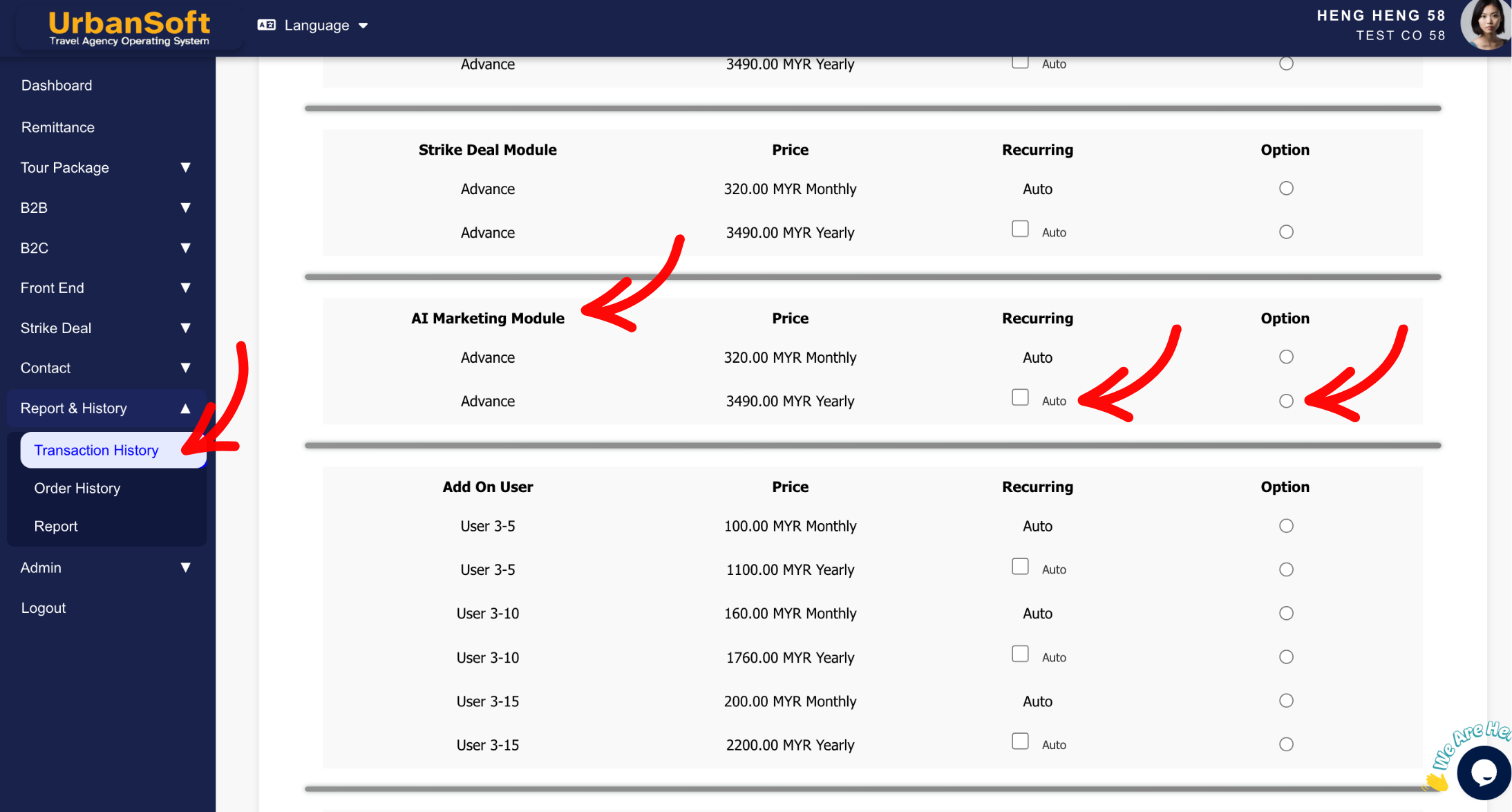
Scroll down to the Add-Ons section to browse available features and usage expansions.
-
Select the specific add-on options you wish to purchase and the payment cycle will follow main subscription cycle.
-
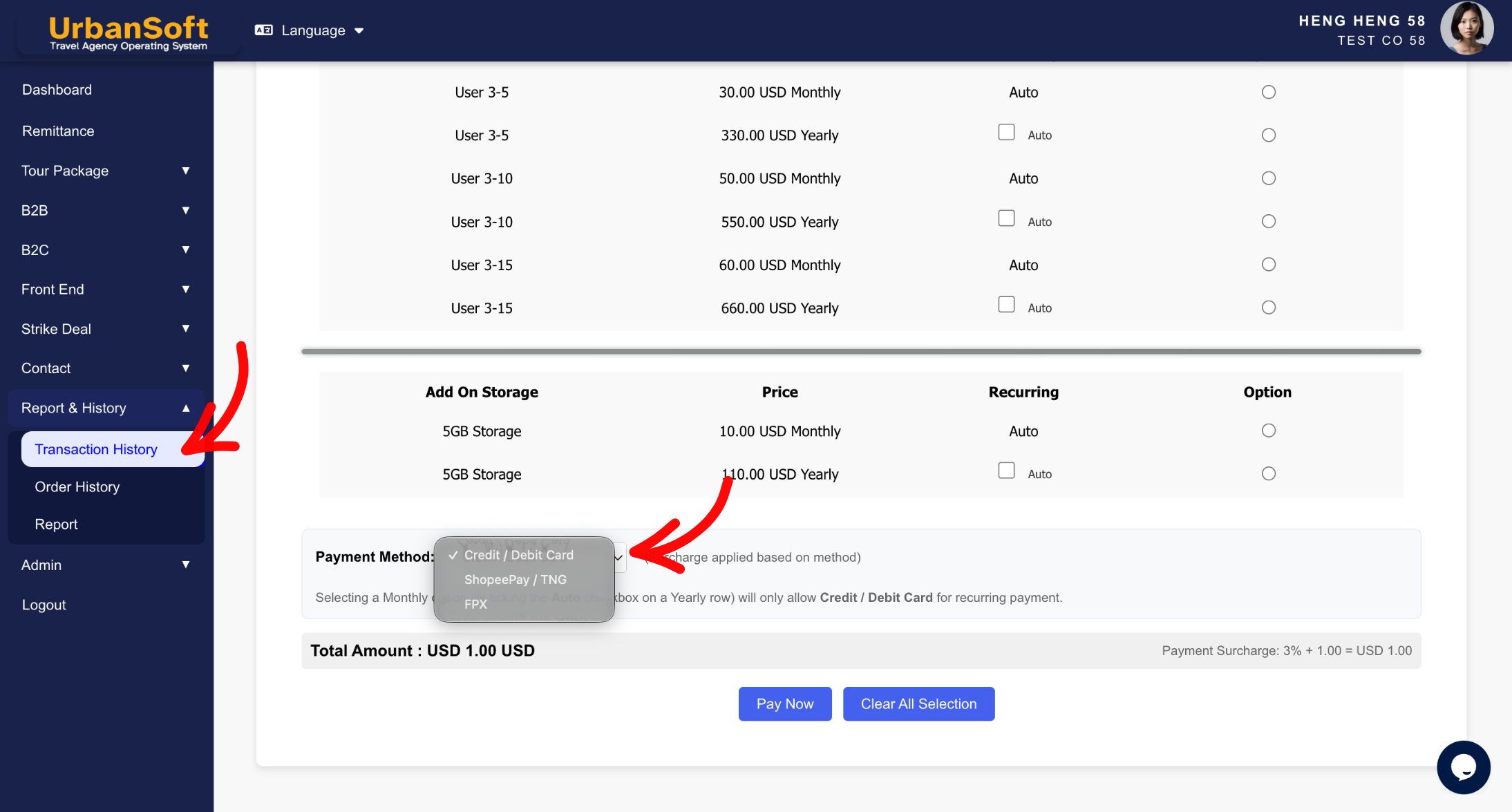
Choose your preferred payment method (e.g., Credit/Debit Card, eWallet, FPX - Online Banking).
-
Review your selected add-on details. Click Clear All Selections if you need to reset your choices.
-
Click Pay Now to confirm your add-on order request.
-
Follow the payment instructions to complete the checkout transaction.
Expected Result
Once payment is confirmed, your purchased add-ons will be successfully credited or activated for your UrbanSoft account, expanding your available features or usage capacity immediately.
Important Notes
-
Add-ons complement your main subscription plan; ensure your core subscription is active before purchasing additional add-ons.
-
Review whether the add-on duration matches your subscription needs before finalizing the purchase.
Common Mistakes
-
Submitting the add-on purchase request without completing the payment step.
-
Selecting a Yearly add-on option assuming it can be refunded or cancelled mid-year.
-
Selecting incorrect company or member details during checkout.
Different Angles: Same Stories, Same Content, New Perspective
-
How do I add extra feature quota or modules to my UrbanSoft account?
-
What are the steps to buy supplementary add-ons for my current subscription?
-
Can I purchase add-on feature separately?
 How to "Subscribe" to UrbanSoft?
