.gif)
.gif)
.gif)

 Can "Multiple Users with difference ID Access" UrbanSoft at the same time?
Yes. Multiple users with difference ID can access UrbanSoft at the same time. Each user can log in with their own account ID and work on the system according to their assigned access permissions.
This makes UrbanSoft suitable for travel agencies where different staff members need to work on travel operations at the same time.
What Can I Do?
You can allow different team members to access UrbanSoft concurrently for their daily work. For example:
-
A sales staff can prepare or review quotations.
-
An operations staff can manage tour arrangements and related information.
-
An administrator can manage staff accounts and system settings.
-
Different team members can access the system from different computers or devices.
-
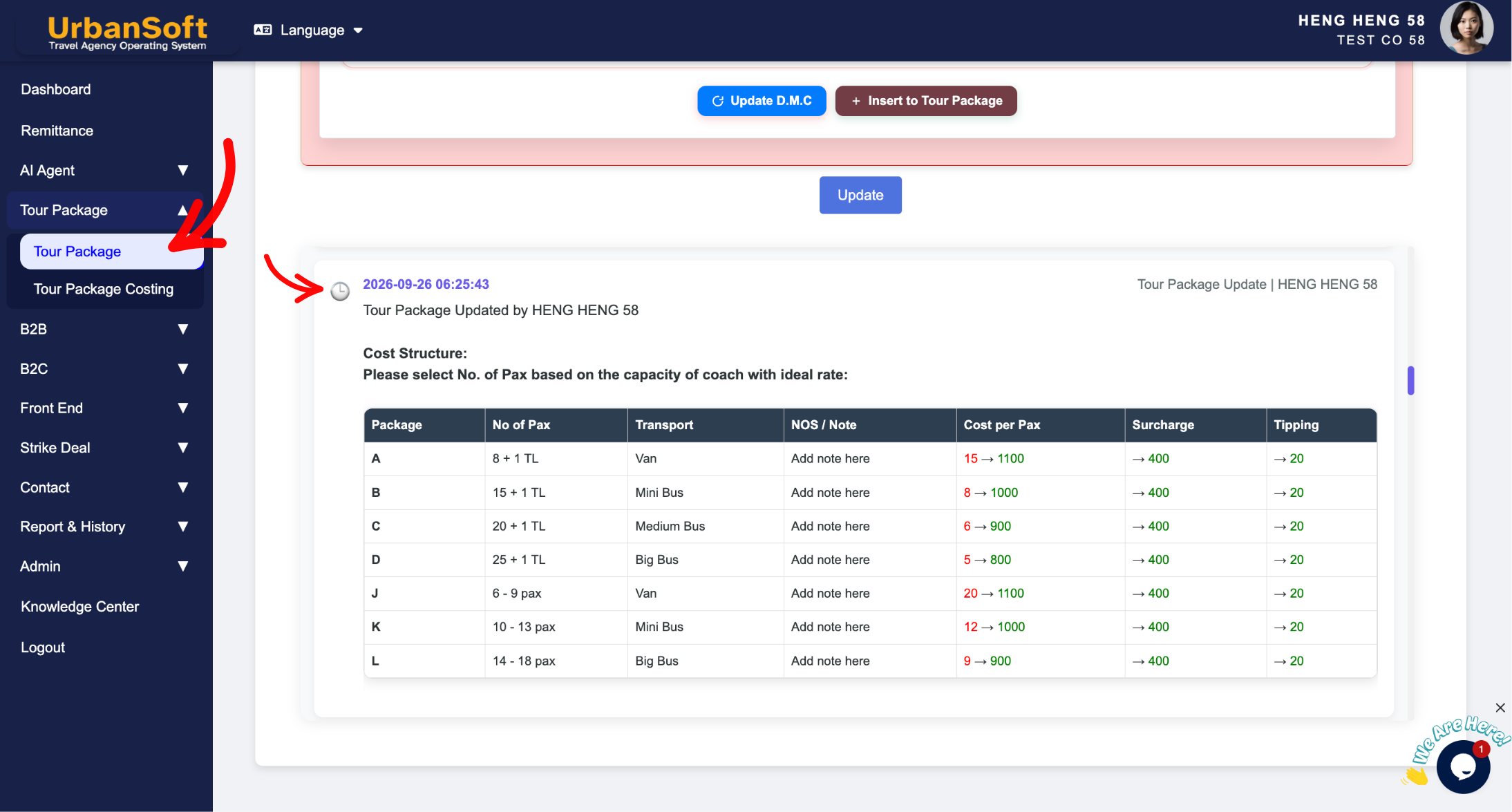
The timeline is a visual track or list that records the activity associated with each user ID (such as date, time, who, where, and details regarding what was created, modified, or saved). Therefore, every employee should have their own unique account ID.
Each user should use their own UrbanSoft account ID, instead of sharing one account with other staff members. Companies can add user accounts ID here.
Example
For example, a sales staff member can work on a quotation from one computer while an operations staff member accesses UrbanSoft from another computer to manage the related tour information.
Both users can work in UrbanSoft at the same time, subject to their account permissions and subscription plan.
Important Notes
-
Multiple users ID can access UrbanSoft concurrently.
-
Each user should have their own account and login credential.
-
Timeline able to record each user ID activities.
-
What each user can access depends on their assigned permissions.
-
The number of users or available access may depend on the selected subscription plan.
-
Do not share one account and password among multiple staff members.
 How to set up my "UrbanSoft Account"?
